Users
The Users section allows you to manage access to the Cloud Management Portal.
Use this page to:
- Grant access to new administrators.
- Manage existing administrators.
- Assign administrator roles.
- Control authentication and security settings.
A user in the Cloud Management Portal is someone with administrative access to manage environments and portal settings.
⚠️ Users in the Cloud Management Portal are administrators of the portal itself, not end users managed within Omada Identity.
Overview
The Users tab displays all users who have access to the portal.
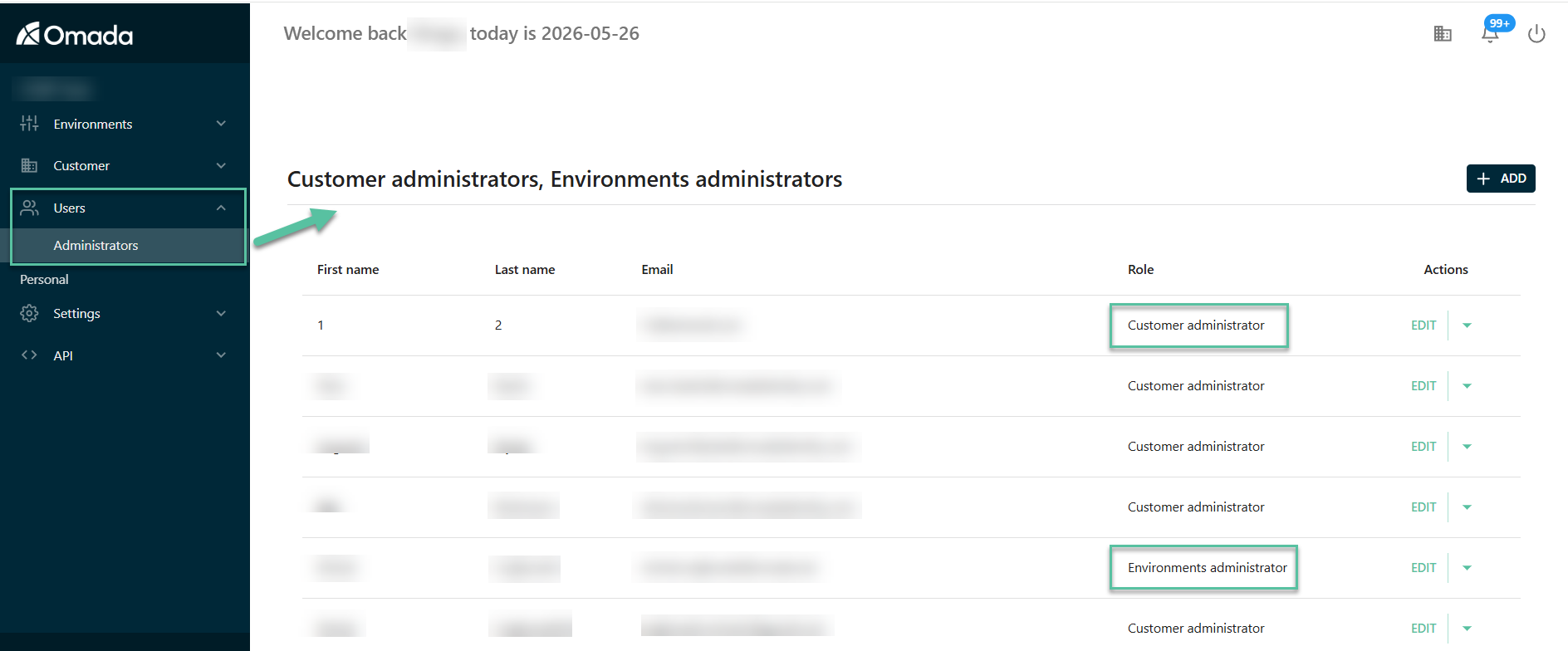
The table includes the following information:
| Column | Description |
|---|---|
| First name | The first name of the administrator. |
| Last name | The last name of the administrator. |
| The email address used to access the portal. | |
| Role | The administrator role assigned to the user. |
| Actions | Available actions for managing the user. |
Available actions
For each user, you can perform the following actions:
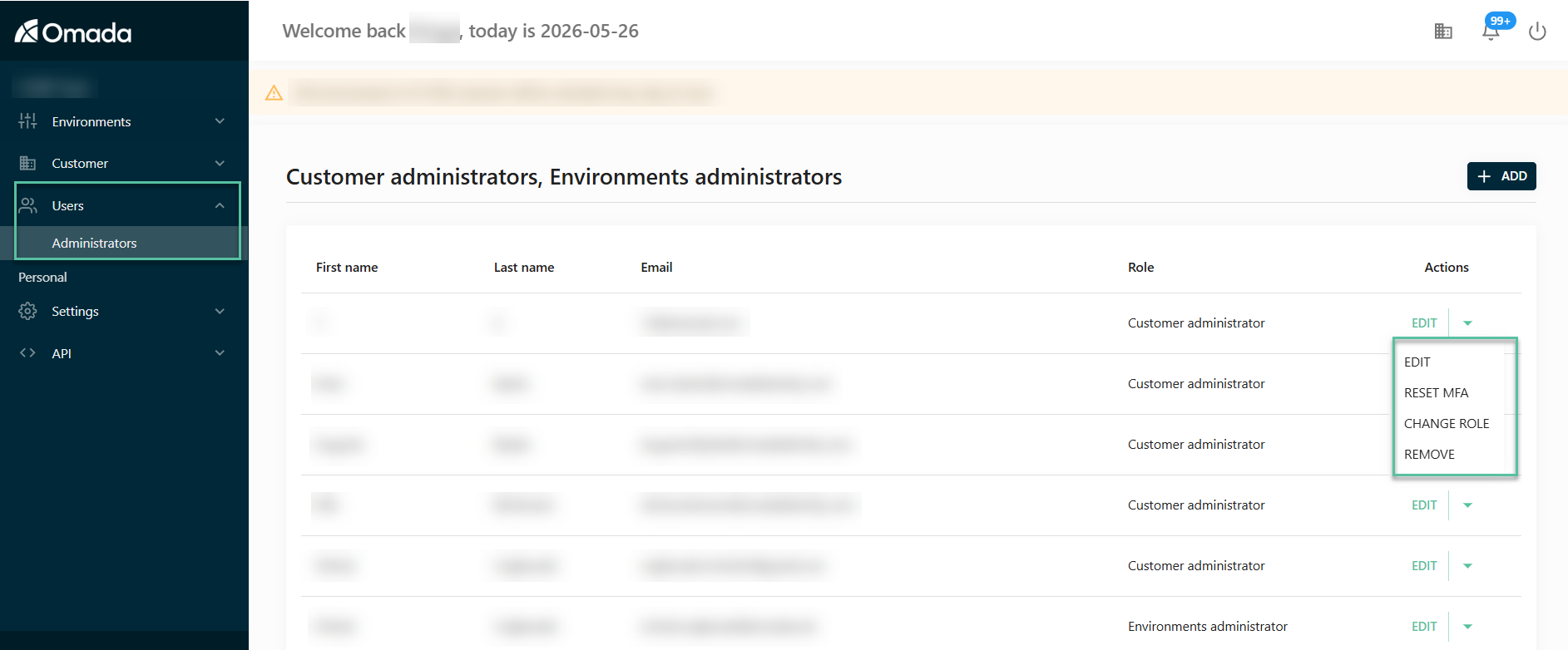
| Action | Description |
|---|---|
| Add | Grant access to a new administrator. |
| Edit | Update user details such as name or email. |
| Change role | Change the administrator role assigned to the user. |
| Reset MFA | Reset multi-factor authentication for a user. |
| Remove | Revoke access to the portal. |
Use the Users section when you need to:
- Add a new administrator to the portal.
- Assign the correct administrator role.
- Update user details.
- Help a user who cannot log in by resetting MFA.
- Remove access for users who no longer need it.
Administrator roles
The Cloud Management Portal supports the following administrator roles:
| Capability | Customer administrator | Environments administrator |
|---|---|---|
| Manage environments | Yes | Yes |
| View customer and contract data | Yes | Yes |
| Manage customer users | Yes | No |
| Manage authentication, including domains and identity providers | Yes | No |
An Environments administrator has fewer permissions than a Customer administrator. This role can manage customer environments, but cannot manage customer users or authentication settings.
Environments administrator view
When a user is logged in as an Environments administrator, the Users menu item is not available in the left navigation.
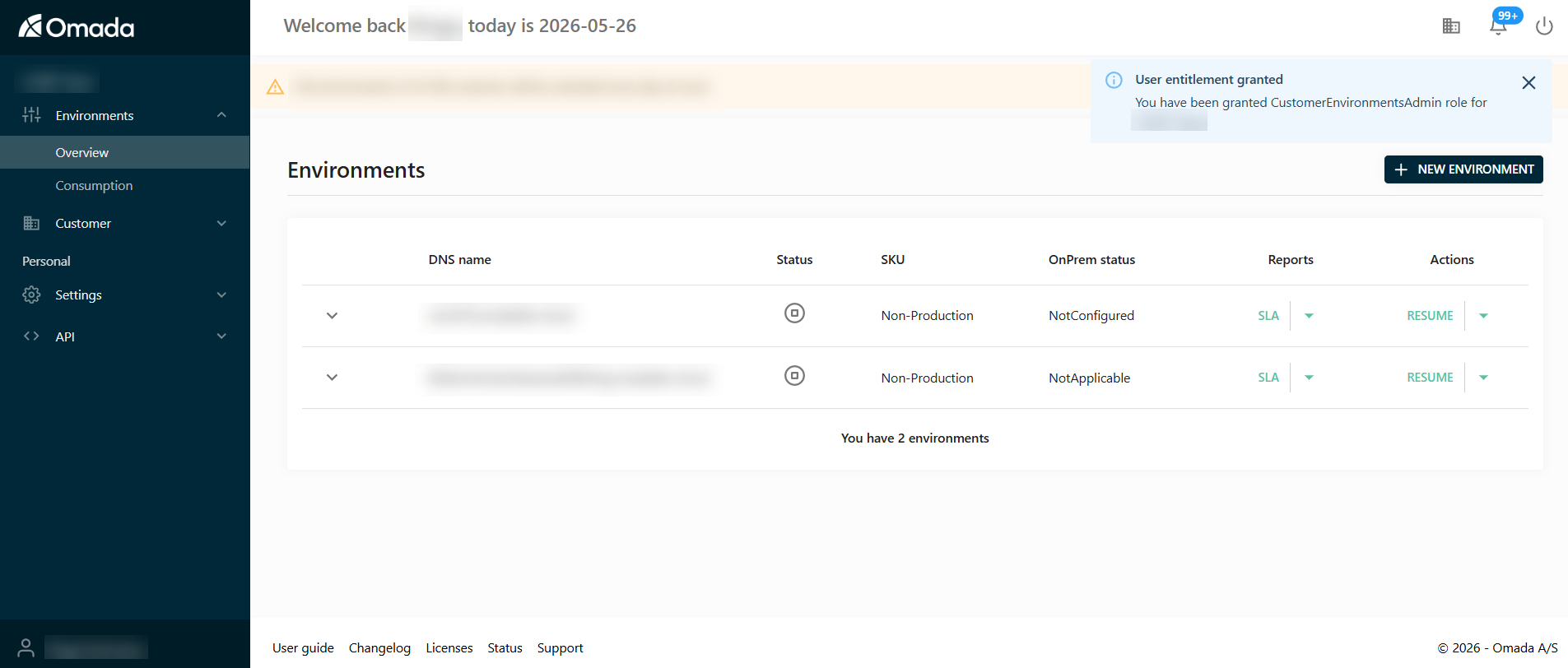
An Environments administrator can access environment management features, but cannot manage portal users.
Add a user
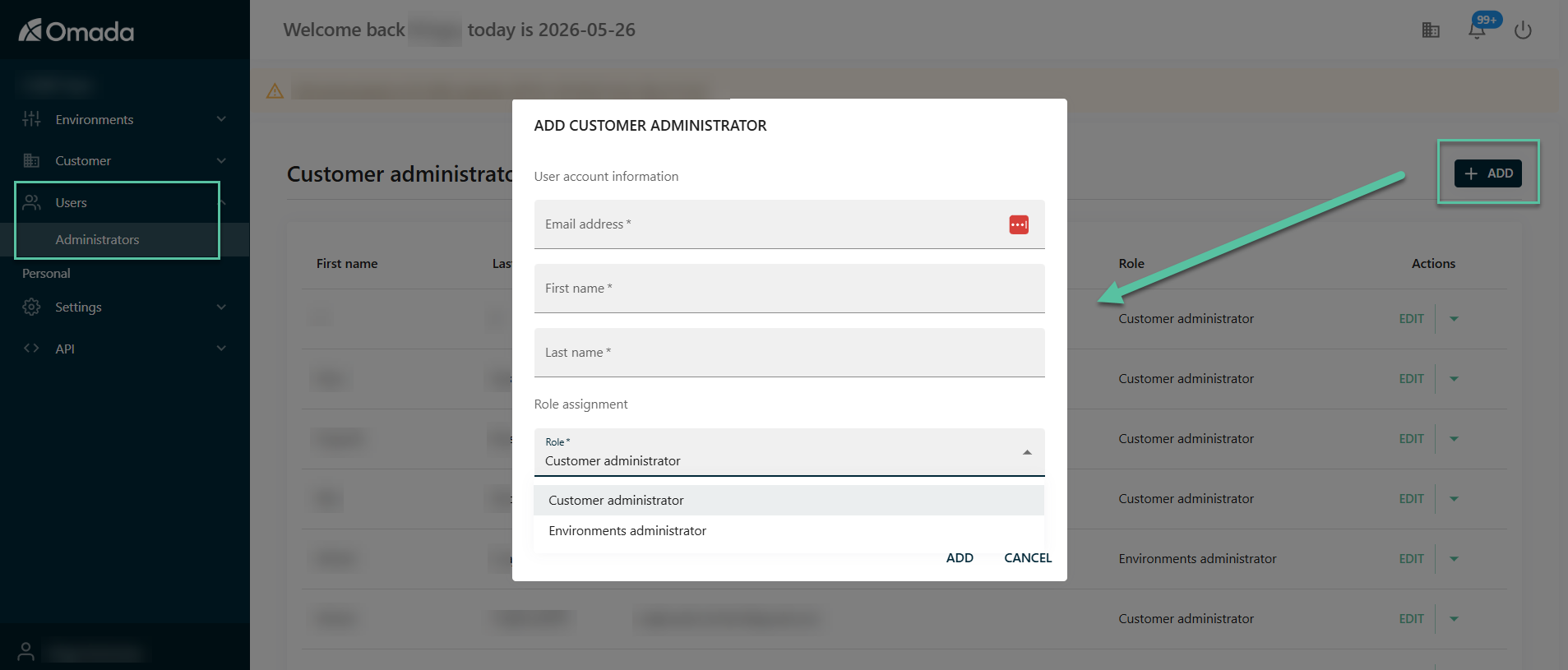
To add a user:
-
Go to Users > Administrators.
-
Select Add.
-
Enter the user account information.
-
Select the required role. You can assign one of the following roles:
- Customer administrator
- Environments administrator
-
Select Add.
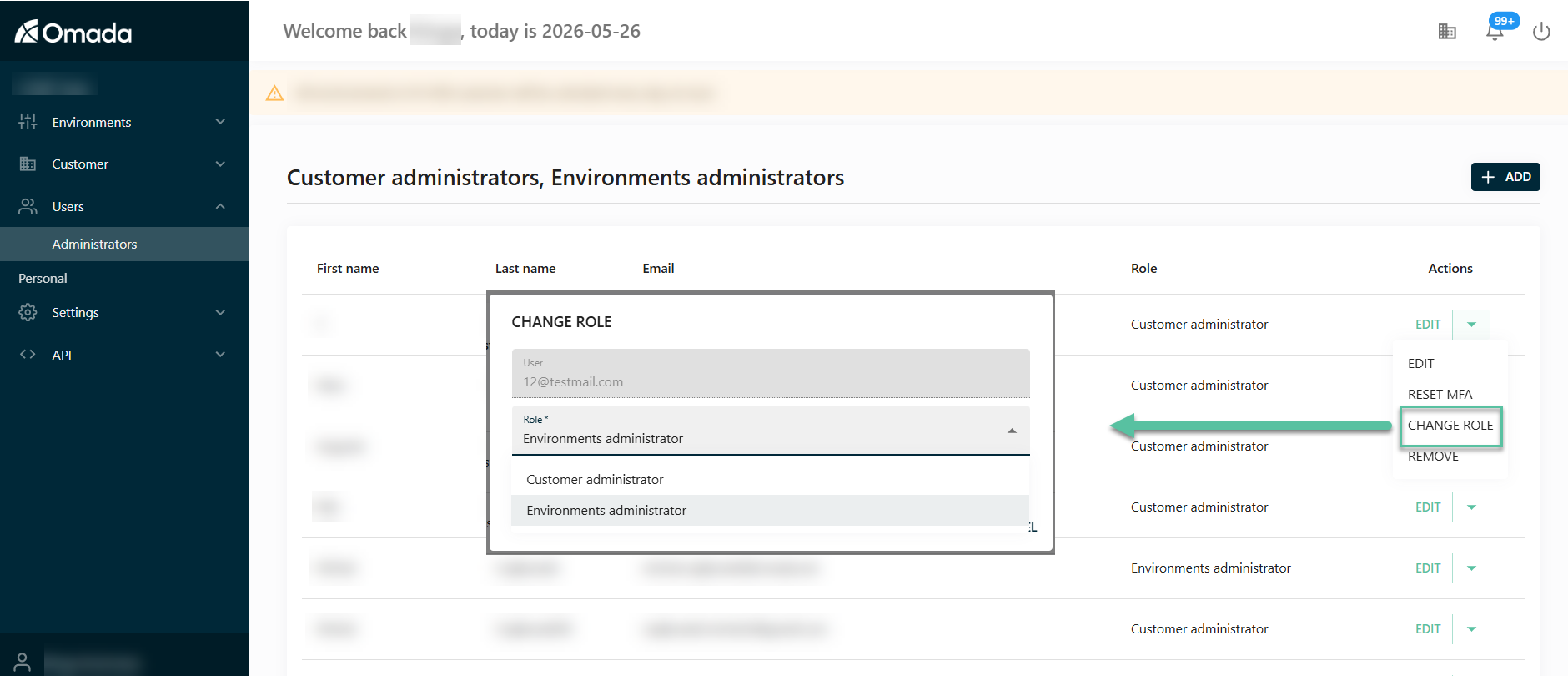
Change a user role
To change the role assigned to an existing user:
-
Go to Users > Administrators.
-
Find the user in the table.
-
In the Actions column, open the actions menu.
-
Select Change role.
-
Select the new role.
-
Select Save.
After the role is updated, the user receives the permissions associated with the selected role.
Security considerations
Managing users is a critical security task.
Keep in mind:
- Only grant access to trusted administrators.
- Assign the least powerful role required for the user’s responsibilities.
- Regularly review user access and assigned roles.
- Use Reset MFA if a user loses access to their authentication device.
- Remove access for users who no longer require administrative access.