API
The API section allows you to generate and manage API keys and interact with the Cloud Management Portal programmatically.
Use this page to:
- Create and manage API keys.
- Authenticate API requests.
- Test and explore API endpoints.
Overview
The Overview section gives you details about Omada Identity Cloud Management Platform API.
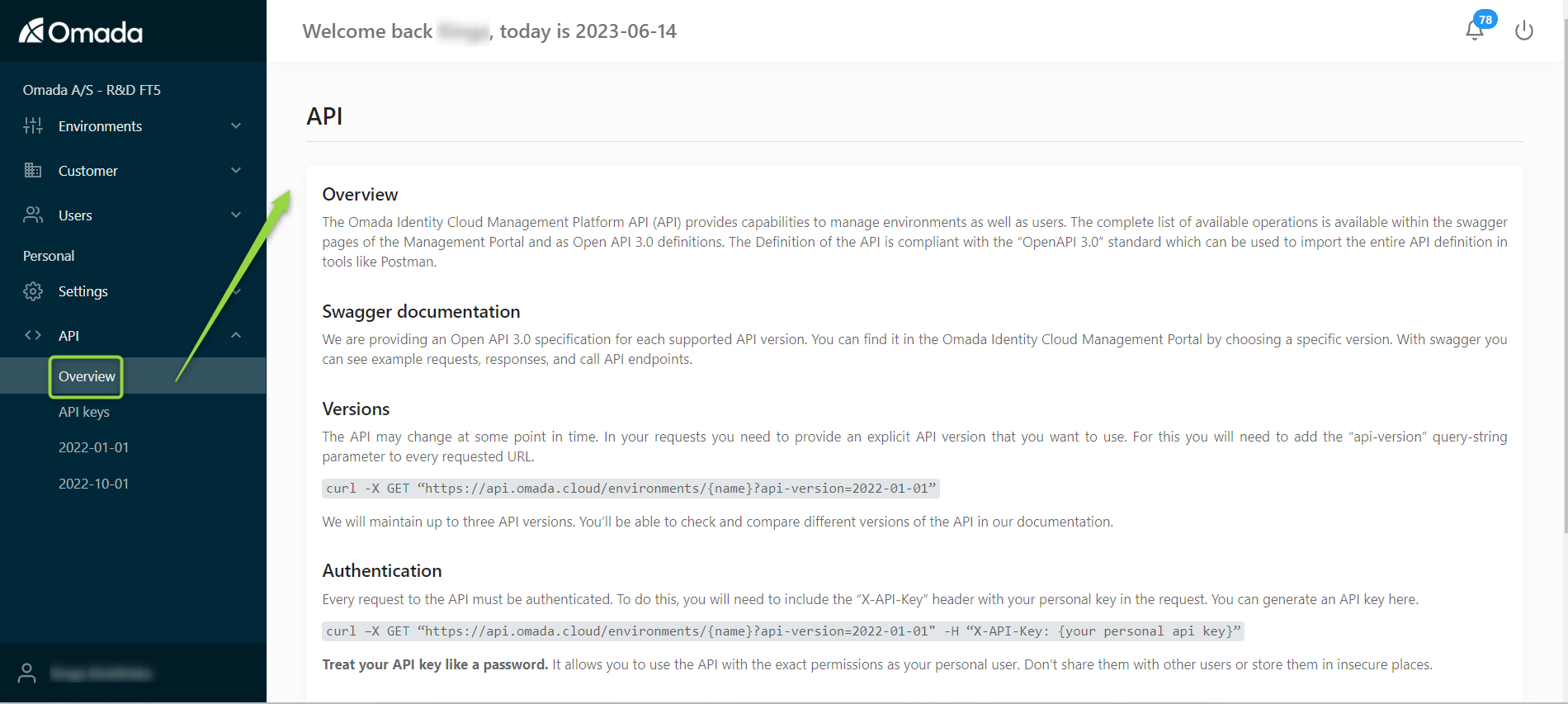
API Keys
The API Keys tab allows you to create and manage authentication keys used to access the API.
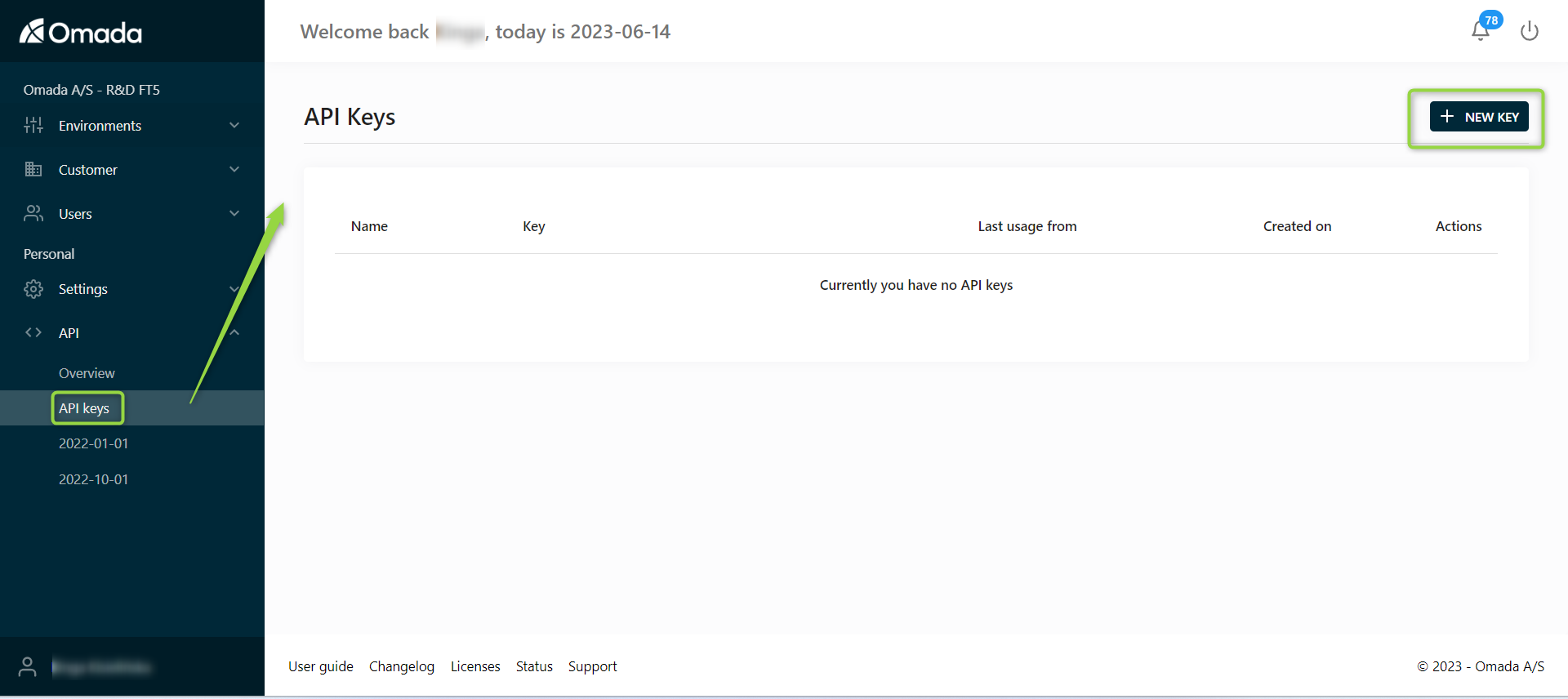
Each API key includes:
- Name – identifier for the key.
- Key – the authentication token (shown only once when created).
- Last usage from – last IP address used.
- Created on – creation date.
- Actions – edit or manage the key.
The API key is only shown once upon creation. For security reasons, the key cannot be viewed again after generation.
Make sure to copy and store it securely.
API keys provide access to your environments and should be handled carefully:
- Store keys securely.
- Use IP restrictions when possible.
- Rotate keys periodically.
- Do not share keys between users.
Editing an API key
You can edit an API key to configure access restrictions.
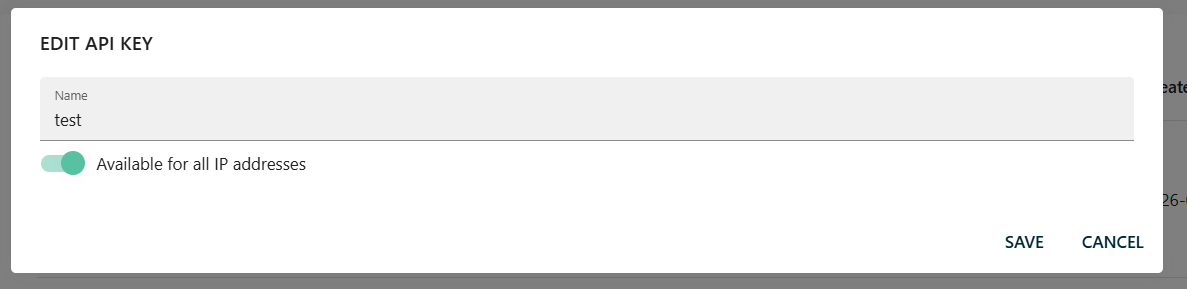
Available option:
- Available for all IP addresses:
- Enabled - key can be used from any IP.
- Disabled - restrict usage to specific IP addresses.
👉 Use IP restrictions to improve security.
API Explorer (Swagger)
The API Explorer allows you to interact with API endpoints directly.
You can:
- Browse available endpoints.
- View request/response formats.
- Execute API calls.
2022-01-01
This is the first version available of the API, displayed with Swagger, to let you see example requests, responses, and call API endpoints.
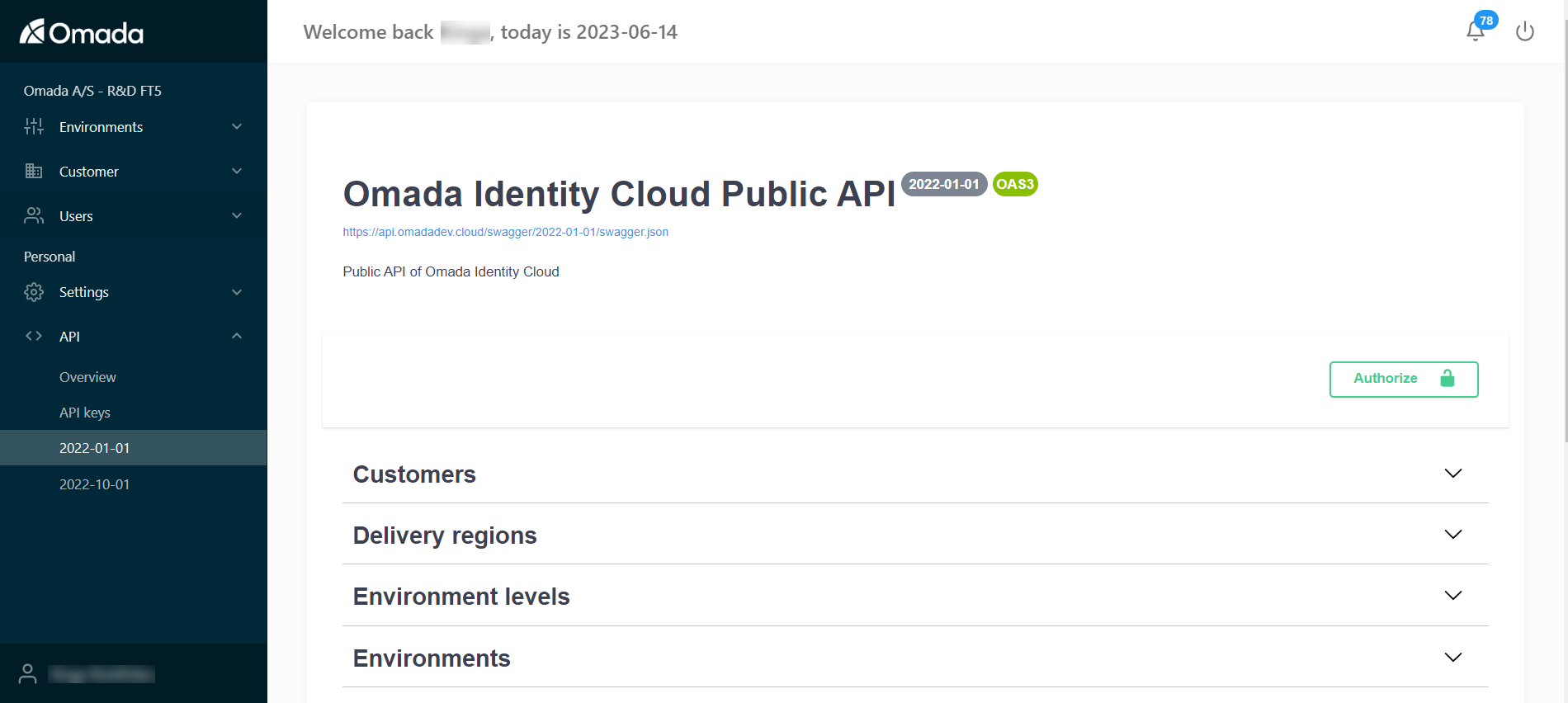
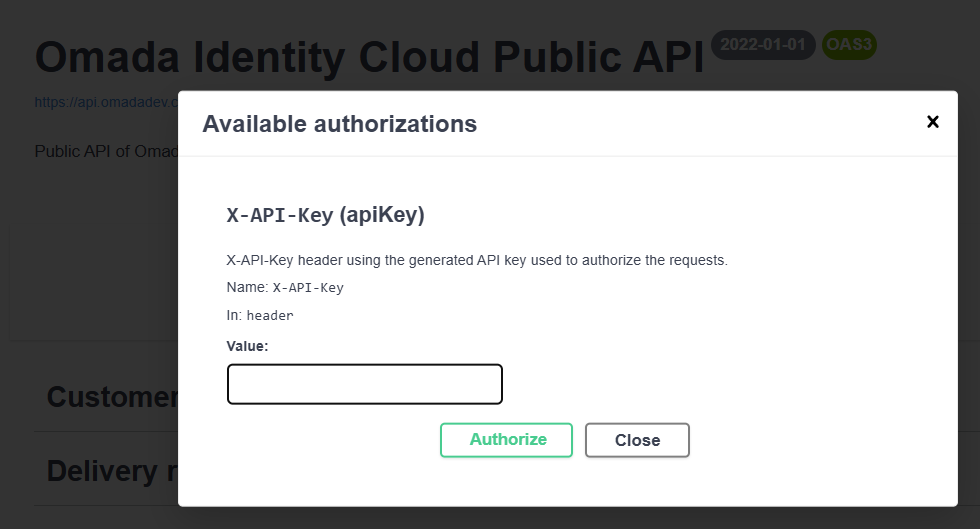
To test the API:
-
Click Authorize.
-
Paste the generated API key.
-
Open the required endpoint.
-
Fill in the parameters.
-
Click Execute.