Release highlights
We've just released Omada Identity Cloud update! What's new?
UX and UI
Add a page description to your views
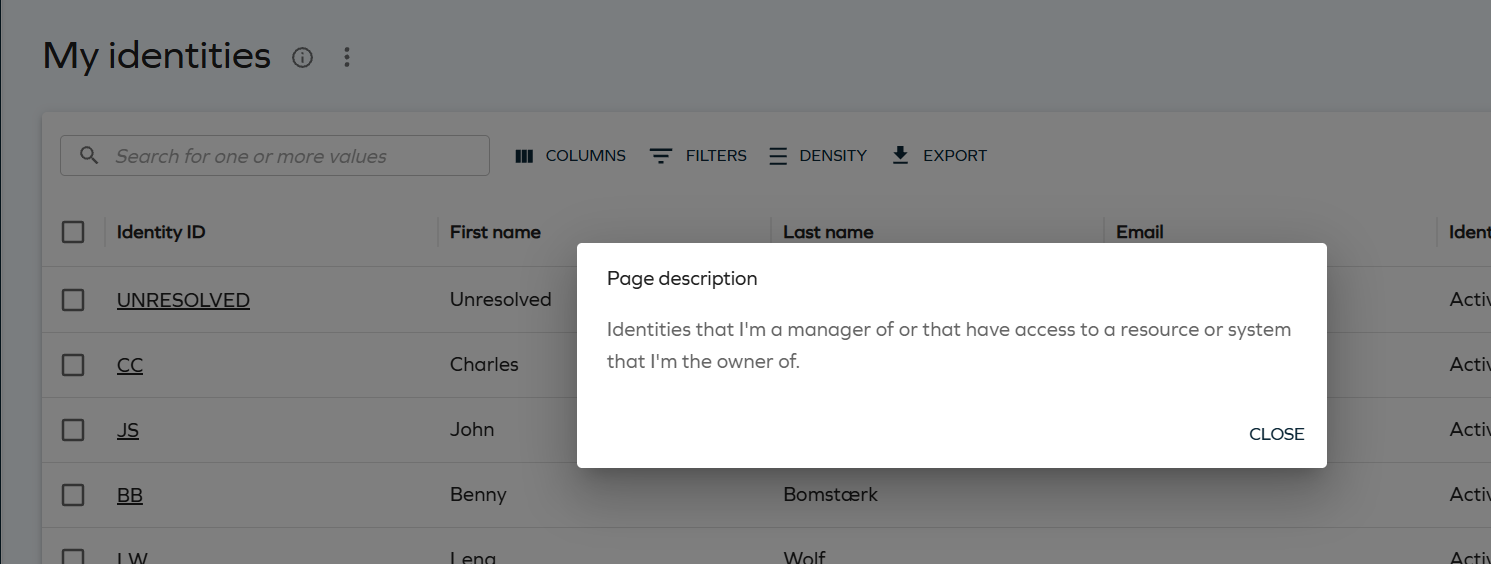
Views now display an info icon next to the page title. Selecting the icon opens the Page description dialog, showing the description entered for the view - helping you to understand a view's purpose and how to use it, without needing external guidance.
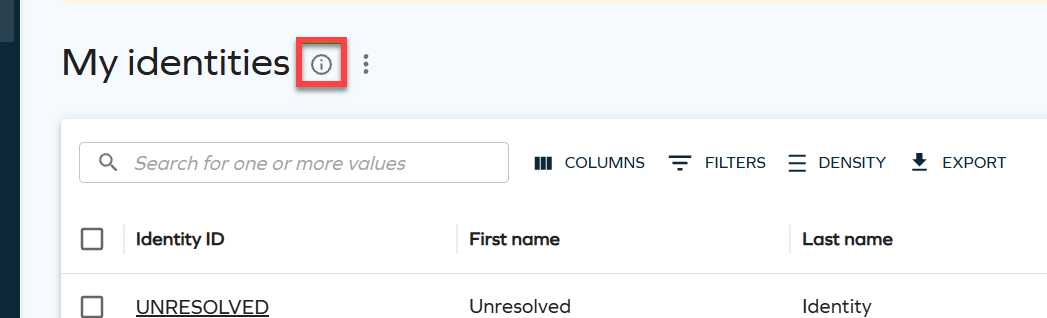
Selecting the icon opens the Page description dialog with the configured text:
For more information, see Page description.
Extend access now covers the identities you can request access for
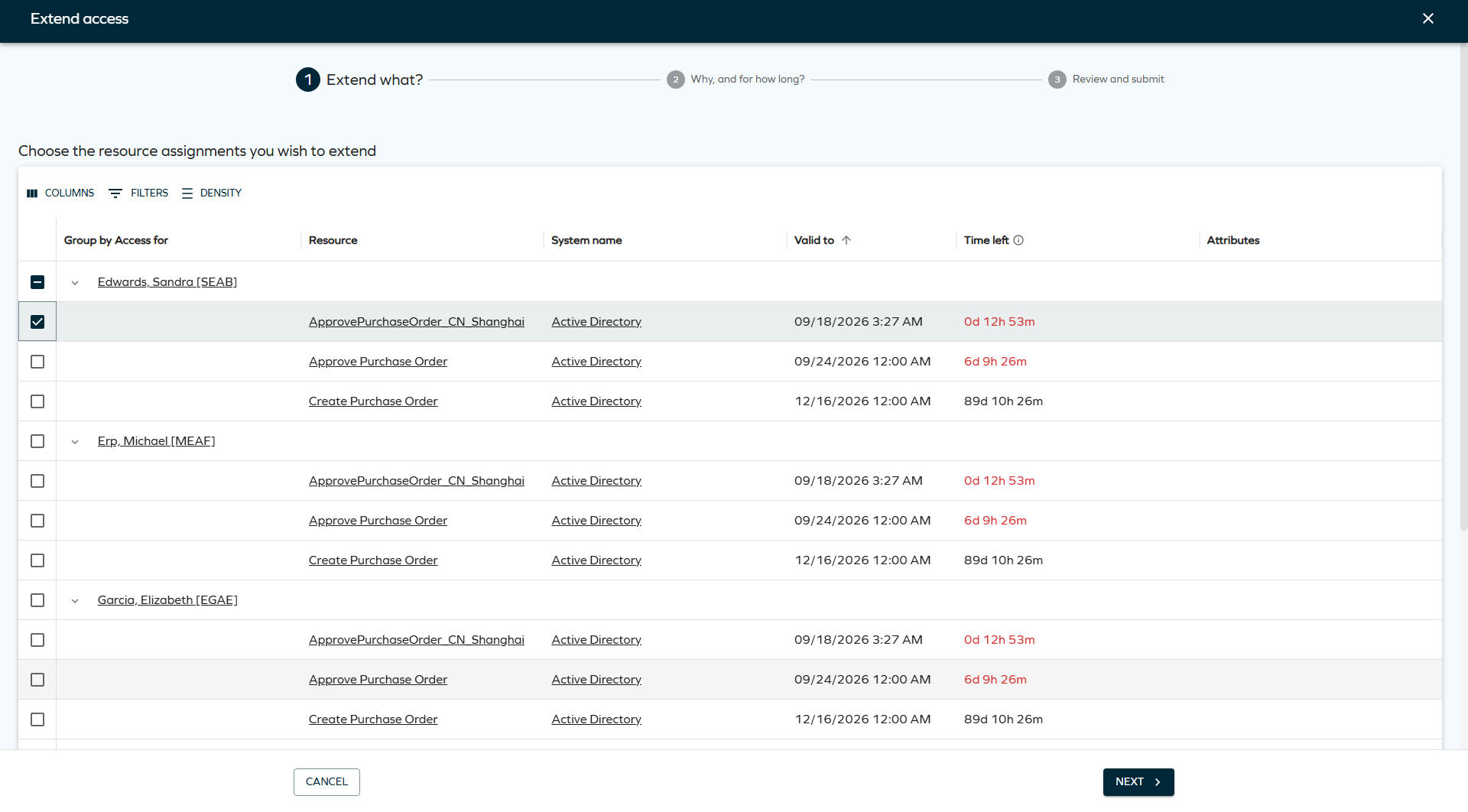
If you can request access on behalf of another identity in Access request, you can now also request an extension for that identity's resource assignments in Extend access - not only your own. For example, a manager can now extend assignments belonging to their employees.
The list of assignments on the Extend what? step can also be grouped by Identity, Resource name, or System name, making it easier to review and select assignments across multiple identities at once.
For more information, see Extend access.
New Unresolved button on Matched/classified accounts
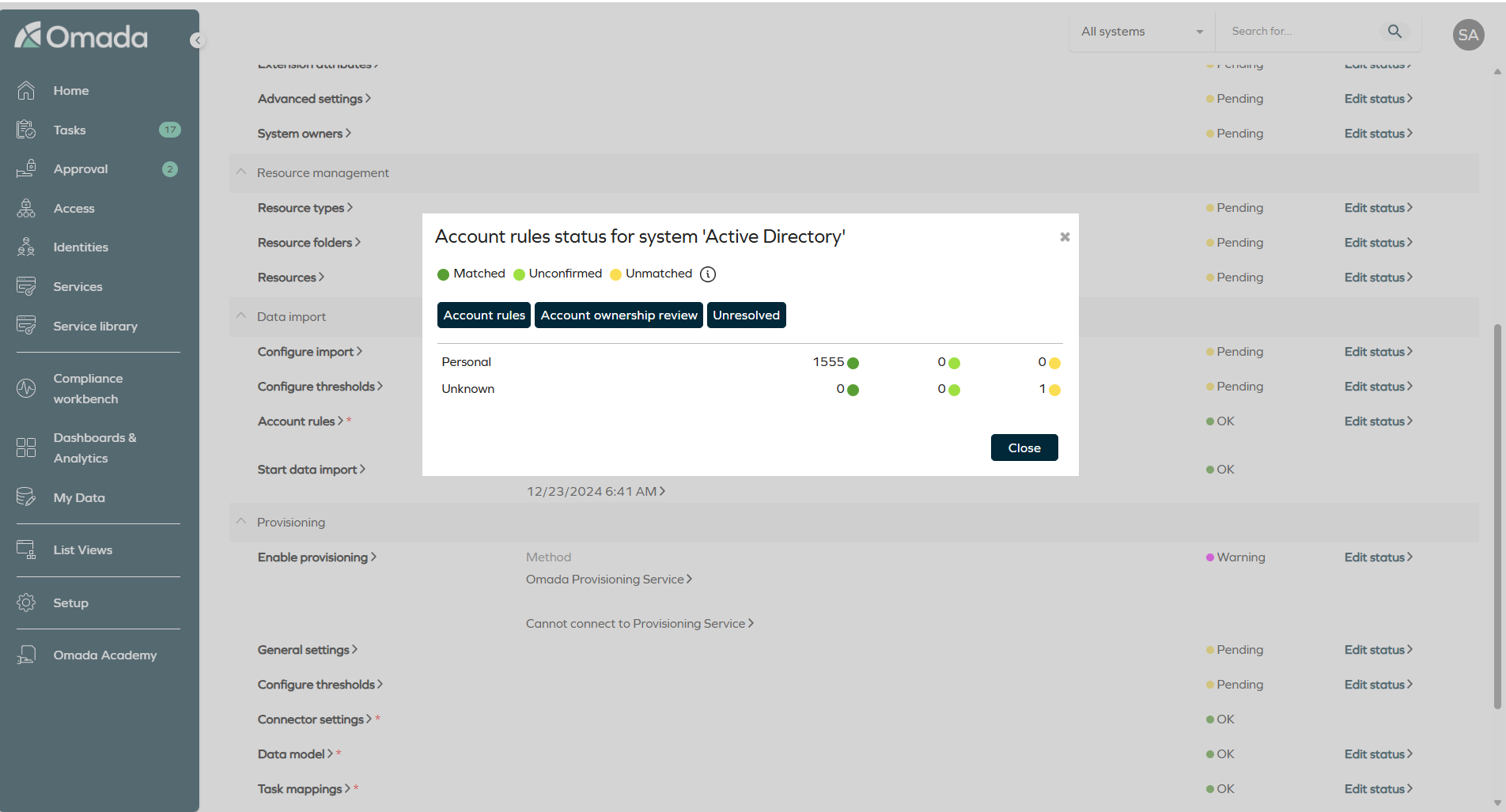
When reviewing a system's matched and classified accounts in Setup > All systems > Edit, you can now go directly from the Account rules status dialog to the access rights that still need to be resolved for that system.
Selecting Matched/classified accounts opens the Account rules status for system '<system name>' dialog as before. A new Unresolved button has been added next to Account rules and Account ownership review. Selecting Unresolved opens the Identity, Unresolved [UNRESOLVED] access rights view with the System filter already applied to the system you came from, and the Disabled filter set to false, so you land directly on the access rights that still need attention.
For more information, see Matched/classified accounts and Access rights tab.
Multi-language support for surveys
Survey names and descriptions are now displayed according to your language settings. This improvement ensures that surveys appear consistently in the appropriate language across the user interface and in notifications.
This change applies to the areas where survey information is shown, such as To Do cards and email templates. For example, when a survey name is used in a notification template, it is now resolved in your language instead of using a single default value.
- Built-in survey templates already include translations for supported languages, so they are ready to use in multi-language environments without additional configuration.
- Custom survey templates do not include translations by default. To ensure consistent behavior across languages, you must update the name and description in each language you want to support.
When you edit a survey template, the system updates the name and description in the language currently selected in the user interface. For example, if your interface is set to Spanish when you save the template, the Spanish values are updated.
For more information, see Multi-language support for survey names and descriptions.
Context Hierarchies dashboard
A new Context Hierarchies dashboard visualizes context hierarchies, so you can inspect their structure, navigate relationships between contexts, identify orphaned contexts, and see where contexts are used in access controls. You can find it under Dashboards & Analytics > Context hierarchies.
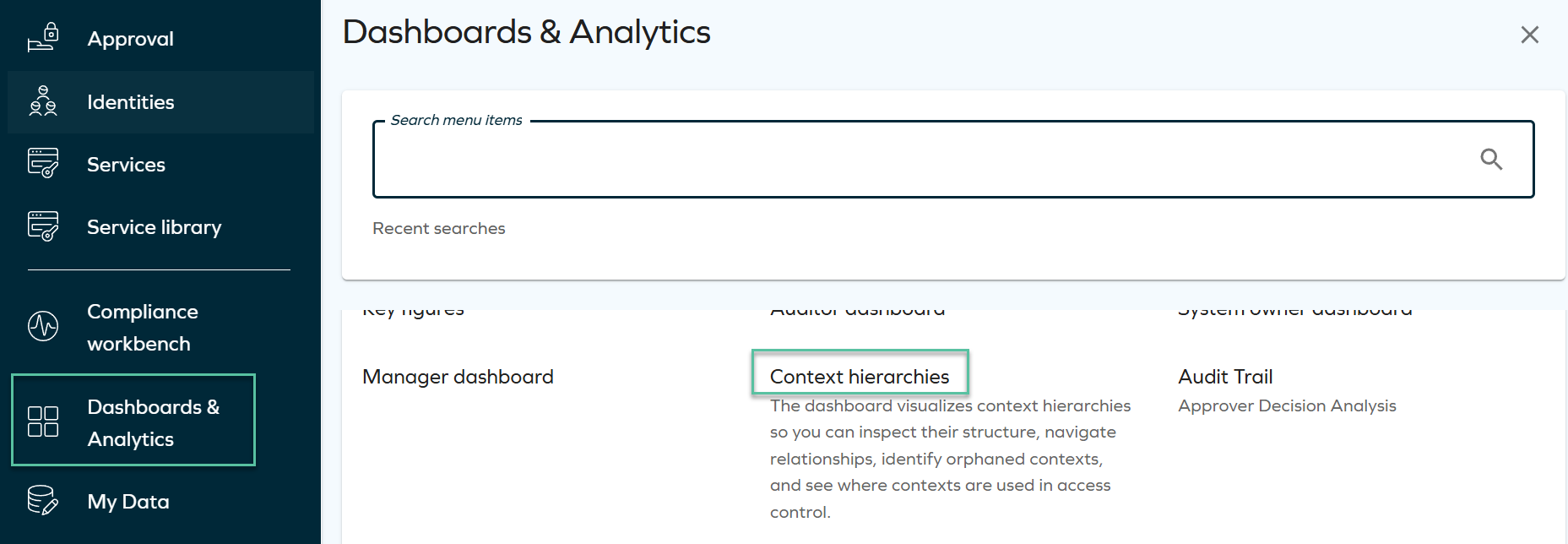
The dashboard offers four views, plus a filters panel, CSV and HTML exports, and shareable URLs:
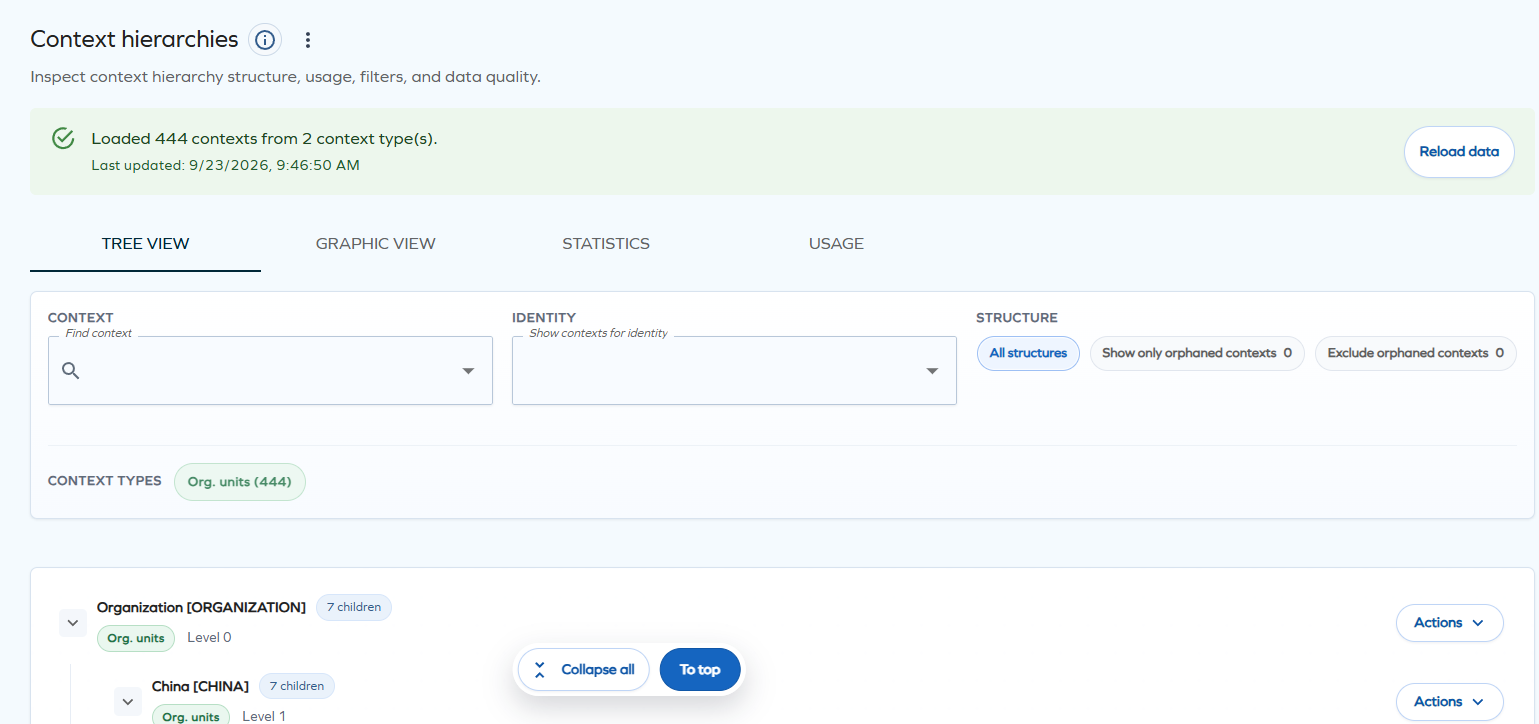
- Tree view — a hierarchical, expandable list of contexts. Each row has an Actions menu to open the context in a new tab, focus on it and its descendants, open its details in a side panel, list the identities that belong to it, or jump to its usage.
- Graphic view — the same hierarchy as an interactive org chart of context cards, which you can pan, zoom, and expand or collapse branch by branch.
- Statistics — summary metrics (total, leaf, and orphaned contexts, maximum and average depth) and a health analysis highlighting the deepest and broadest branches, orphaned contexts, and root contexts.
- Usage — for a selected context, the assignment policies and eligibility objects that use it, with a direct link to each one's details.
This dashboard requires OData to be enabled for the relevant Data Object Types. For more information, see Context Hierarchies.
Role and Policy Engine
Provisioning assignment hash calculation improved
RoPE has been updated to avoid including account name information in the provisioning assignment hash when it is not required.
Previously, account name changes could cause assignments to be detected as changed and result in unnecessary Update Assignment provisioning tasks, particularly for resources that cannot be associated with multiple account types.
The provisioning hash calculation now only includes account-related information when it is needed to distinguish between assignments, reducing unnecessary provisioning tasks and improving provisioning efficiency.
Provisioning
Provisioning task history
Each executed provisioning task is accompanied by a record, including the operation itself, the time it was performed, the response returned by the connected system, and the property values that were sent to the system.
The recorded values are a snapshot of what was applied at the time the task ran. Changing a task mapping later does not change the history of tasks that have already completed successfully, and values produced by expressions are stored as the resolved values. Sensitive values, such as passwords, are never exposed as plain text.
You can inspect the values applied to an individual task in the Task details dialog by setting Show to mapped values in the top-right corner dropdown.
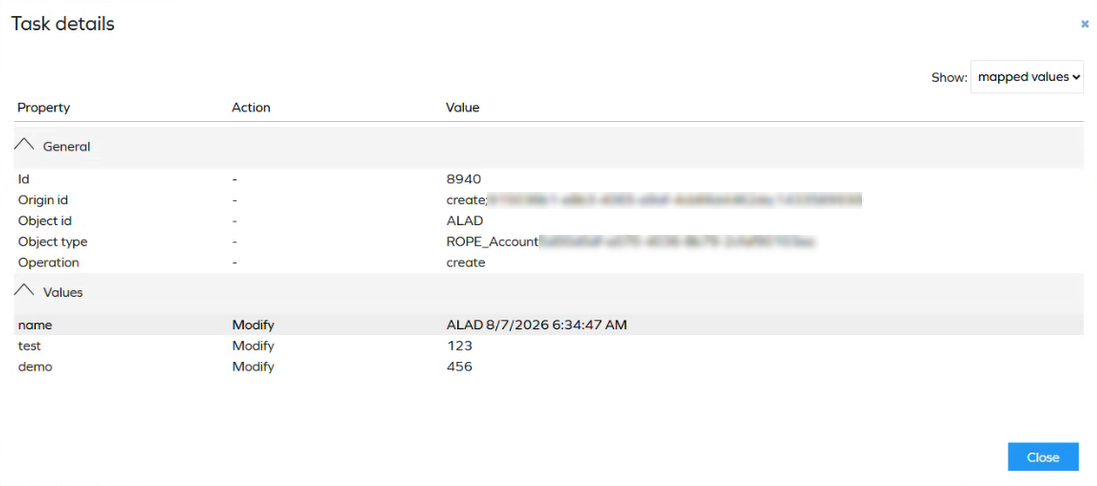
For more information, see Provisioning task history.
Surveys
Access review surveys now supported in the new UI
You can now complete Access review for managers and Access review for resource owners surveys in the new UI, extending the modern survey experience already available for Access approval to these access review surveys. This includes grouping, resizable columns, configurable action buttons, and mass edit.
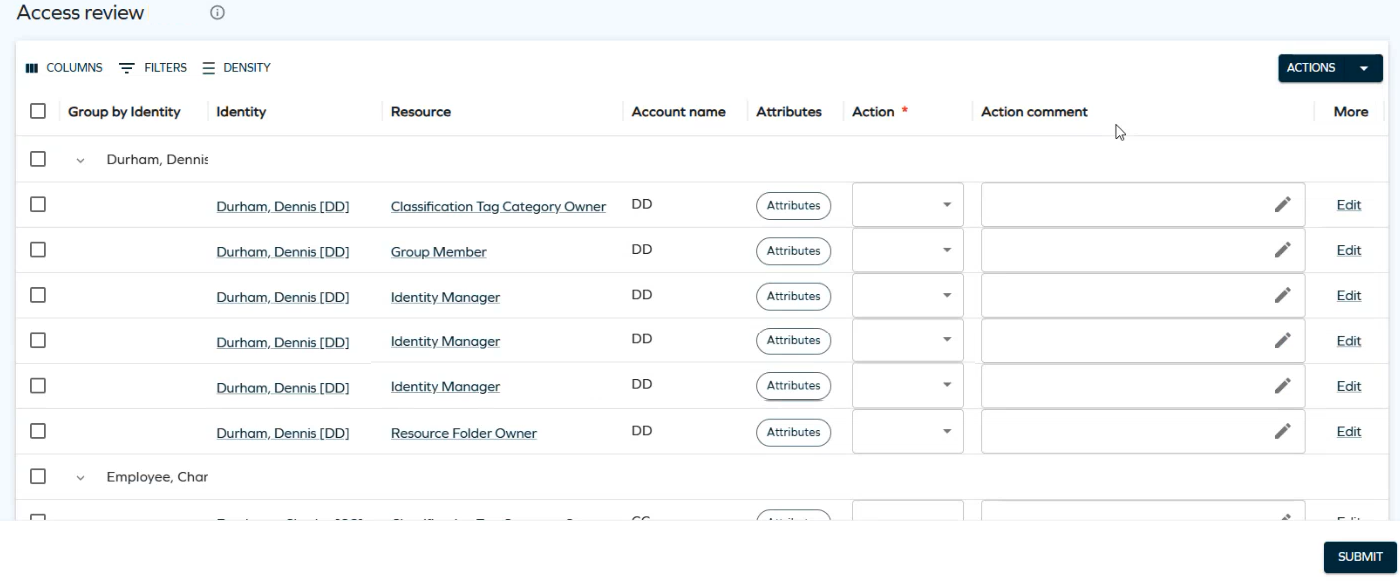
Two new customer settings control this feature:
-
EnableUseNewUISurvey: enables the new UI for supported survey questions. False by default.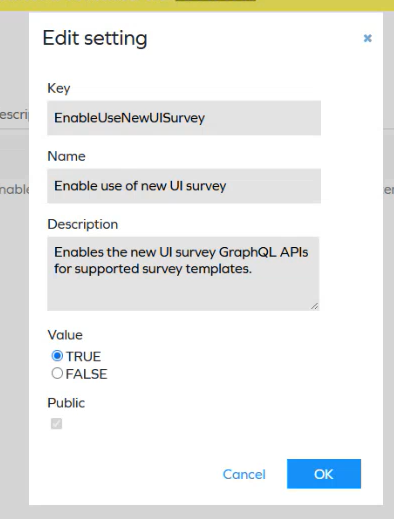
-
SurveyTemplateNameMapping: maps the supported survey template names to the system names that should open in the new UI, so a copy of Access review for managers or Access review for resource owners can also use it. See Using the new UI with a copy of a survey template for the full procedure.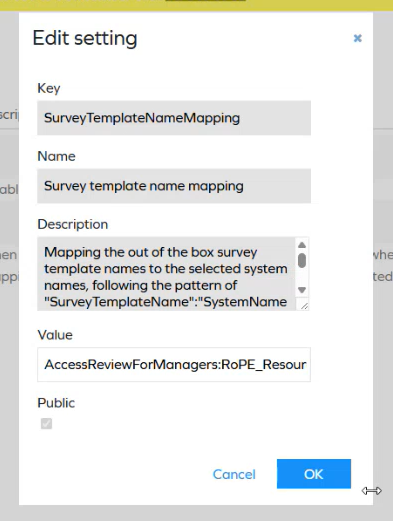
For details on both settings, see Customer settings.
This release supports only the built-in Access review for managers and Access review for resource owners survey templates. More survey templates will be supported in future releases.
For more details about the new UI capabilities, and how to use a copy of a survey template with this feature, see Access review surveys in the new UI.
Segregation of Duties (SoD)
Configurable mail notifications for SoD violations and decisions
You can now configure custom mail notifications for Segregation of Duties (SoD) assignments. For each notification, you define which mail template is sent and which recipients receive it, so, for example, the beneficiary and their manager can each receive a different template.
Mail templates can include placeholders for the blocked, allowed, and revoked assignments the notification is about, such as the resource, the violation, and the identity involved.
For more information, see Email notifications in the SoD process, Configure notification recipients, and Notification mail templates.
Omada Identity Analytics (OIA)
Replaced account system with resource system across OIA dashboards
As part of an ongoing effort to clarify system-level data in Omada Identity Analytics, we have replaced Account System with Resource System data across the Access Navigator, Audit Trail, Access Intelligence, Certifications, and Data Quality dashboards. Tables, widgets, and filters throughout these dashboards now consistently reflect resource systems rather than account systems.
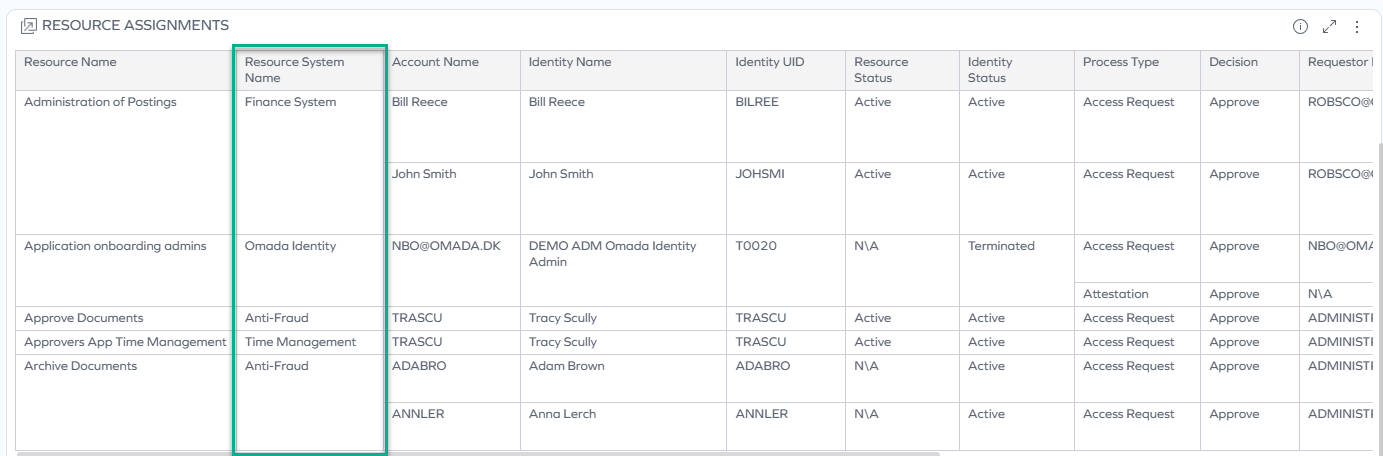
This aligns system-level data across dashboards with how resources are actually modeled, providing more reliable reporting and filtering.
New OIA troubleshooting documentation
Omada Identity Analytics documentation is now complemented with a new dedicated FAQ & troubleshooting page.
This page provides a list of frequently asked questions (FAQ) and troubleshooting information for Omada Identity Analytics. It is intended to help you quickly find answers to common issues and understand the behavior of OIA dashboards and features.
See Omada Identity Analytics FAQ & Troubleshooting for full documentation.
API
Omada Identity Graph API 3.8
The GraphQL API has been updated to version 3.8 with the following changes:
- A new assignmentKey filter has been added to the calculatedAssignments query, to filter calculated assignments based on the assignment key.
- Two new fields have been added to the calculatedAssignments query:
- soDProgress: The Segregation of Duties progress of this calculated assignment.
- soDProgressText: The localized Segregation of Duties progress.
For more details, see GraphQL API Changelog.
Documentation
Provisioning documentation updated
The provisioning documentation has been enhanced with additional details about Pending Update behavior, including how desired and actual assignment states are compared, how provisioning claims participate in the comparison, and which attributes can trigger an update.
The documentation also now explains how to identify what caused an assignment to enter Pending Update and includes cross-references between Provisioning status, Provisioning claims, and Inspection of calculation results for easier navigation.
System offboarding procedure
A new system offboarding procedure was added to the connectors documentation. It includes guidance on how to retire a system in two different scenarios: removing a system with data imported or provisioned, and a separate deletion path for systems that never went live (with no data imported). See Offboarding (removing) an existing system for details.