Account ownership review
In an Account ownership review survey, the system owner can propose an owner and account type for the accounts that are included in the survey.
The survey is initiated by the system administrator or someone else in the management group. The System owner then answers the survey.
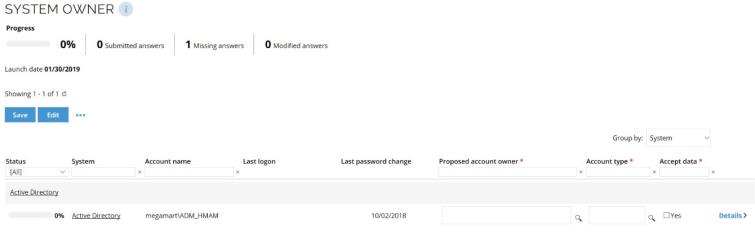
The workflow for answering Account ownership review surveys is similar to the access request approval workflow.
In this example, the system owner has already accepted the survey task on the main page. The following steps take place in the actual survey response.
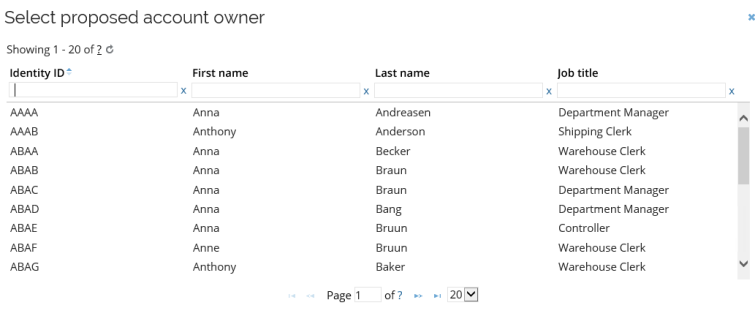
In the Proposed account owner column, choose an owner of the account. You can only choose one owner.
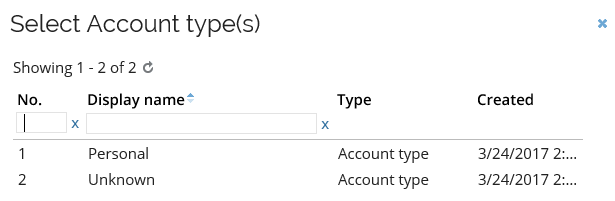
Next, select if the account is a Personal or Unknown in the Select account type(s) dialog box.
Confirm your answer to each item by selecting the Accept data checkbox. The progress bar for the individual item then turns green, symbolizing that the survey for this item is complete.
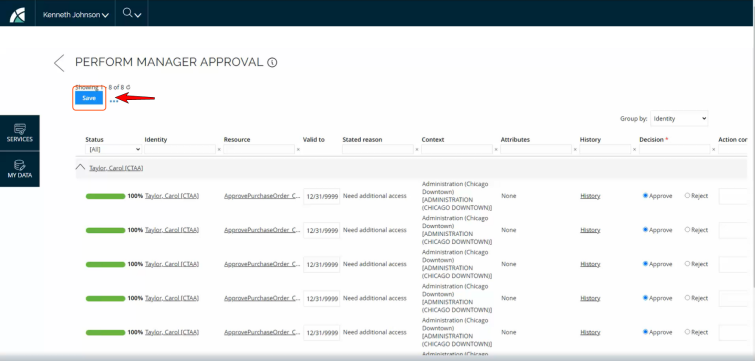
To preserve your changes as you complete surveys, you can now save them manually at any time; this is required before sorting or paging through the grid. Saving frequently will ensure any changes you make are logged. Otherwise, changes will be lost.
In the example below, there are only two items for which to decide. Since you have not submitted any answers yet, the progress bar is at 0%. Submitting the answer for the two items completes the survey. Therefore, the progress bar works best when you have a long list of items to answer and you need to keep track of your progress.
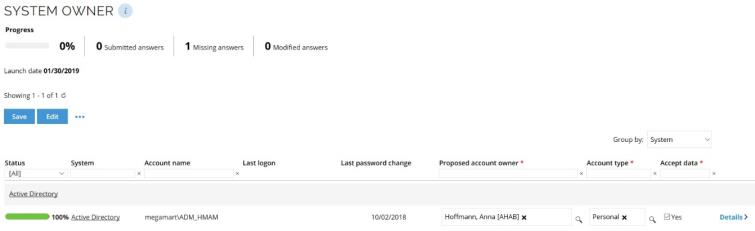
When you have completed all your answers, click Submit to return to the main page. The green notification bar should inform you that the task was completed successfully.
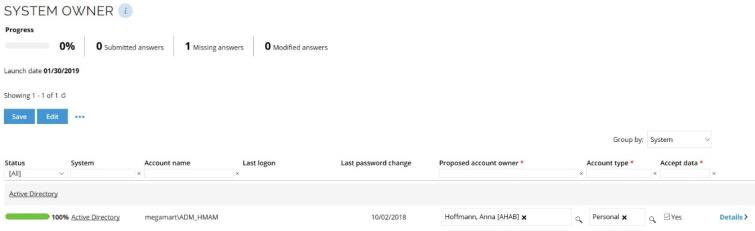
Columns on Account ownership review survey page
Here you will find the columns available and their description:
- Status: Shows a status bar that indicates whether the survey respondent has accepted the data or not.
- System: Lists the system that the account is linked to.
- Account name: Lists the name of the account that you want to propose an owner to.
- Last logon: Shows the last time that someone logged on to that account.
- Last password change: Shows the time when someone last changed the password for that account.
- Proposed account owner: Propose an owner for the account.
- Account type: Select the type of account you are handling, for example, a Personal account.
- Accept data: Select what data to include in the survey response.
- Details: Opens a popup with all the details about the item.
Your organization can set up its own surveys to suit its needs. This means that managers and system owners may need to respond to several different types of surveys. Survey administrators can initiate such surveys from Setup > Administration > More > All services.