Certifications
The Certifications (previously: Open certifications) dashboard provides a focused view of active access review surveys and campaigns, helping managers and auditors track progress and completion.
The data displayed on OIA dashboards reflects the state of the last successful build, which occurs every day after midnight; it is not streamed live. For more information, see the introduction to dashboards: Omada Identity Analytics – Data model.
Overview
The Certifications dashboard highlights how many questions are completed, open, or overdue, alongside deadline status and remediation rates, to give a clear picture of campaign health. By presenting survey details and decision trends, this dashboard supports timely follow-up and ensures recertifications are carried out effectively.
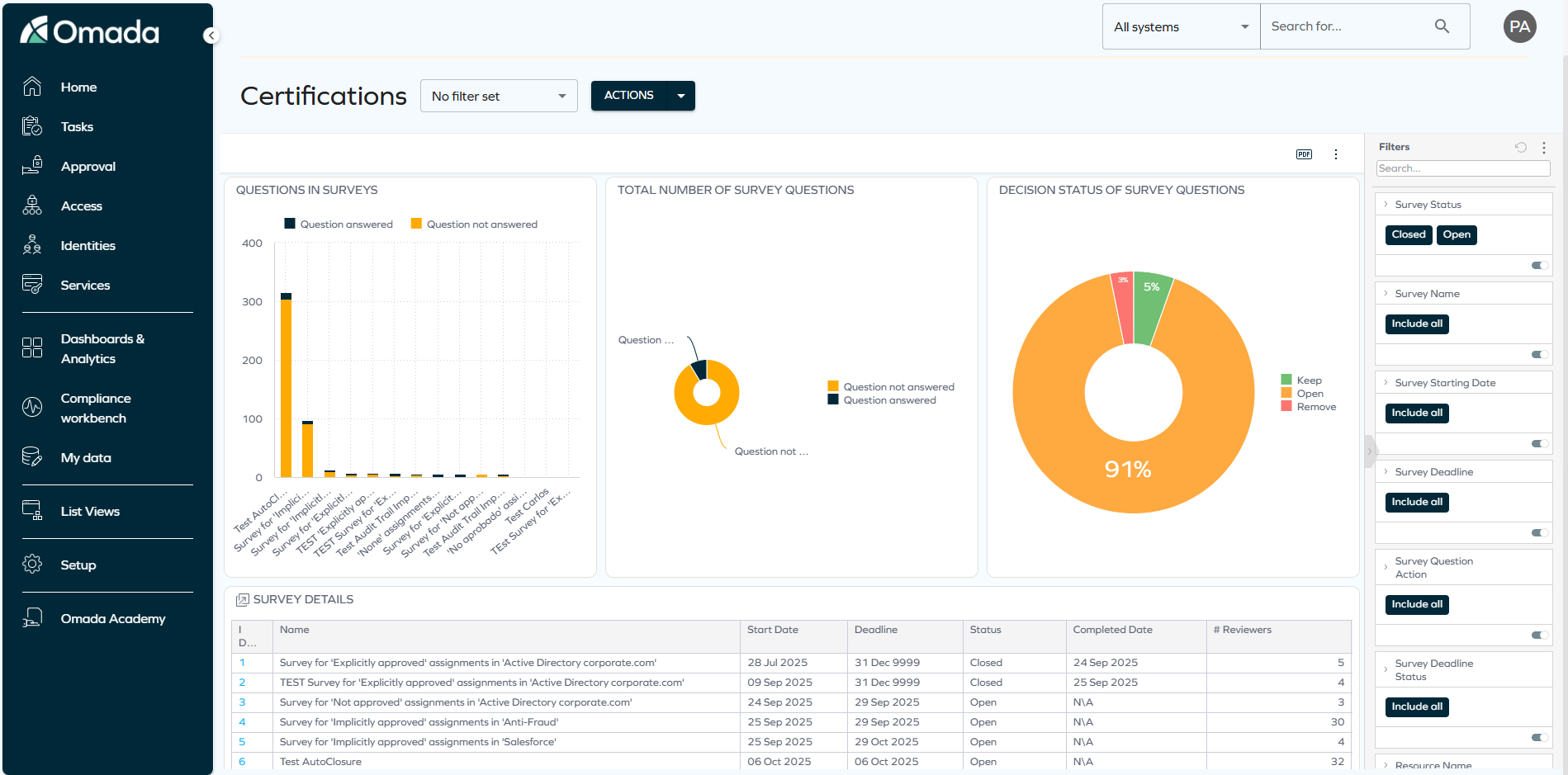
The Certifications dashboard widgets display aggregated survey information to provide insight into decision status and progress; however, it is important to understand how survey data is structured and how filters affect what is shown.
Surveys are not directly connected to a specific Resource, Identity, or System. Because of this, applying filters such as System does not limit surveys based on those attributes. Therefore, when no filter is applied, you see all surveys, but when you apply filtering (for example, by System), surveys do not appear in the widgets. This is expected behavior, as surveys themselves are not tied to a specific system.
This behavior is scheduled to change in Q2 2026.
Comprehensive documentation is being developed. In the meantime, you can find general information about OIA dashboards here: Omada Identity Analytics.
Downloading and exporting
Before you download the content of a widget, read Omada Identity Analytics – Downloading and exporting for details on the available formats as well as their limitations.
To export (download) the content of any widget, open the three-dots menu next to it, select Download, and choose a format.
Access to this dashboard
To learn which user groups have access to this dashboard, see Access to dashboards.