Release highlights
We've just released Omada Identity Cloud update! What's new?
UX and UI
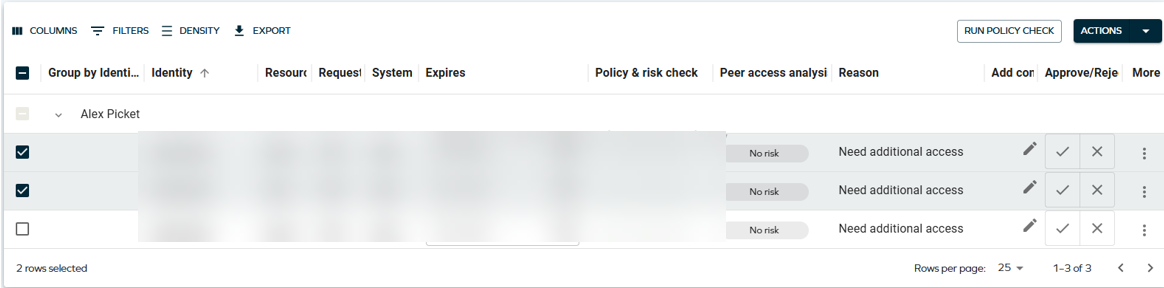
Updated visual style for data grids and list views
Data grids used throughout Omada Identity, for example in Identities, Approvals, and Access request - have received a visual refresh. These are visual and user experience changes only; no functionality has changed.
Bulk actions toolbar
The bulk actions toolbar, shown when selecting rows in a data grid, now displays each action as its own button instead of being collapsed behind a single more actions (three dots) menu. The bulk actions toolbar is now only displayed once more than one item is selected in the grid.

This change applies to all list views across Omada Identity, including Identities. In Approvals, actions were already displayed as individual buttons, but their order has changed:

Quick search
The quick search field in the data grid toolbar has an updated visual style.

Run policy check button
On the Review and submit step of Access request, the Run policy check action is now displayed as a button.

General visual appearance
Data grids across the application also have the following visual updates:
- Increased elevation and shadow around the grid.
- Larger text size and spacing.
- Smaller action buttons within the grid (for example, the Run policy check row action).
- More spacing in the filter panel.
Pin items to your homepage in the new UI
You can now pin processes, list views, and dashboards to their homepage directly from the Service Library in the main menu, giving fast one-click access to the views they use most.
Pinned items appear in a Pinned items section on the homepage. The first four items are always visible; any additional items collapse behind a See all items toggle that shows a count of the remaining items. Order is adjustable using drag and drop.
The homepage layout follows a three-layer configuration model applied in fallback order: the Omada default, the Organization default (set by administrators at Setup > Administration > User interface > Homepage configuration), and User personalization (each user's own overrides). Both administrators and end users have a Use default layout action - for admins, this resets to the Omada default; for users, it clears their personal settings and falls back to the organization default, or the Omada default if none exists.
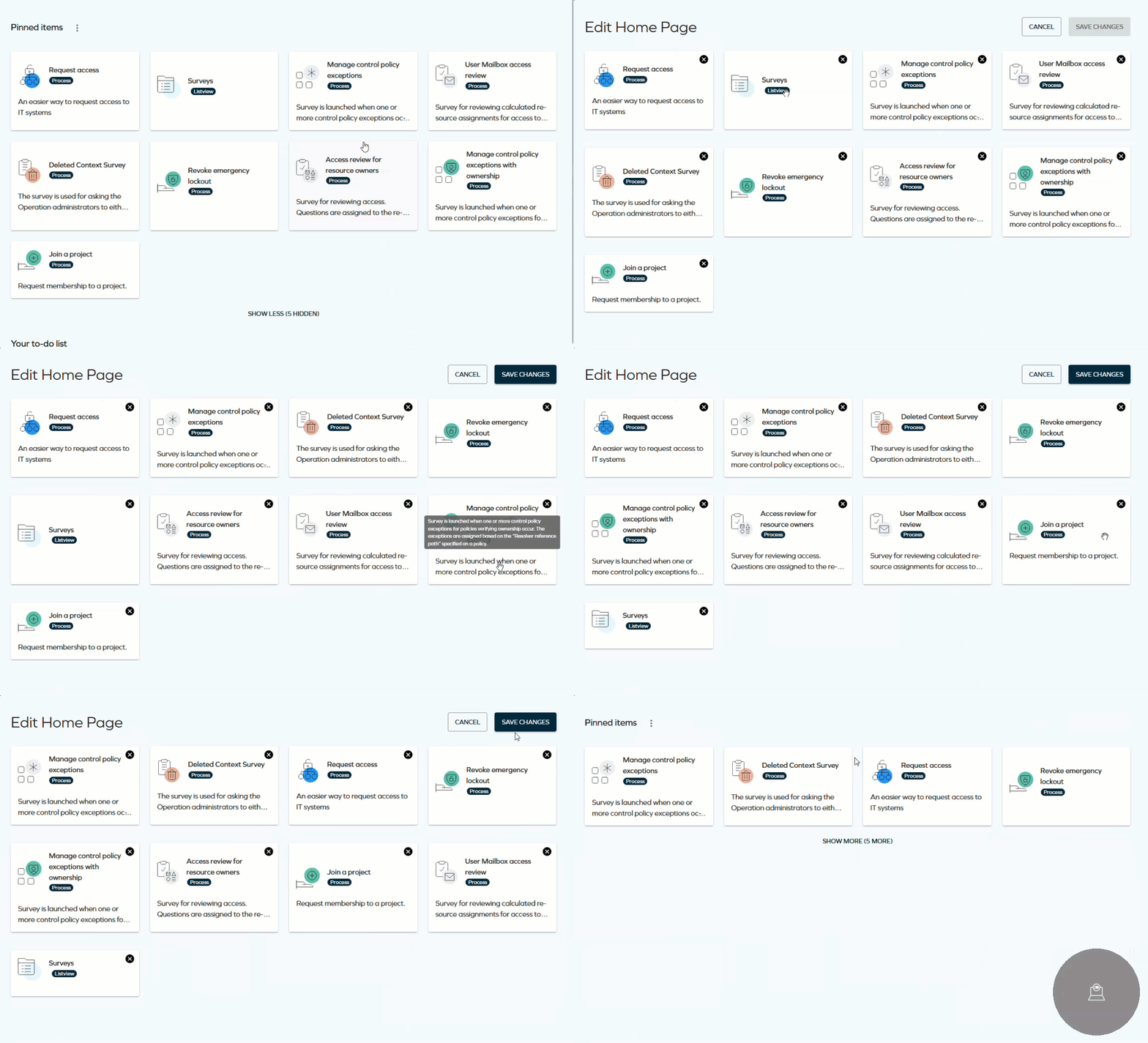
Items a user does not have permission to access are hidden automatically.
There is no hard limit on the number of items a user can pin. For the best experience, keeping the list to nine or fewer is recommended.
For more information, refer to Omada Identity portal.
List Views tab added to the Service Library
As introduced with the Service Library Technical Preview in the January 2026 Cloud Update, the Service Library page included a Processes tab and a Dashboards tab. This release adds a new List Views tab, from which you can pin data object list views to your homepage.
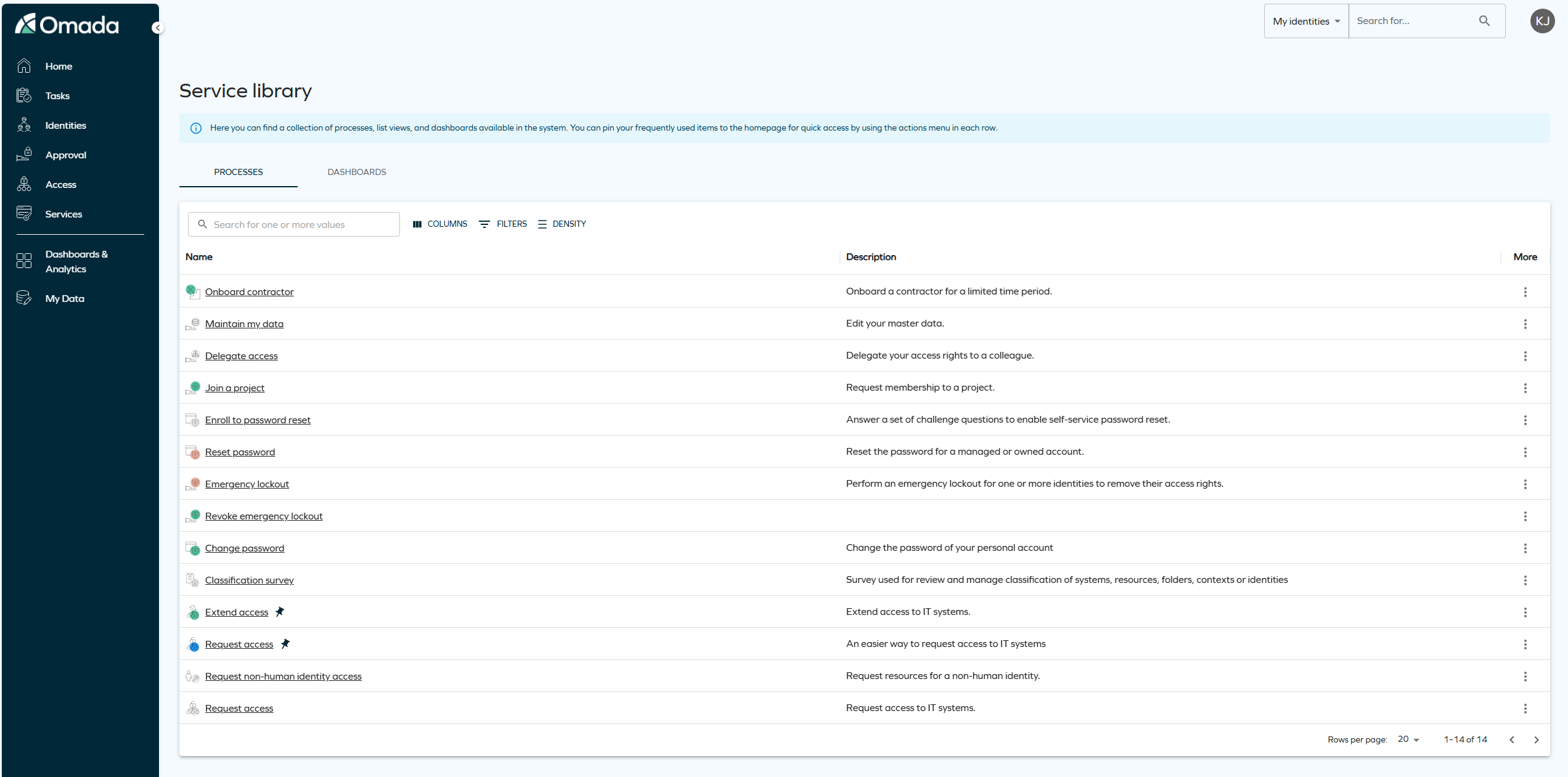
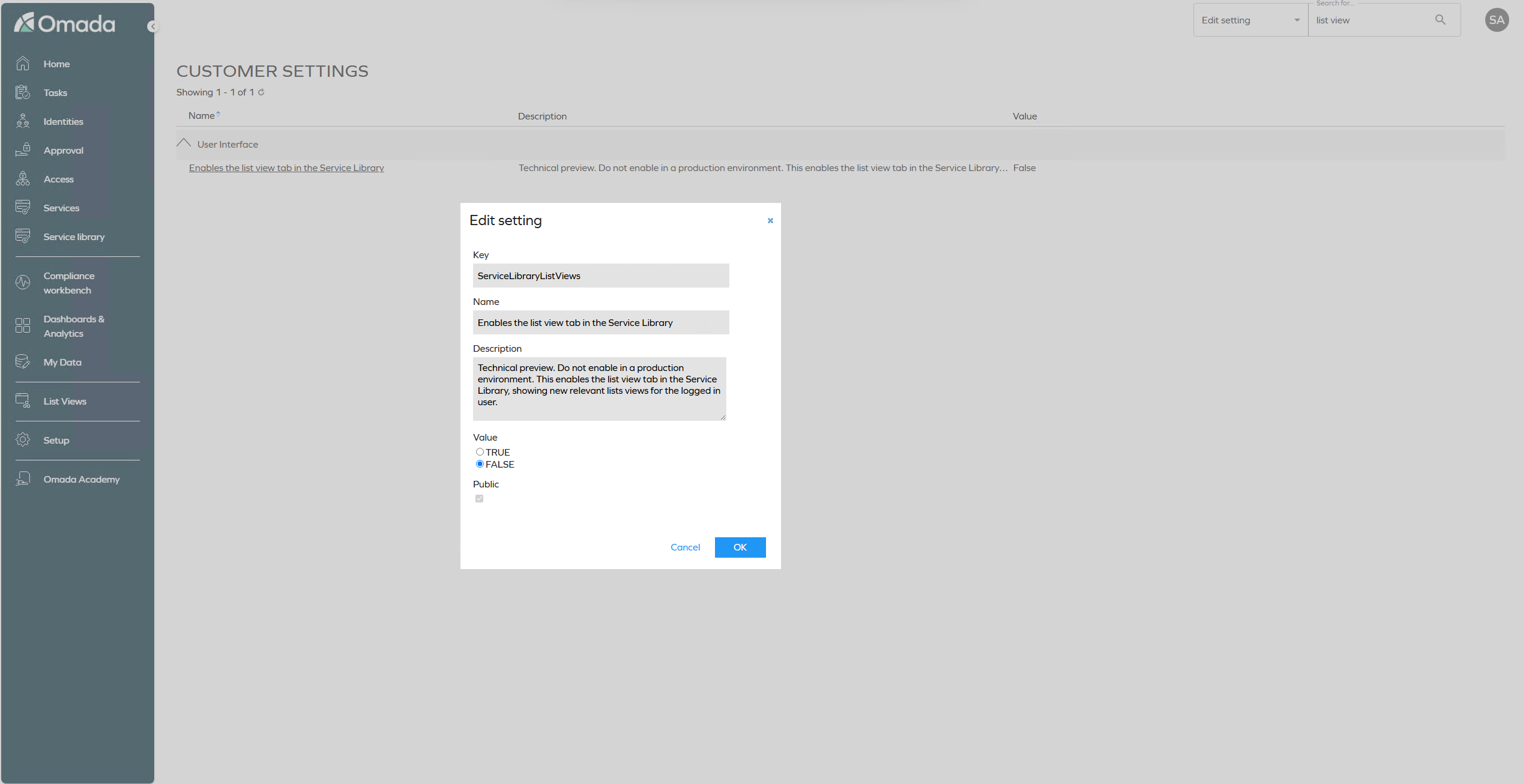
The List Views tab is a Technical Preview feature, enabled with the customer setting ServiceLibraryListViews. This setting is disabled by default, and we recommend not enabling it in a production environment.
Time zone-aware access requests and validity
You can now provide time zone context when submitting access requests, including text-based request variants in the supported API versions. Requested date and time values are displayed in the UI using this time zone context, with a tooltip showing the time zone name and the corresponding UTC value.
Administrators can set the organization's default time zone with the customer setting Default time zone (DefaultTimeZone), used as a fallback for identities that do not have an individual time zone set. The setting takes an integer code.
The Timezone selector used to provide this time zone context is only shown when the customer setting AccessRequestAPIRequiresTimeZone is set to True. For more information, see AccessRequestAPIRequiresTimeZone in Customer settings.
For the full list of supported time zones and their codes, see Time-based access.
Choose account chip in Access request
The Account chip in the Select resources step of Access request now mirrors the same behavior as the Attributes chip. If selecting an account type is mandatory to complete the request, the chip is shown in red and filled with an exclamation icon, and the flow is blocked until an account type is selected.
Once an account type is selected, the chip displays the name of the selected account type instead of Account. When requesting access for multiple identities, the chip displays the shared account type name if all identities require the same account type, or Mixed if they require different account types.
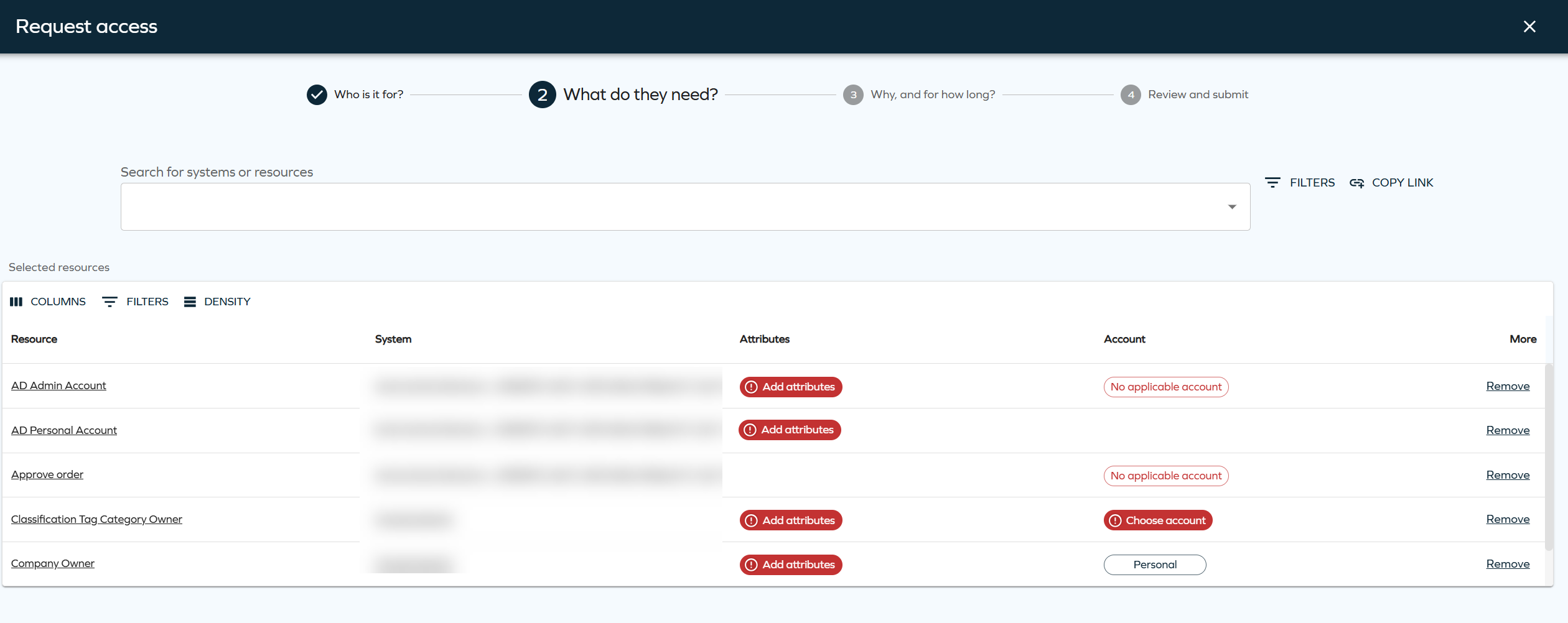
See Access request documentation to learn more.
Consistent side panels
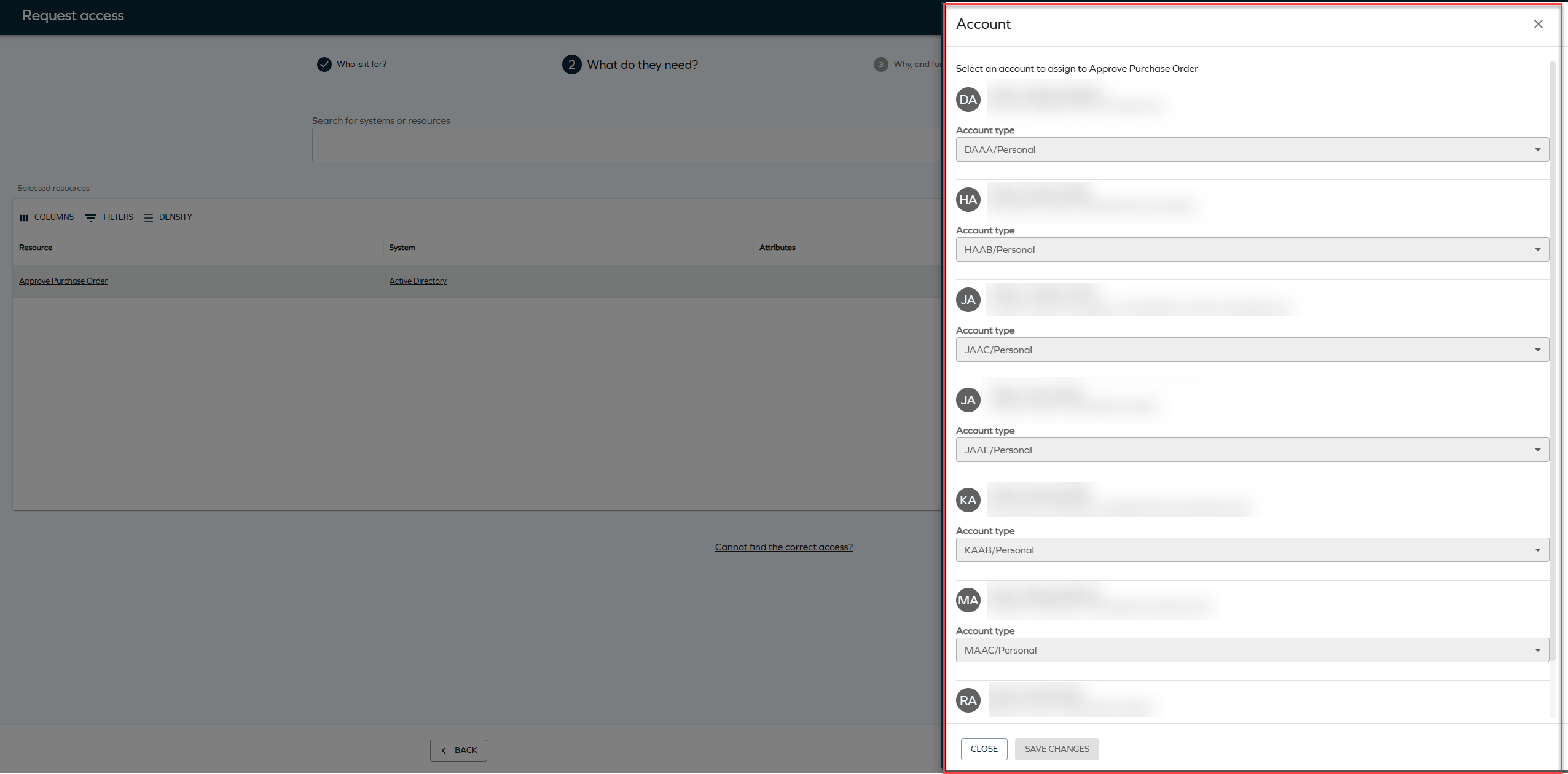
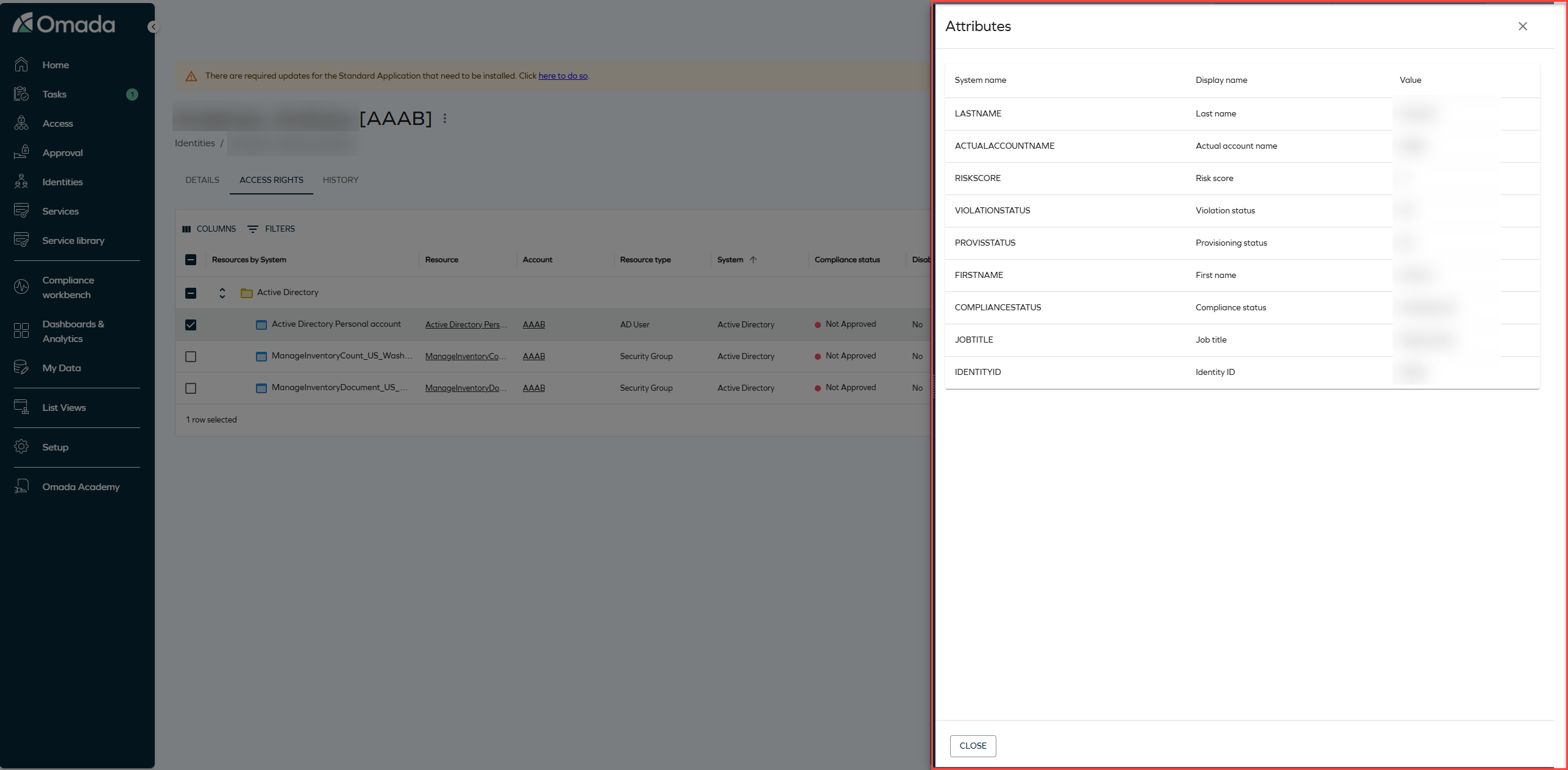
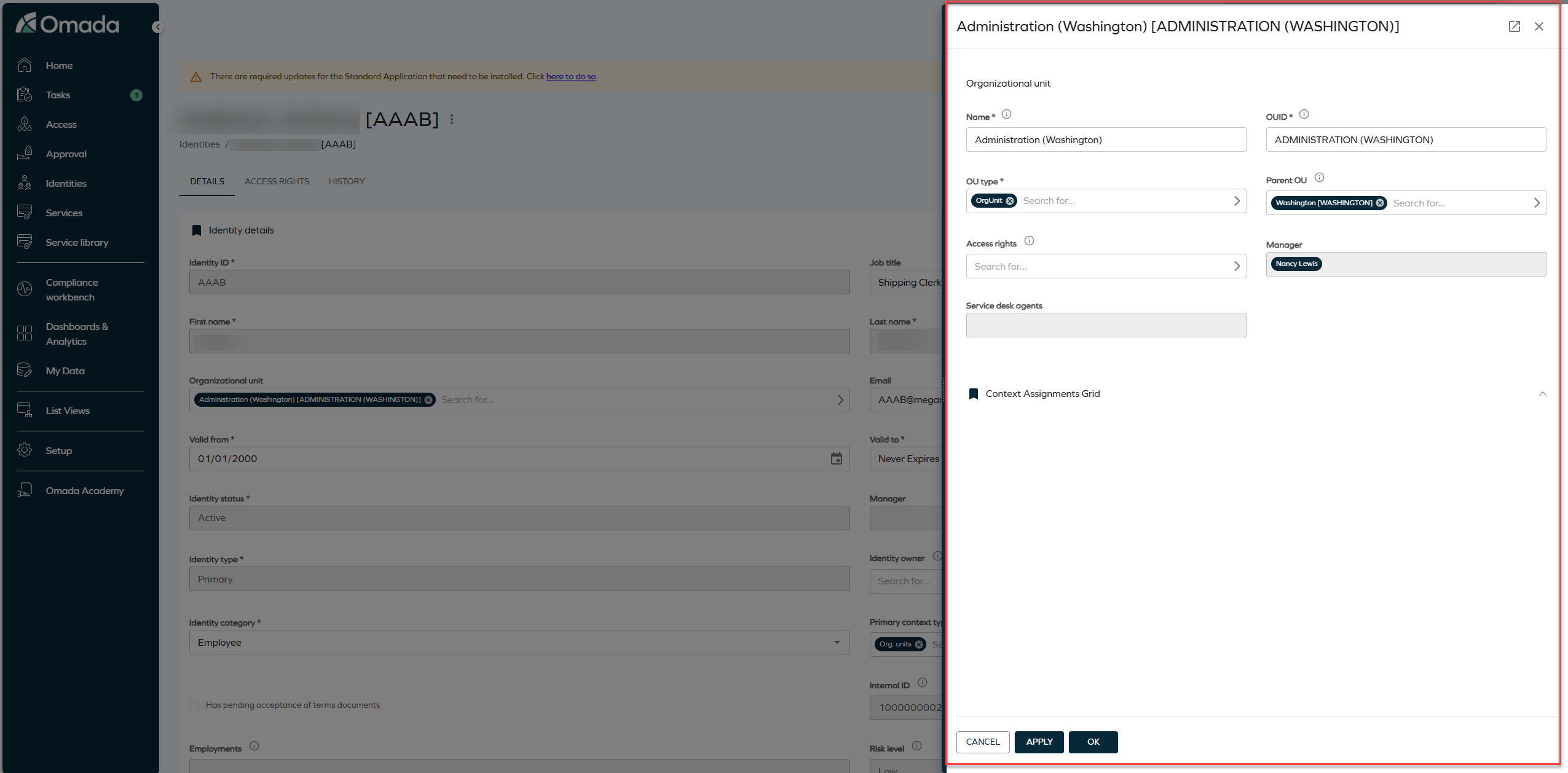
In the new UI, the Attributes and Account selectors in the Access request form now open in side panels, while the Reasons selector opens as a drop-down instead of a pop-up. All side-panel variants used throughout the flow now share a consistent visual style.
The side panel width you set is now remembered per panel variant (for example, all Attributes panels) instead of per individual panel instance, so your preferred width is applied consistently every time you open a panel of that type.
Interpret text-based access requests in the new UI
We have introduced a new interpretation experience for members of the Request interpreters user group, available directly from the new UI Access request form.
When a user submits a text-based access request through the Cannot find the correct access? option, it creates an interpretation task and assigns it to the Request interpreters. When the customer setting UseNewUIRequestFlow is set to True, the interpreter is redirected to the new UI after opening the task from the Tasks page or a To do card on the Homepage.
The new Access request form opens on the Select resources step, with the original access request displayed in the side panel. The interpreter reviews the original request, selects the appropriate resource for the identity, and moves on to the validity step. On the validity step, the interpreter can change the validity period of the original request.
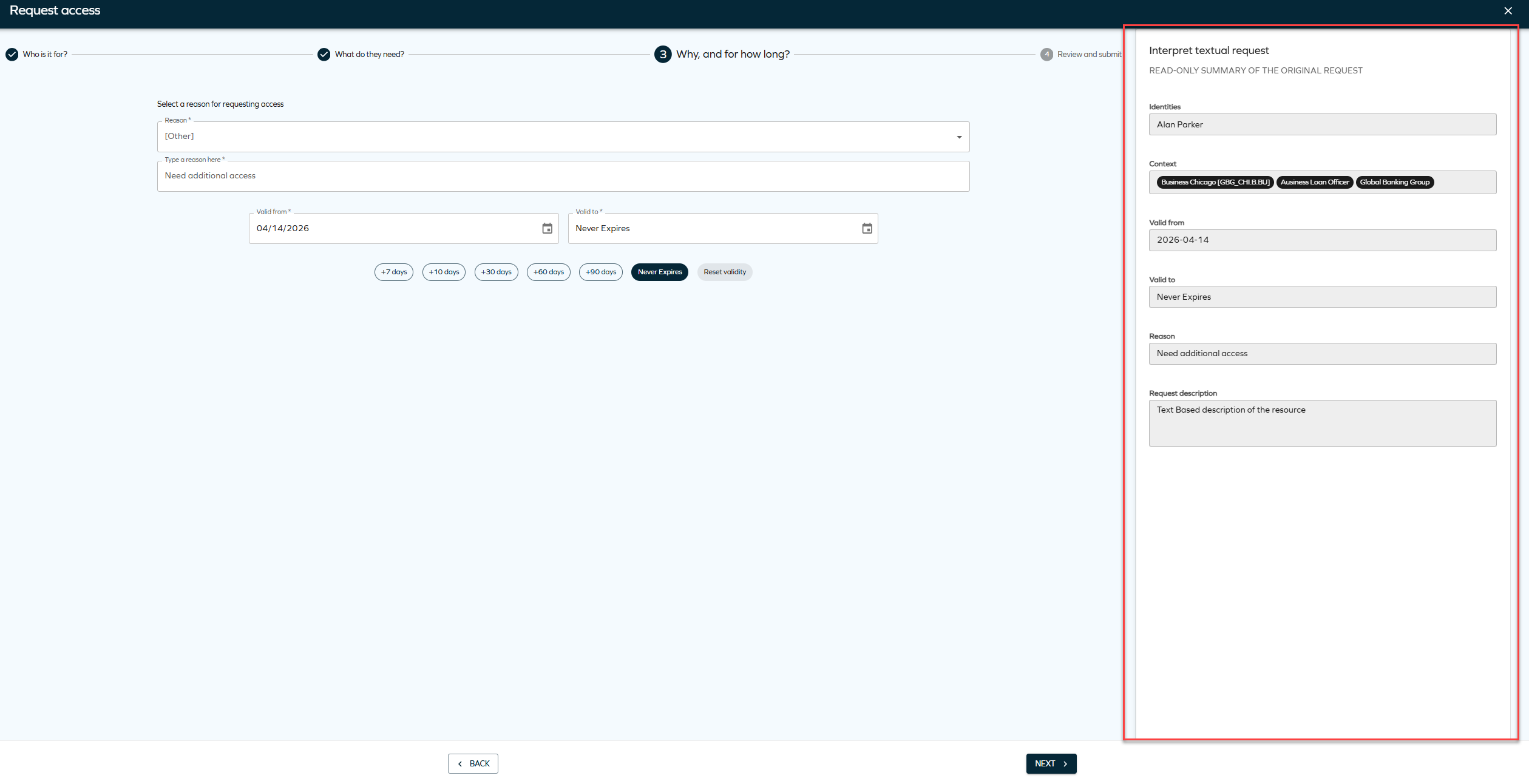
On the final Review step, the interpreter selects Interpretation complete to finalize the task. This activates the original access request with the interpreter input.
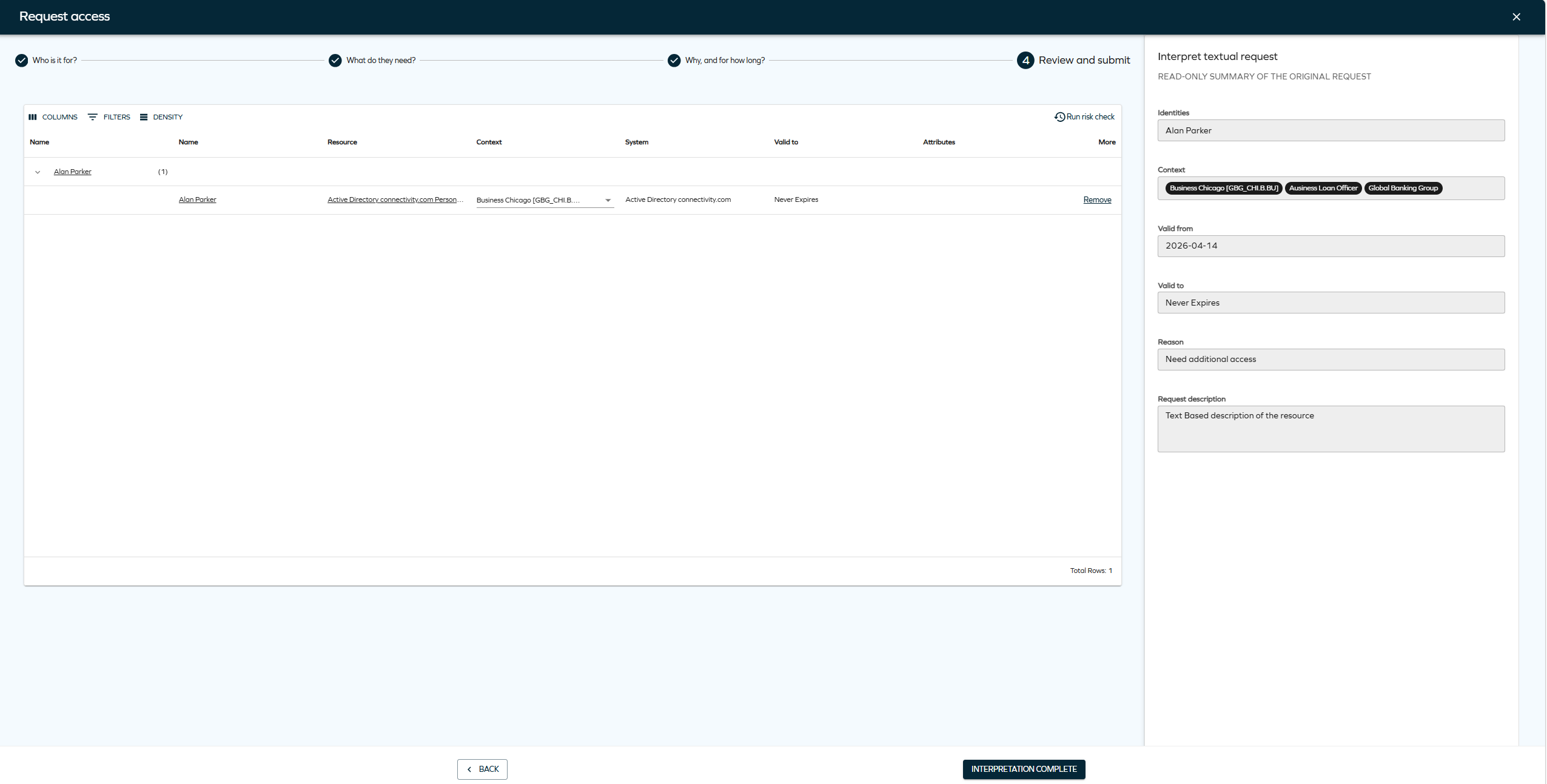
Interpreters can now change the validity period of a text-based access request. This option was not available in the legacy interpretation flow.
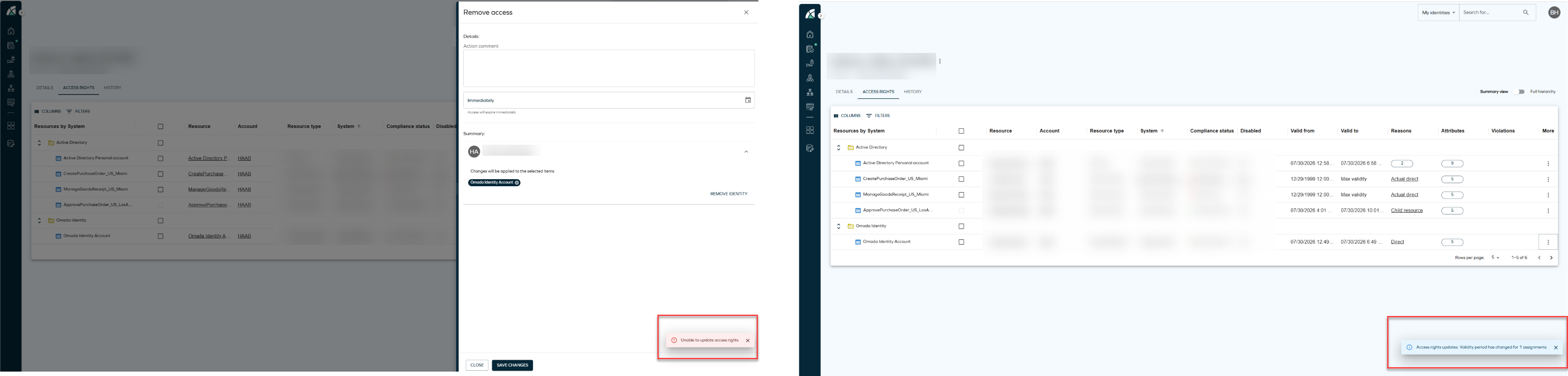
Updated visual style for snackbar notifications
Snackbar notifications shown in the bottom right corner of the screen now share a consistent visual style, including a drop shadow. Global warning and error messages are not affected by this change.
Cloud Application Gateway
Omada-hosted instance group
With the August Cloud update, we're introducing the Omada Hosted Cloud Application Gateway instance group for which the Omada Identity system is automatically assigned. This instance group is designed to operate provisioning and import workers on the Omada-hosted infrastructure. It is possible to add other systems to the Omada Hosted instance group, but it prevents implementing the zero knowledge principle.
For more information, go to the Instance groups section.
Omada Identity Analytics (OIA)
Deprecation and removal of SSRS reports
Starting with the August 2026 Cloud Update, the Omada Identity Analytics (OIA) platform is the default solution for reporting and analytics in Omada Identity Cloud.
The legacy SSRS reports, which entered the deprecation process in August Cloud Update 2025, are now entirely removed from Omada Identity Cloud.
The same data that was accessible through legacy reports can now be accessed through modern, easy-to-use dashboards. For more information, see Legacy Reports vs. Omada Identity Analytics Platform.
For a full list of deprecated and removed features, see the Deprecation Calendar.
Expanded documentation on the Audit Trail dashboard
We have expanded the documentation for the Audit Trail OIA dashboard. The updated documentation now includes detailed descriptions of widgets, filtering behavior, jump-to dashboards, export options, data model behavior, and example use cases.
Differentiation between account system name and resource system name
We have improved the clarity of system name fields in Omada Identity Analytics dashboards:
- The System name field has been renamed to Account system name across all Omada Identity Analytics dashboards to clarify that this field refers to the system associated with an account.
- A new Resource system name field has been introduced, exposing the system associated with a resource – a distinction that was not previously available in the dashboards.
This improvement supports more precise access analysis: you can now filter and investigate access data by resource system independently of account system, enabling more accurate scoping during access reviews and audit trail analysis.
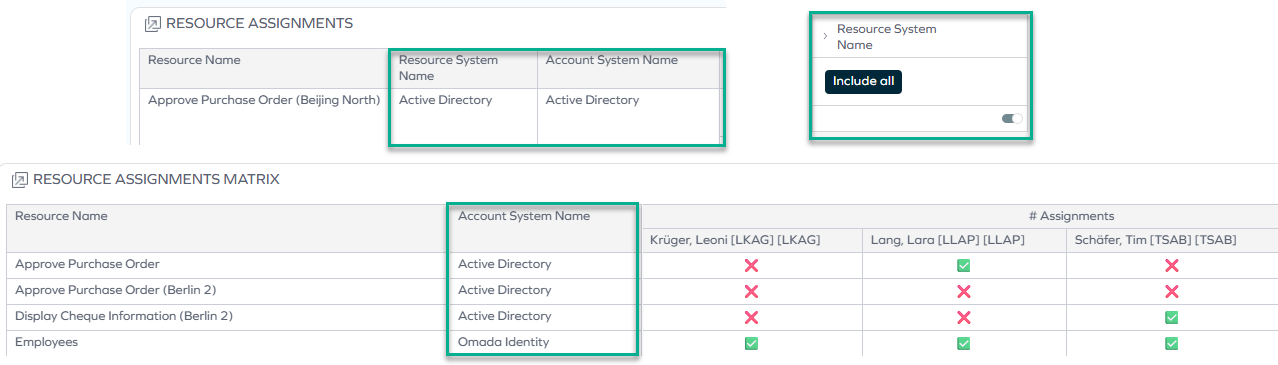
You can find these changes in the following dashboards – either on the main dashboard, or on jump-to dashboards inside them:
Access Intelligence: improved filter selection
On the Access Intelligence dashboard, you can now filter by additional dimensions, which enable more precise scoping of access analysis:
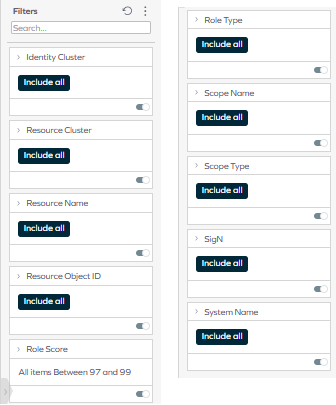
For more information on each of the filters, refer to Access Intelligence filtering.
New filters for account and resource assignment state
As preparation for filtering by desired and actual state, the following filters are now available in the Access Navigator, Audit Trail, Data Quality, and Certifications dashboards: Account IsDesired and Resource Assignment IsDesired.
Currently, the dashboard shows the actual state: the filters only return results for the actual state (IsDesired = false).
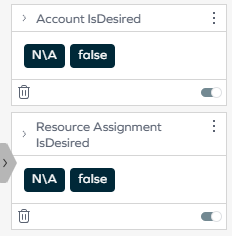
Once desired state support is added in a future release, selecting IsDesired = true will also return results, allowing you to display assignments that exist only in the desired state.
Role and Policy Engine
Option to block auto-created accounts with only blocked assignments
A new optional customer setting, DisableAutoAccountsWithOnlyBlockedAssignments, controls whether blocking caused by Separation of Duties constraints is propagated to auto-created system accounts.
When the setting is enabled, RoPE marks an auto-created account as blocked and skips initial provisioning if all role and permission assignments that justify the account are blocked by constraint violations.
This supports the principle of least privilege by preventing unnecessary accounts from being provisioned when all justifying access is blocked by constraint violations, helping reduce security risk while also lowering administrative overhead and improving account lifecycle management.
The setting applies only when the requested access and the constraint are evaluated at the same assignment level, and when the requested access would create the first system account for the identity.
The setting is disabled by default, preserving the previous behavior unless it is explicitly enabled.
For more information, see Role and Policy Engine customer settings.
Surveys
Removal of Transfer identity process V1
As announced in the January 2024 Cloud Update deprecation notice, the legacy Transfer identity process template (V1) has been removed with this release.
The survey-based Transfer ownership survey (V2) is now the only supported way to transfer identity ownership, and is enabled by default. The customer setting UseTransferProcessV2 has also been removed, since it is no longer needed to switch between V1 and V2.
For more information, see the Transfer ownership survey documentation.
Connectors
Connectivity packages are now available by default
You no longer need to install additional connectivity packages using the Connectivity Manager. All connectivity packages are now available in your environment.
Nested HTTP verb option added to the REST data import
The Nested HTTP verb option has been added to the Nested Requests tab in REST data import. This option allows you to configure the HTTP method for the parent and nested requests separately, opening the possibility of using various combinations of HTTP methods (for example: GET -> POST, POST -> GET, GET -> GET, POST -> POST).
Other
Updated LIKE behavior in filter expressions
Filter expressions in Policy Views and Event Definitions now evaluate the LIKE operator using standard SQL LIKE behavior by default.
Previously, LIKE expressions used Full-Text Index (FTI) behavior, which could produce tokenization-based matches and temporarily inconsistent results due to index population delays.
Legacy FTI behavior can temporarily be restored using the new UseFTIForFilterExpressions customer setting. This setting is intended as a temporary migration compatibility option.
Per-account resource password reset configuration
Administrators can now control which account resources are available in the Password Reset account grid at a more granular level than system-level configuration allows.
The feature reuses the existing Enabled for password reset property (system name PWR_SYSENABLED). By default, this property is bound only to the System data object type, and password reset account selection continues to follow the existing system-level behavior: all relevant account resources from enabled systems are available. When PWR_SYSENABLED is instead bound to the Resource data object type, password reset account selection switches to resource-level configuration: only account resources with Enabled for password reset explicitly set to True are available in the Password Reset account grid, regardless of the setting on their system.
Binding PWR_SYSENABLED to the Resource data object type takes effect immediately, and the resource-level property defaults to False. Existing account resources become unavailable for password reset until they are explicitly enabled, even if their system remains enabled. Plan which account resources should stay available, and enable them right after adding the binding.
For more information, see Password reset.
API
Omada Identity Graph API 3.7
The GraphQL API has been updated to version 3.7 with the following change:
- A new ContextIds filter has been added for loading identities in the AccessRequestComponents endpoint. When passing one or multiple Context GUIDs, only identities that are members of the passed contexts are retrieved.
For more details, see GraphQL API Changelog.
Client identification via the Omada-Client header
A new optional request header, Omada-Client, has been added to the Graph API. Clients can use this header to identify themselves, so that requests can be tracked and attributed to their originating client through telemetry.
If the header is not provided, requests are tracked under the default client name omada-es.
Documentation
RoPE calculation overview documentation
We have added a new RoPE calculation overview page to the theoretical overview documentation. The page provides a high-level overview of how the RoPE service operates and how RoPE calculates an identity's desired access state. It combines explanatory text with process diagrams covering RoPE service execution and the RoPE calculation flow.
The new documentation is intended to improve transparency around RoPE behavior while remaining implementation-agnostic, with links to the relevant detailed documentation for each calculation stage.
Documentation update for RoPE context membership settings
We've updated the Role and Policy Engine (RoPE) customer settings documentation to clarify how invalid context memberships are handled during assignment policy evaluation and how validity periods are extended.
The new RoPEContextMembershipsIncludeInvalid setting is documented as a temporary compatibility option for restoring the behavior used before the April 2026 Cloud Update. The existing IsRopeExtendValidityPeriods setting has also been clarified.
For more information, see the Role and Policy Engine section in System settings.
Documentation update for context membership validity
We've added a new Context membership validity section to clarify how RoPE determines whether a context membership is valid and how validity affects assignment policy evaluation.
The documentation also clarifies how context assignment and context object validity periods interact, how extendValidityPeriods affects date boundaries, and how context status is handled during policy evaluation.
For more information, see Context membership validity.