Tracking history of data objects (Omada Data Warehouse and Analytics)
The object history tracking consists of the following components implementing different aspects of the functionality:
- The Persistence service is responsible for collecting data from the Enterprise server and the Role and Policy Engine, then merging it to the ODS. It also includes new and deleted resource hierarchies in the process.
- The history tracking is responsible for the data transfer from ODS to ODW as a continuous background process. It allows you, for example, to monitor inconsistent objects in ODS, errors, and history of changes introduced to chosen properties of a data object type.
The following items are transferred by the history tracking feature to the ODW:
- Identity
- System
- Resource
- Context Assignment
- Resource folders
- Contexts
- System categories
The data object transfer is initiated in two ways:
- When a change to the object is introduced.
- A timer value, set to two minutes, is reached.
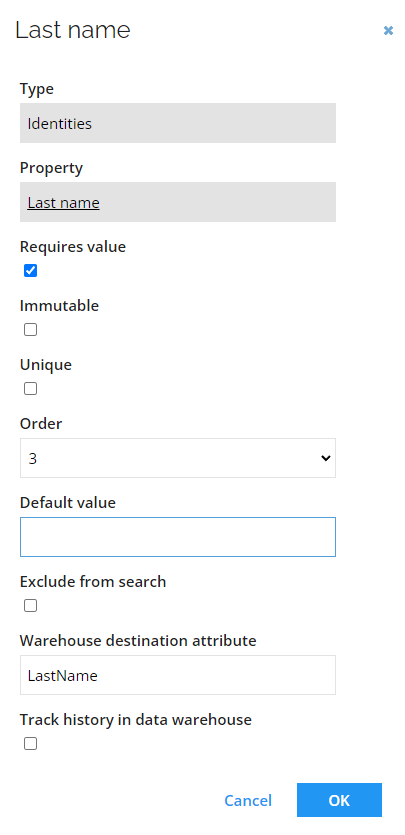
All of the mentioned data object types have preconfigured properties, allowing for the export to be correct and successful with the default values of the settings. Specific fields of those data objects are mapped to the corresponding fields in ODW and values are configured in the Warehouse attribute name setting of the data object type property.
You can export additional data for the following data object types:
- Identity
- System
- Resource
- Context Assignment
You can achieve it by configuring the Warehouse attribute name setting in other properties. This way, they will be exported as extension attributes. For reference, see: Extension attributes.
Context type
A Data Object Type can be used as a Context Type. It requires the following attributes to be configured:
- ComposedBusinessKey - a unique value for a specific context
- Name
- ShortName
- Parent_ComposedBusinessKey - a reference property pointing towards a parent context
Additionally, there are two following attributes supported:
- Type
- SubType
Any other configured property is considered as an extension attribute.
For the Data Object Type to serve as a Context Type, it is also required that it has the Synchronize to ODW setting enabled and the Owner Property has to point to the correct identity reference property of the data object type.
When the context is set as personal, the parent assignment is also generated based on the parent context.
When the Membership property is configured, the context assignment is generated when identities are referencing the context by the membership property.
System and System category
Exporting systems and system categories to the Omada Data Warehouse requires the following configuration:
- Every system and system category must have a ComposedBusinessKey configured.
- Every system must have a System category assigned.
Systems or system categories missing this configuration are not correctly represented in the Omada Data Warehouse and Analytics.