Audit Trail
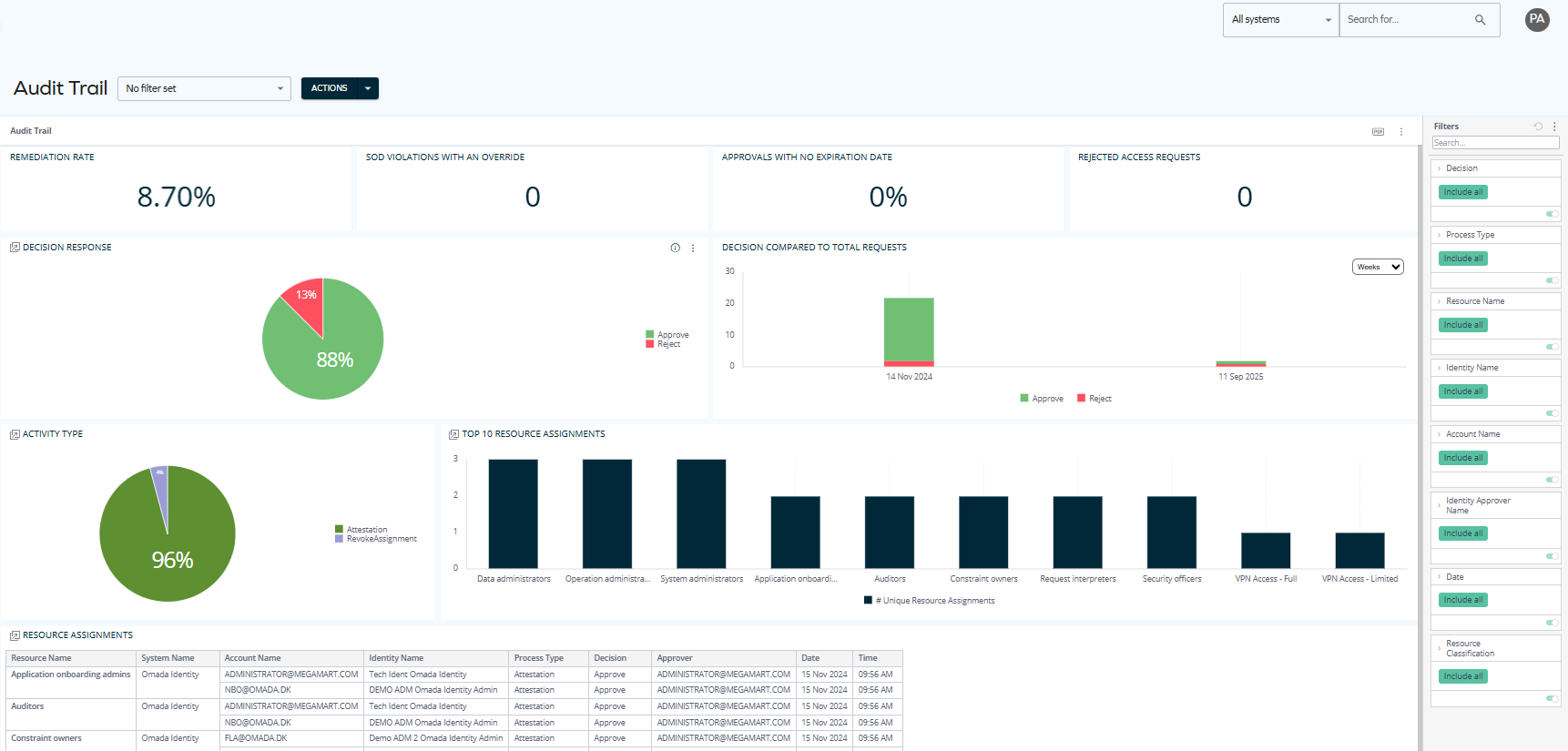
The Audit Trail dashboard provides detailed insights into resource assignment decisions, showing why certain access exists and who authorized it.
In Q1 2026, the Omada Identity Analytics dashboards will be visually updated to match Omada's current branding, including colors and typography. The following screenshot reflects the updated look.

Updates to individual screenshots throughout the documentation will be applied incrementally in subsequent updates.
The data displayed on OIA dashboards reflects the state of the last successful build, which occurs every day after midnight; it is not streamed live. For more information, see the introduction to dashboards: Omada Identity Analytics – Data model.
Overview
The Audit Trail dashboard covers resource assignments approved during access requests or access extension requests, reviewed in surveys, evaluated during SoD processes, revoked from the identity page, or approved as part of an Initial Verdict. By highlighting trends such as remediation rates and approval patterns alongside detailed records of resource assignments, the dashboard helps auditors and managers trace accountability and strengthen access governance.
Downloading and exporting
Before you download the content of a widget, read Omada Identity Analytics – Downloading and exporting for details on the available formats as well as their limitations.
To export (download) the content of any widget, open the three-dots menu next to it, select Download, and choose a format.
Access to this dashboard
To learn which user groups have access to this dashboard, see Access to dashboards.
Comprehensive documentation is being developed. In the meantime, you can find general information about OIA dashboards here: Omada Identity Analytics.