Release highlights

We've just released Omada Identity update! What's new?
Installation files SHA-2 hashes
| File | SHA-2 hash |
|---|---|
| Omada Identity v16.0.0.18.zip | TBD |
| Omada Identity v16.0.0.18 Data Preview Service.zip | TBD |
| Omada Identity v16.0.0.18 Vault Service.zip | TBD |
| Omada Identity v16.0.0.18 Password Filter.zip | TBD |
General highlights
Removal of Transfer identity process V1
The legacy Transfer identity process template (V1), previously announced for deprecation, has been removed. The survey-based Transfer ownership survey (V2) is now the only supported way to transfer identity ownership and is enabled by default. The customer setting UseTransferProcessV2 has also been removed, as it is no longer needed to switch between V1 and V2.
For more information, see the Transfer ownership survey documentation.
Changes in behavior
Standard SQL LIKE behavior in filter expressions
Filter expressions in Policy Views and Event Definitions now evaluate the LIKE operator using standard SQL LIKE behavior by default. Previously, LIKE expressions used Full-Text Index (FTI) behavior, which could produce tokenization-based matches and temporarily inconsistent results while the index was being populated. You can temporarily restore the legacy FTI behavior with the new UseFTIForFilterExpressions customer setting, which is intended as a migration compatibility option only.
Account types honored hierarchically in RoPE
RoPE now honors account types hierarchically when resolving direct assignments and assignment policies. If the account type is left unset on a direct assignment or an assignment policy, RoPE no longer scopes the assignment to all account types. Instead, it resolves one assignment per account type allowed by the assigned resource, provided the identity has an account of that type or auto-account creation applies. Each resolved assignment carries a single account type, which then scopes its child resources: a child resource is assigned through a branch only if it allows that branch's account type.
For example, an Enterprise Role allows only the Personal account type, while its child AD group allows both Personal and Administrative. If the Enterprise Role is directly assigned with no account type and the identity has a Personal account, the child AD group is assigned only to the Personal account.
For more information, see Assignment policies and account types and Account types.
INC-316467
Manager access re-evaluated against membership validity
Manager access granted through Explicit Owner is now re-evaluated based on the validity of the underlying employment or department membership. Previously, a manager could retain access to a former subordinate's identity, for example to view it or revoke its resource assignments, after the employment record expired or the identity moved to a new manager.
To retain the previous behavior on a specific view, set the new INCLUDEINVALIDMEMBERSHIPS parameter to TRUE in the view's access modifier parameters. The parameter defaults to FALSE, affects only the configured view, and is available for IdentitiesAccessModifier, ManagedIdentitiesAccessModifier, SecondaryIdentitiesAccessModifier, PasswordResetAccessModifier, and RoleAssignmentsAccessModifier.
For more information, see Access modifiers.
INC-314986
Resource-level password reset configuration
You can now control which account resources are available in the Password Reset account grid per resource, instead of only per system. The feature reuses the existing Enabled for password reset property (PWR_SYSENABLED). By default, the property is bound only to the System data object type, and all relevant account resources from enabled systems remain available.
When you bind PWR_SYSENABLED to the Resource data object type, selection switches to resource-level configuration immediately. The resource-level property defaults to False, so existing account resources become unavailable for password reset until you explicitly enable them, even if their system remains enabled. Decide which account resources must stay available and enable them right after adding the binding.
For more information, see Password reset.
Lookup suggestions match text anywhere in the name
Lookup suggestions for reference properties, such as identity, system, role, and folder fields, now match the search text wherever it appears in the name, not only at the beginning. As a result, suggestion lists may include additional matches that were previously omitted. No previously correct suggestions are removed.
INC-313930
CSV downloads encoded as UTF-8 with BOM
CSV downloads are now generated as UTF-8 with BOM instead of standard UTF-8, so special characters display correctly when the files are opened in Excel.
INC-314910
Application improvements
Extend access for identities you can request access for
If you can request access on behalf of another identity, you can now also extend that identity's resource assignments in Extend access. For example, a manager can extend assignments belonging to their employees. On the Extend what? step, you can group assignments by Identity, Resource name, or System name to review and select assignments across multiple identities.
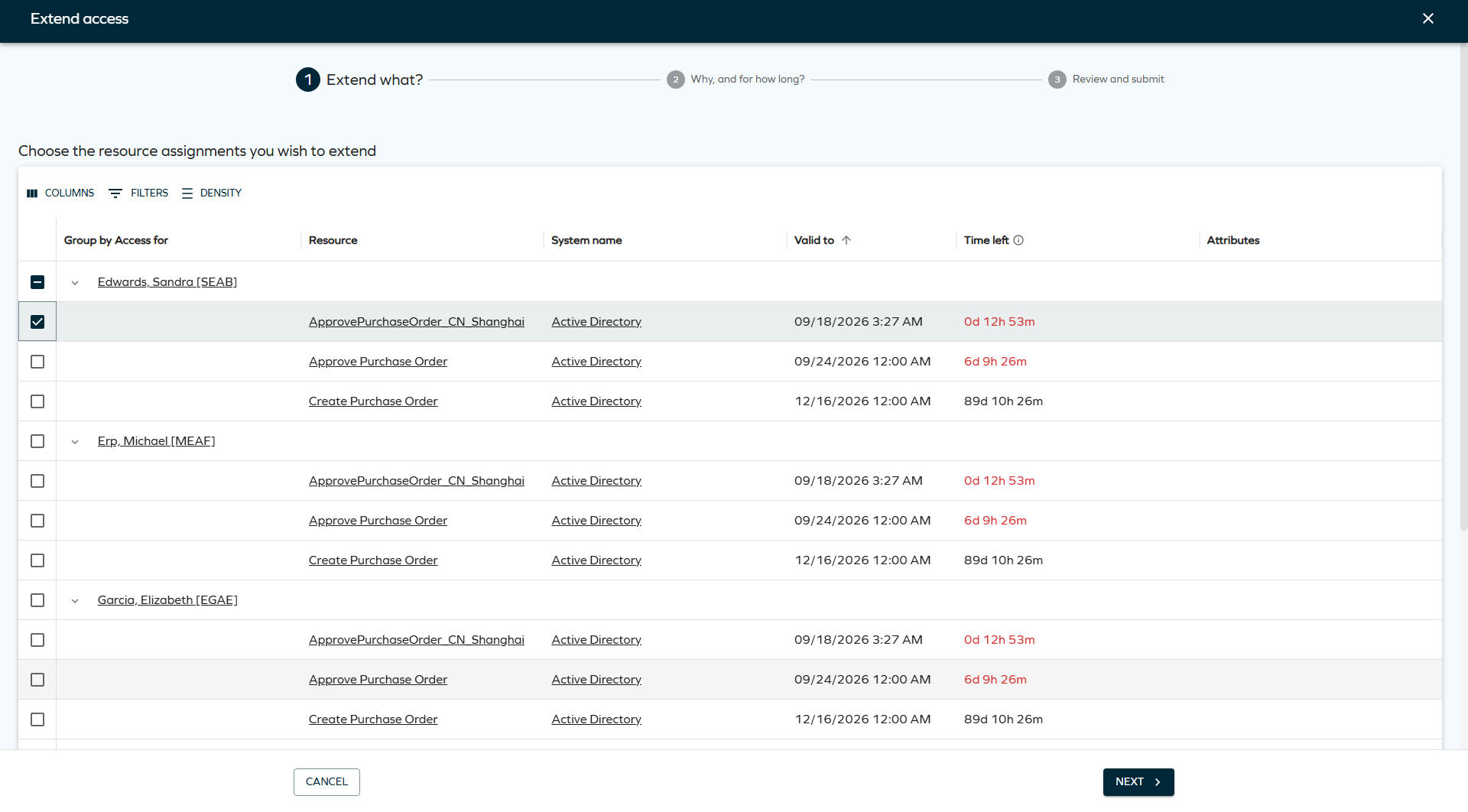
For more information, see Extend access.
Time zone-aware access requests and validity
You can now provide time zone context when submitting access requests, including text-based requests in the supported API versions. Requested date and time values are displayed using this context, with a tooltip showing the time zone name and the corresponding UTC value.
Valid from and Valid to values are calculated in the time zone of the identity for whom access is requested, not the time zone of the requester. The Timezone selector is shown only when the customer setting AccessRequestAPIRequiresTimeZone is set to True. Administrators can set the organization's default time zone with the customer setting Default time zone (DefaultTimeZone), which is used for identities without an individual time zone. The setting takes an integer code.
For the list of supported time zones and their codes, see Time-based access. For the settings, see Customer settings.
Provisioning task history
Each executed provisioning task now has a record of the operation, the time it was performed, the response from the connected system, and the property values sent to the system. The recorded values are a snapshot at execution time: later changes to a task mapping do not alter the history of completed tasks, expression results are stored as resolved values, and sensitive values such as passwords are never exposed as plain text.
To inspect the values applied to a task, open the Task details dialog and set Show to mapped values.
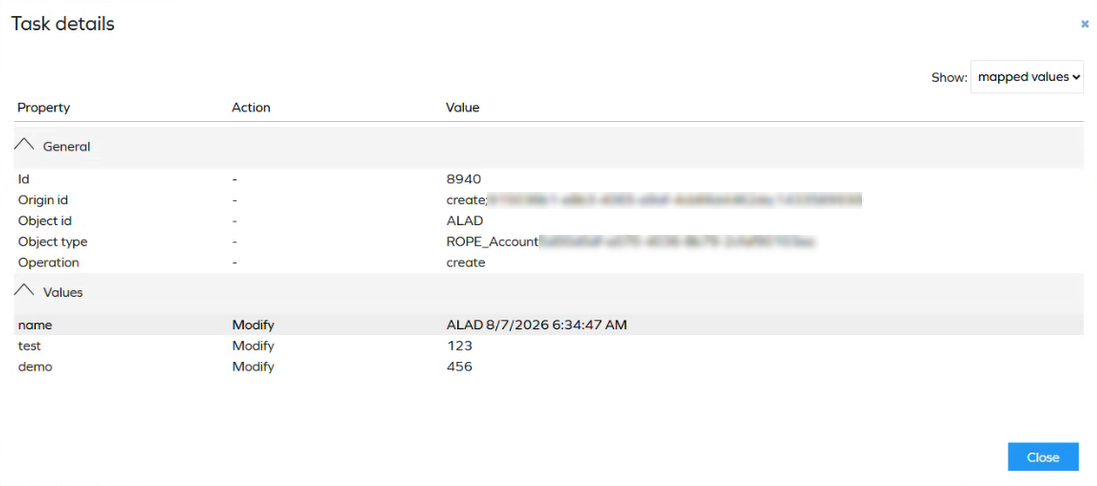
For more information, see Provisioning task history.
Context Hierarchies dashboard
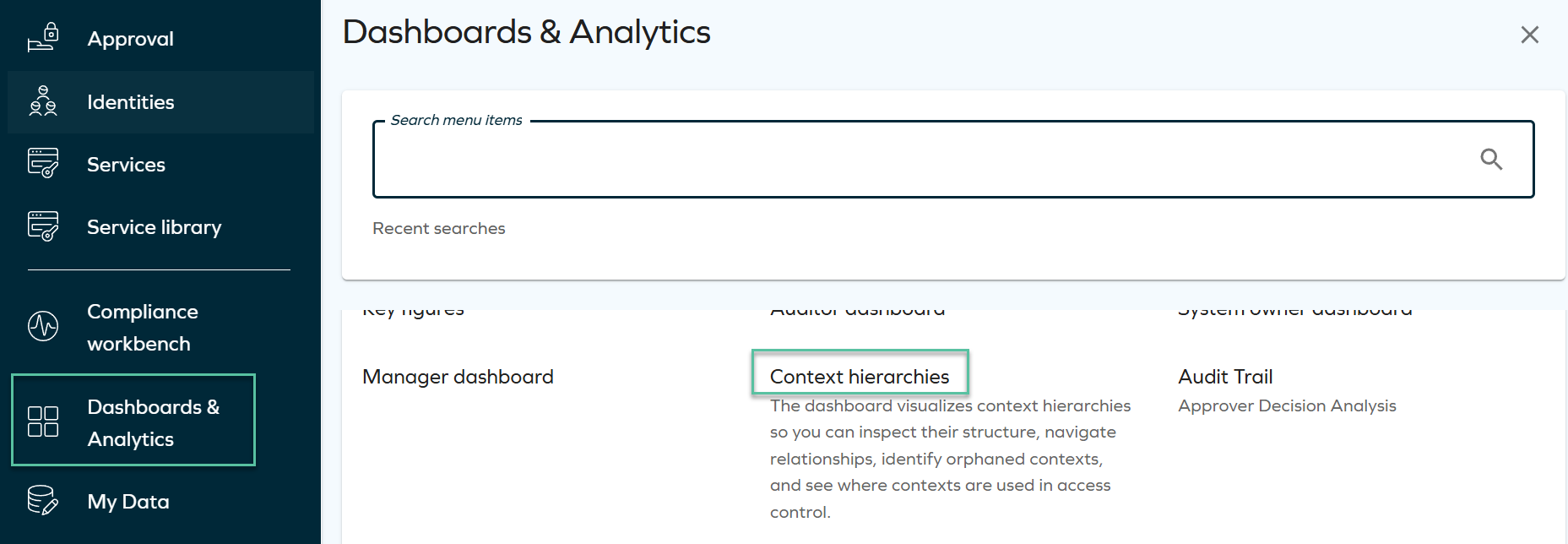
The new Context Hierarchies dashboard, available under Dashboards & Analytics > Context hierarchies, visualizes context hierarchies so you can inspect their structure, navigate relationships, identify orphaned contexts, and see where contexts are used in access controls.
The dashboard offers four views, plus a filters panel, CSV and HTML export, and shareable URLs:
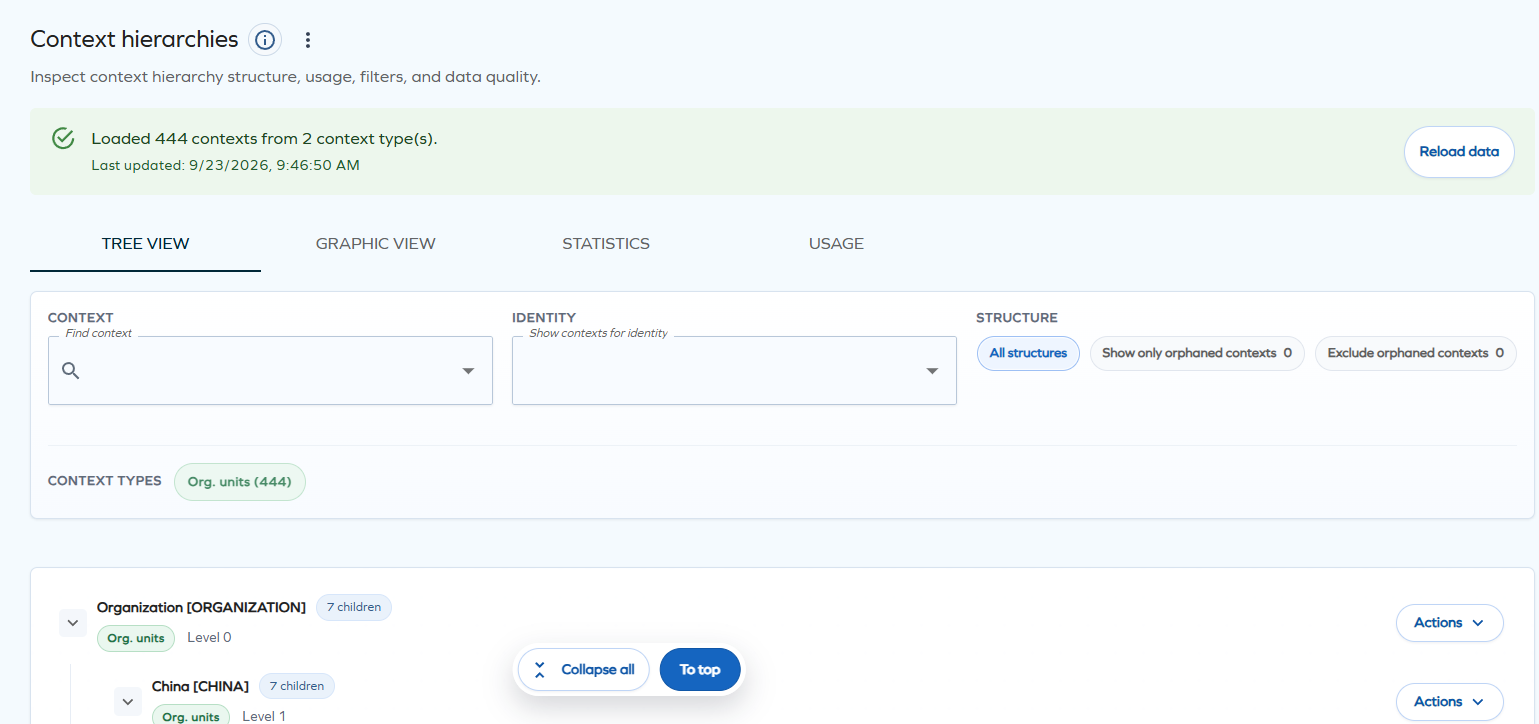
- Tree view: an expandable list of contexts with an Actions menu per row to open the context, focus on it and its descendants, view its details, list its identities, or jump to its usage.
- Graphic view: the hierarchy as an interactive org chart that you can pan, zoom, and expand or collapse by branch.
- Statistics: total, leaf, and orphaned contexts, maximum and average depth, and a health analysis of the deepest and broadest branches.
- Usage: the assignment policies and eligibility objects that use a selected context.
This dashboard requires OData to be enabled for the relevant data object types. For more information, see Context Hierarchies.
UX and UI
Pin items to your homepage
You can pin processes, list views, and dashboards to the homepage from the Service Library in the main menu. Pinned items appear in a Pinned items section: the first four are always visible, the rest collapse behind a See all items toggle, and you can reorder items with drag and drop.
The homepage layout uses three configuration layers, applied in fallback order: the Omada default, the Organization default (set by administrators in Setup > Administration > User interface > Homepage configuration), and User personalization. The Use default layout action resets administrators to the Omada default, and resets users to the organization default, or to the Omada default if none exists.
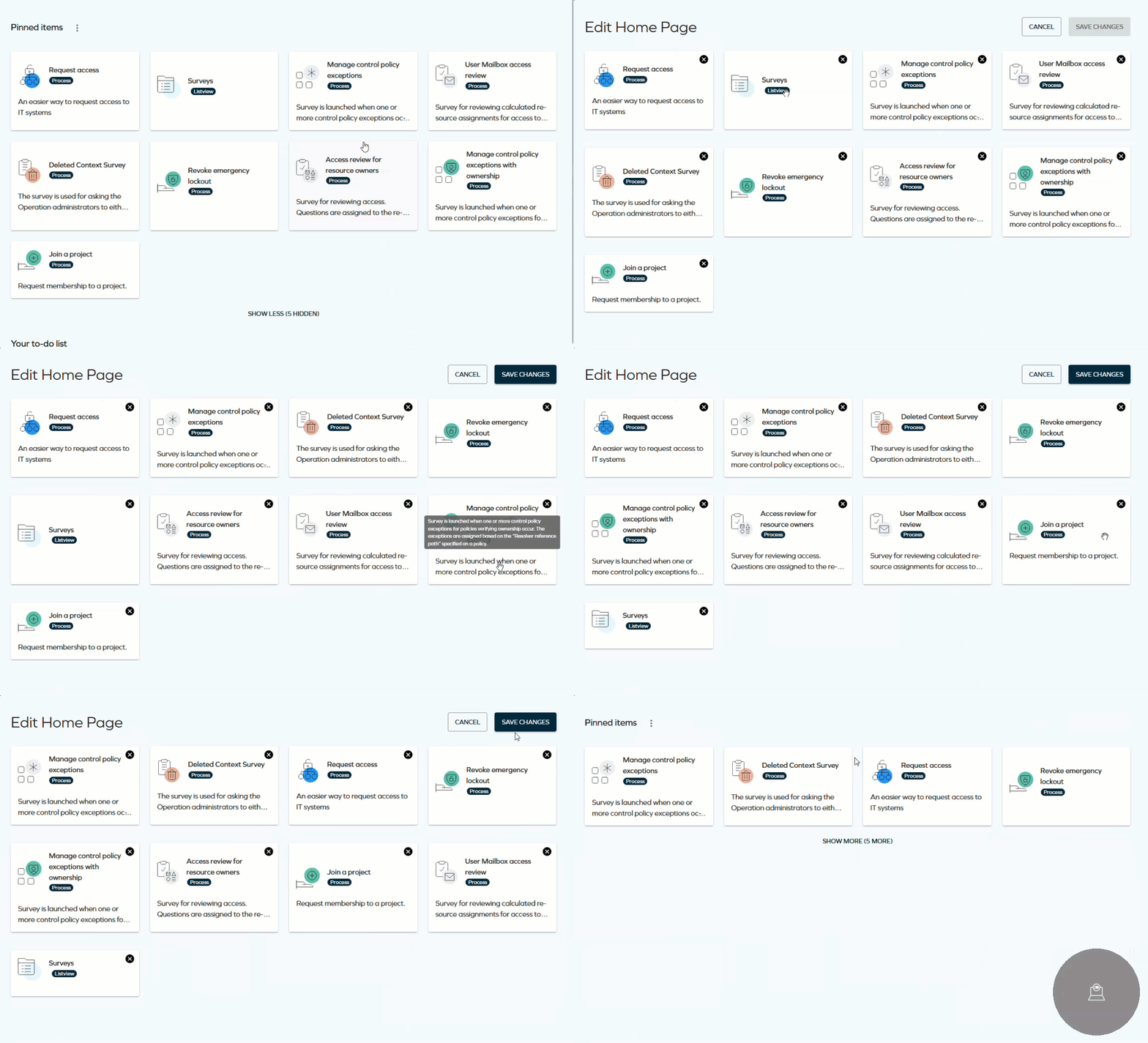
Items a user does not have permission to access are hidden automatically. There is no hard limit on the number of pinned items, but nine or fewer is recommended.
For more information, see Omada Identity portal.
Technical Preview Feature: List Views tab in the Service Library
The Service Library now includes a List Views tab, next to Processes and Dashboards, from which you can pin data object list views to your homepage.
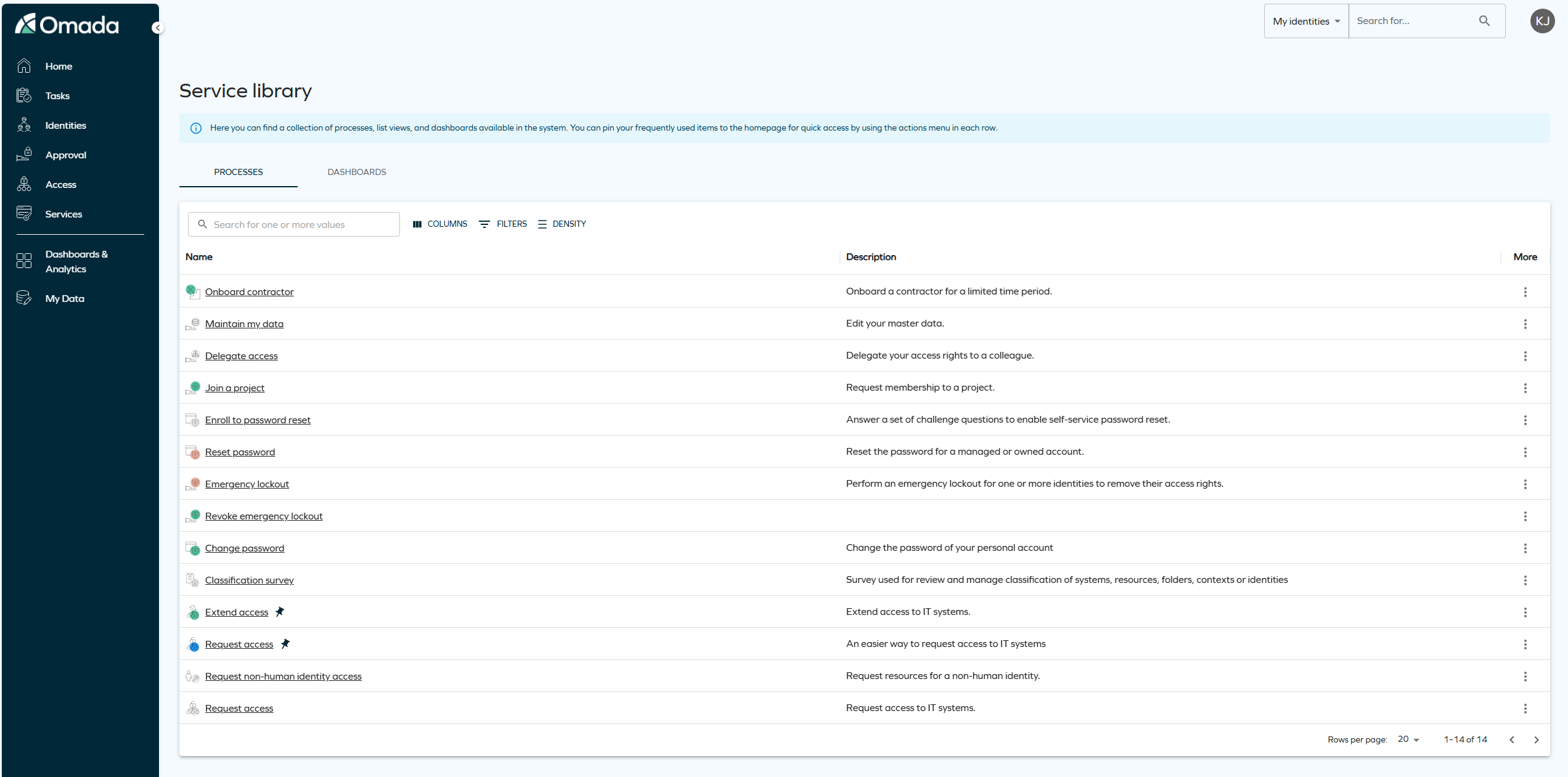
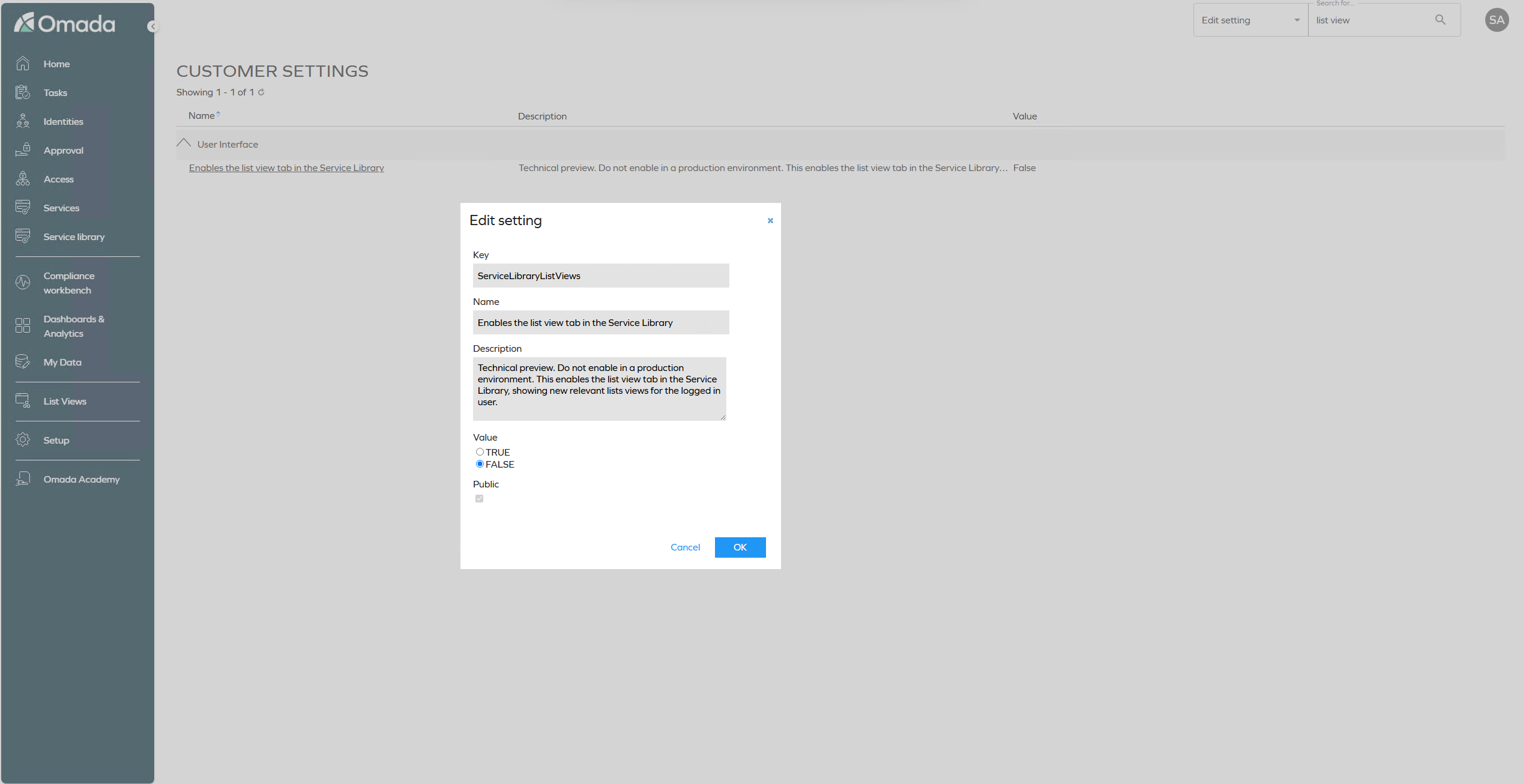
The List Views tab is enabled with the customer setting ServiceLibraryListViews. The setting is disabled by default, and we recommend not enabling it in a production environment.
Page description for views
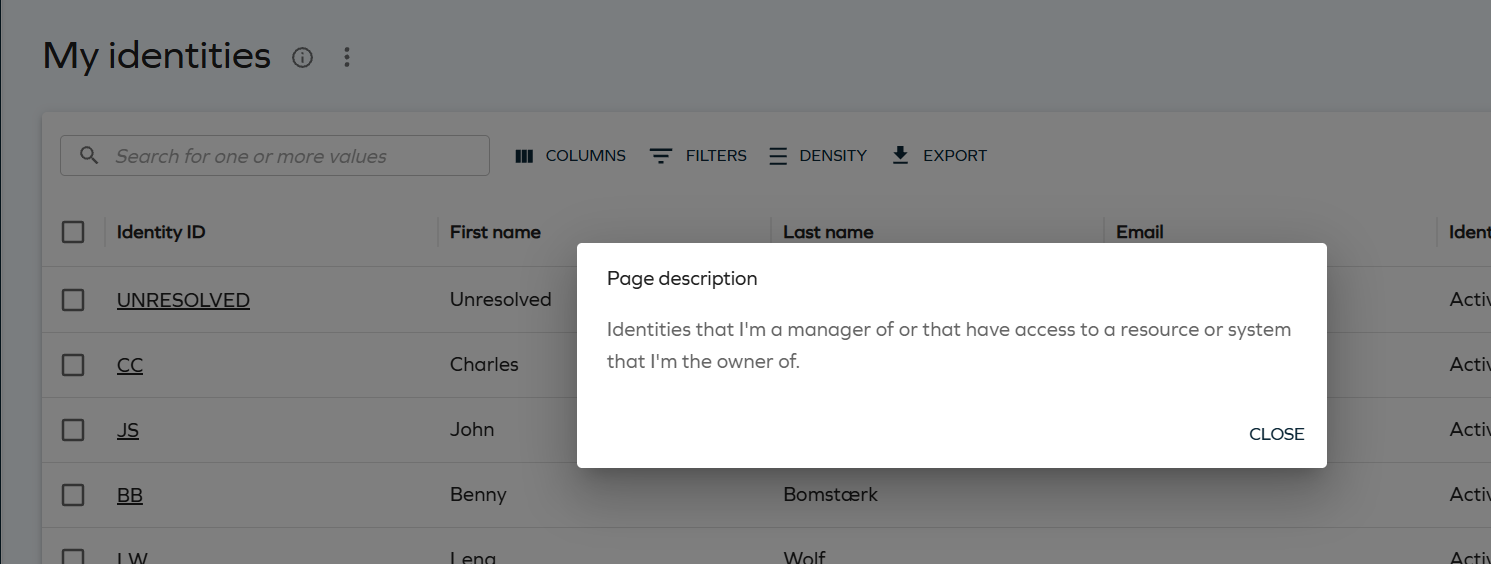
Views now display an info icon next to the page title. Selecting it opens the Page description dialog with the description configured for the view, helping users understand the view's purpose without external guidance.
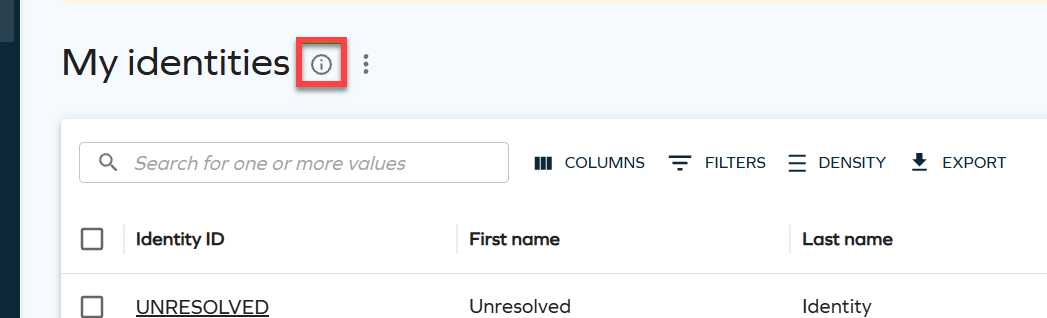
Selecting the icon opens the Page description dialog with the configured text:
For more information, see Page description.
Interpret text-based access requests in the new UI
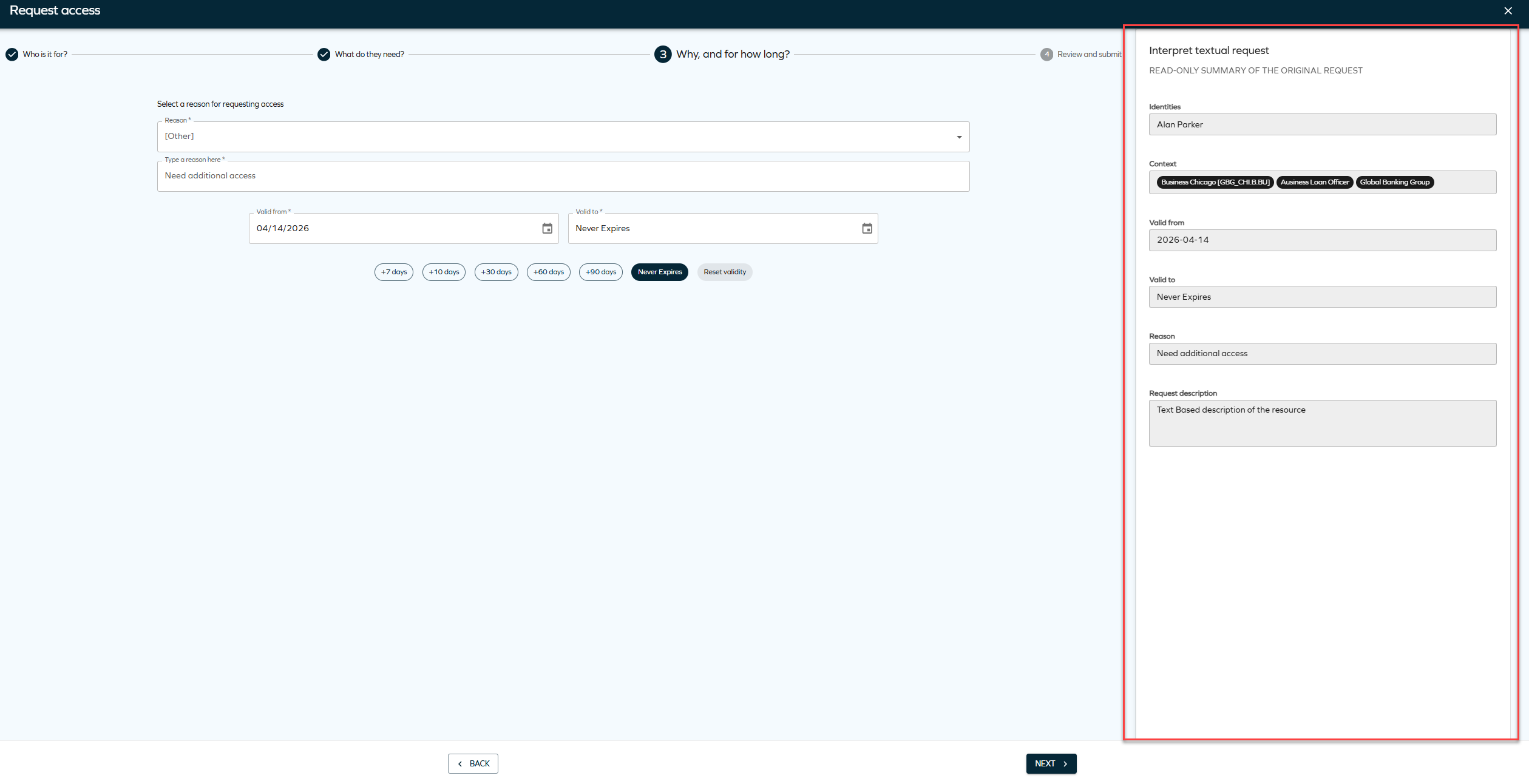
Members of the Request interpreters user group can now interpret text-based access requests directly in the new UI Access request form. When the customer setting UseNewUIRequestFlow is set to True, opening an interpretation task from Tasks or a To do card on the homepage redirects the interpreter to the new UI.
The form opens on the Select resources step, with the original request displayed in a side panel. The interpreter selects the appropriate resource and can adjust the validity period of the original request, which was not possible in the legacy flow.
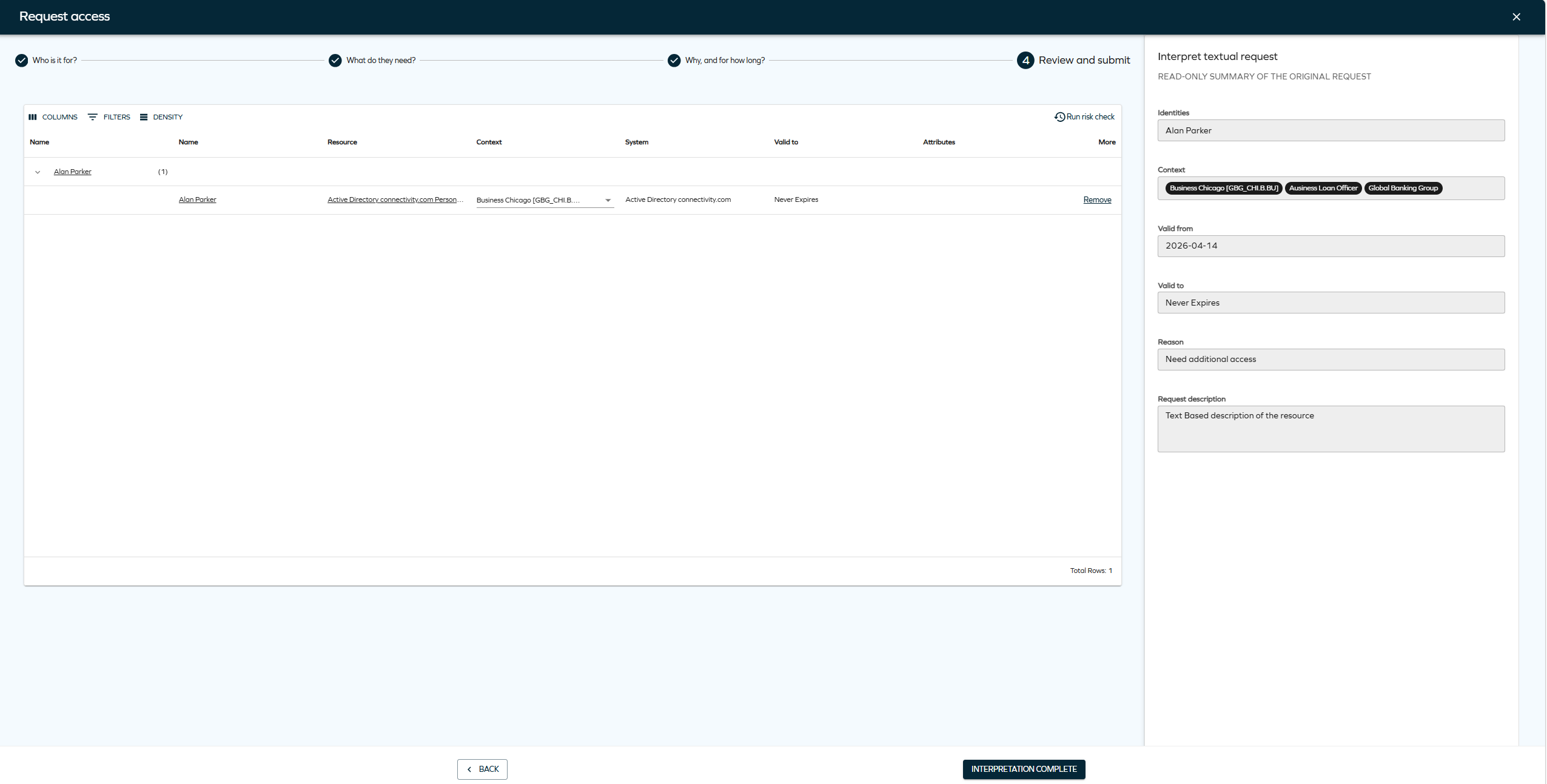
On the final Review step, the interpreter selects Interpretation complete to activate the original request with the interpreter input.
Choose account chip in Access request
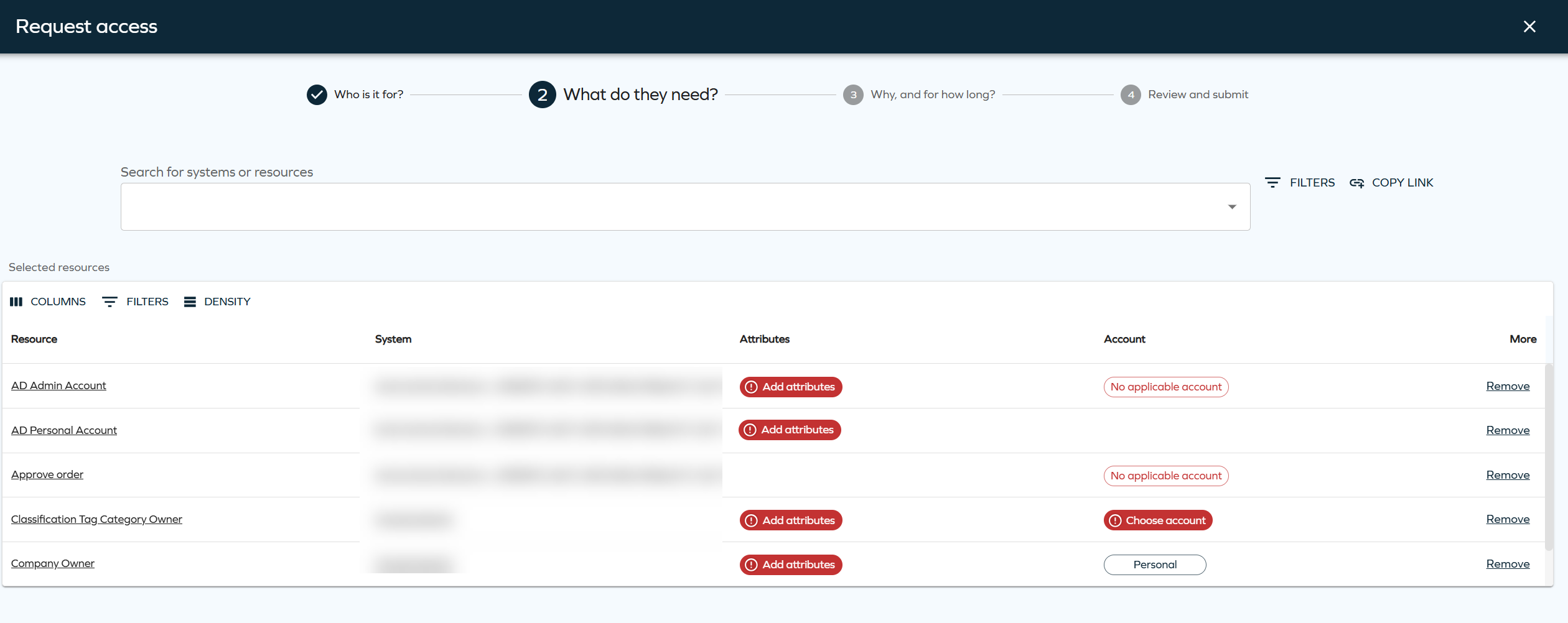
The Account chip in the Select resources step of Access request now behaves like the Attributes chip. If selecting an account type is mandatory, the chip is shown in red with an exclamation icon and the flow is blocked until an account type is selected. After selection, the chip shows the account type name, or Mixed when multiple identities require different account types.
For more information, see Access request.
Consistent side panels in Access request
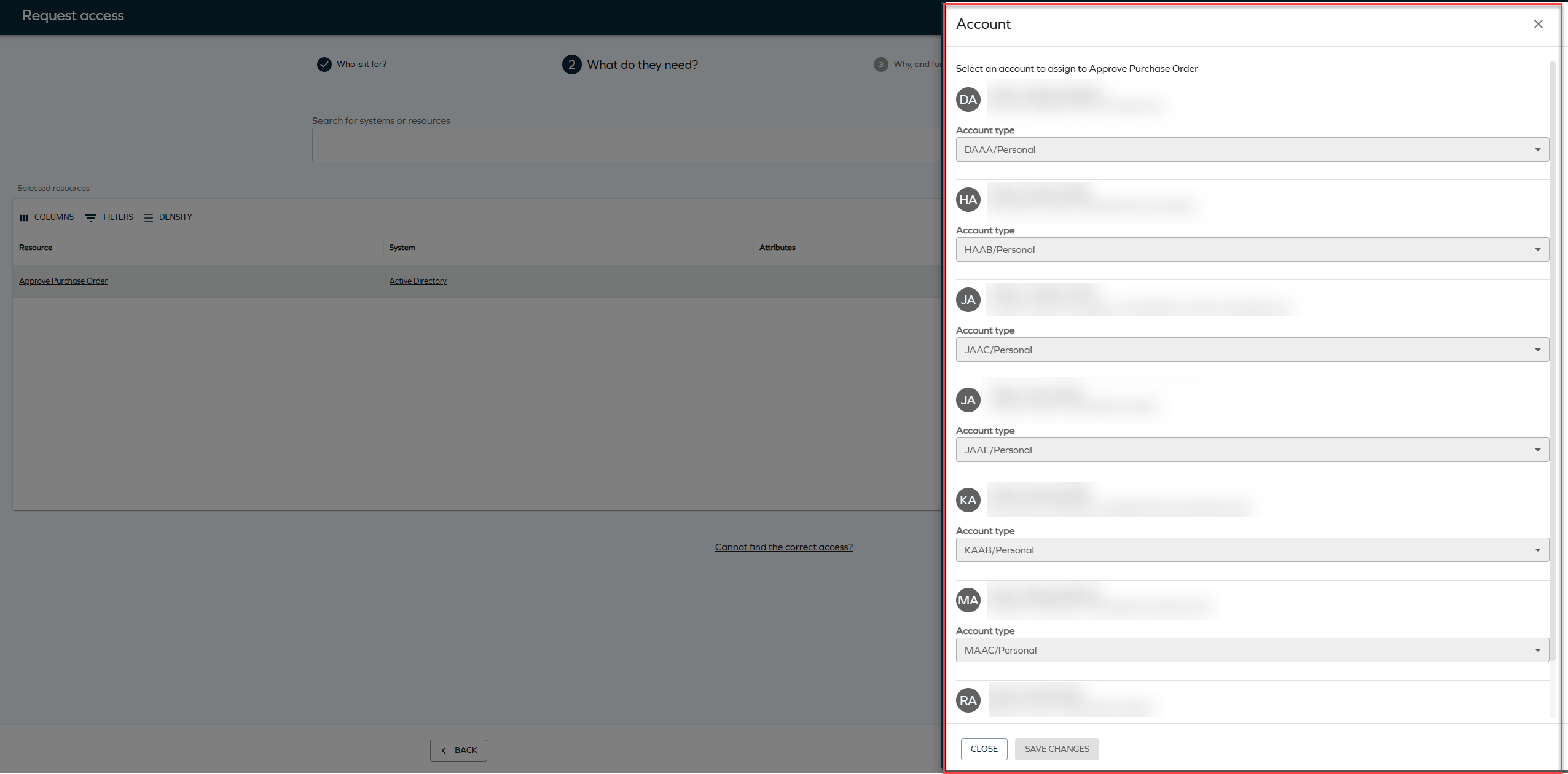
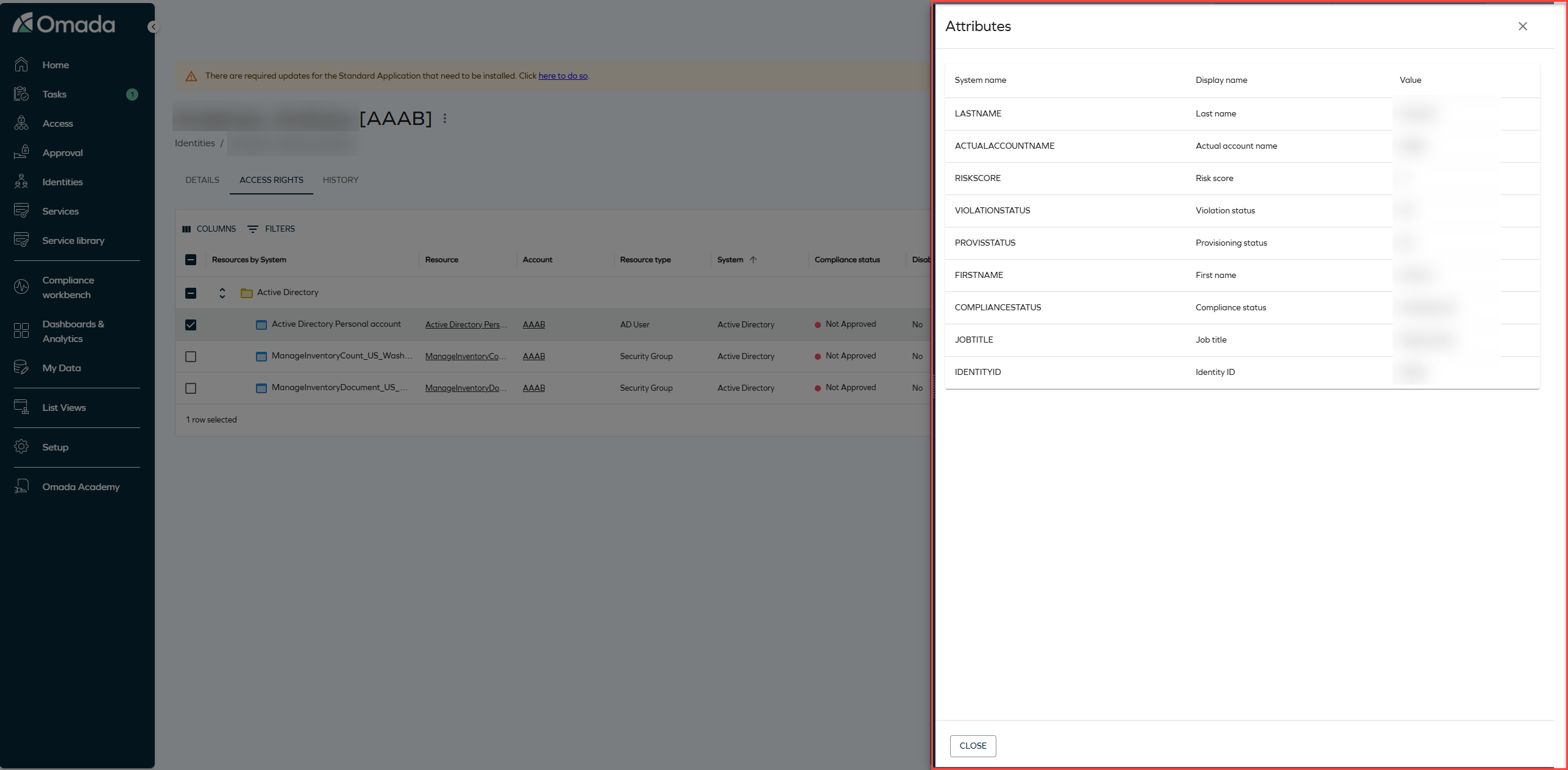
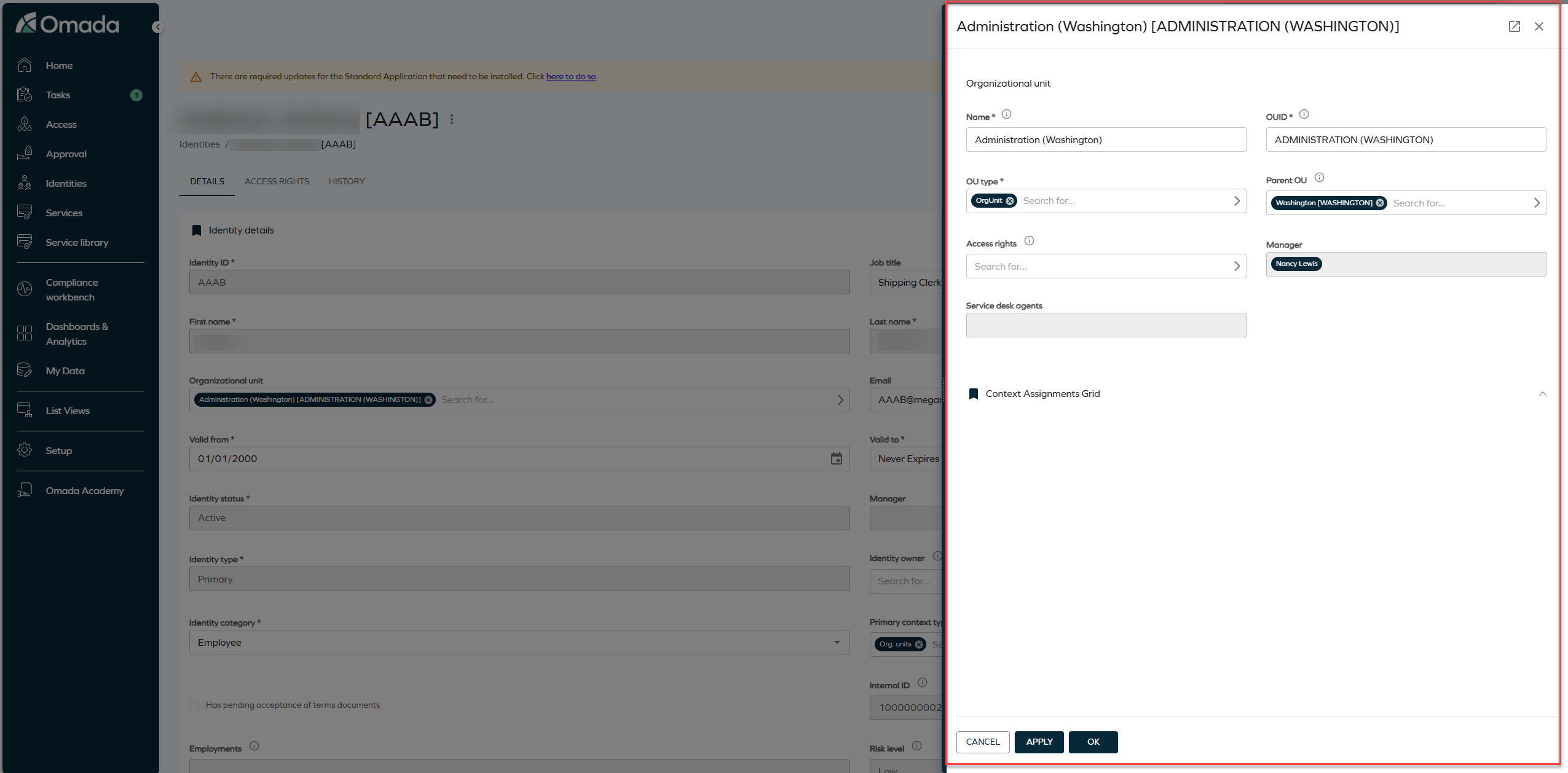
The Attributes and Account selectors in the Access request form now open in side panels, and the Reasons selector opens as a drop-down instead of a pop-up. All side panels in the flow share a consistent visual style. The panel width you set is now remembered per panel type rather than per panel instance.
Updated visual style for data grids and list views
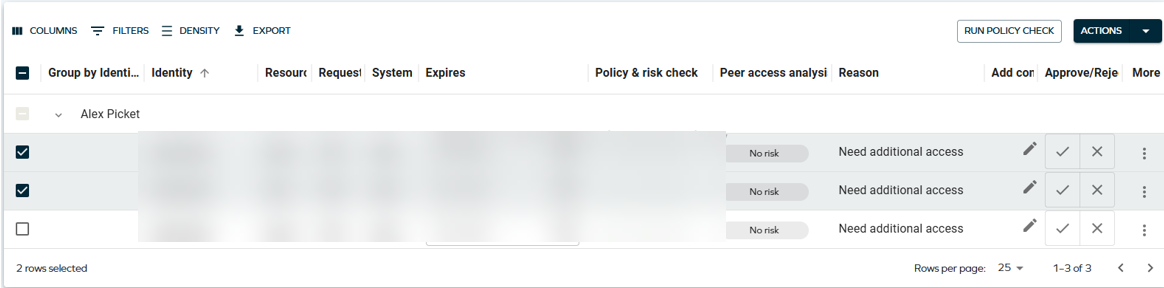
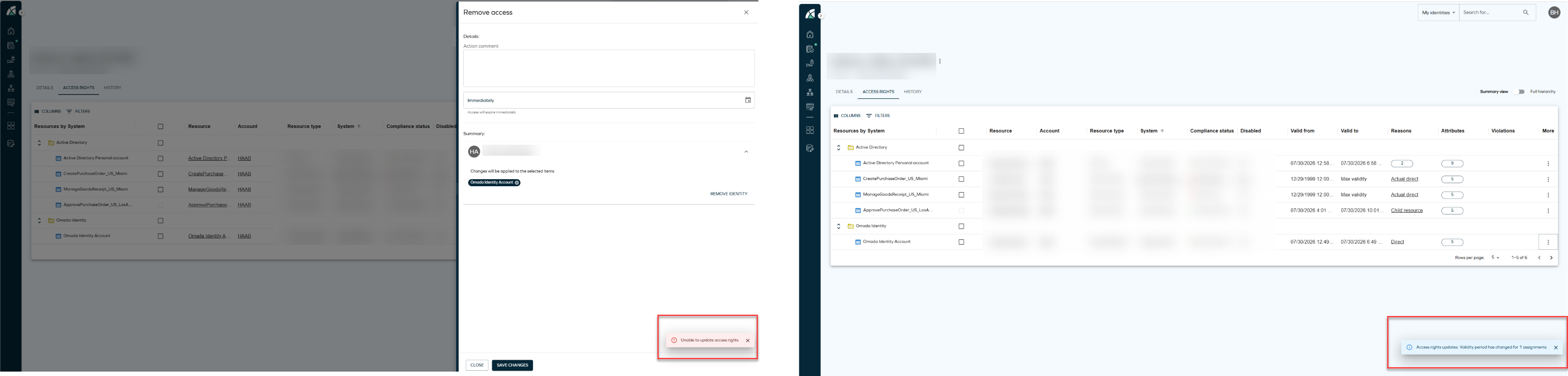
Data grids across the application, for example in Identities, Approvals, and Access request, have a visual refresh. Functionality is unchanged.
Bulk actions toolbar
Each bulk action is now shown as its own button instead of being collapsed in a more actions (three dots) menu. The toolbar appears only when more than one item is selected.

This change applies to all list views, including Identities. In Approvals, actions were already shown as individual buttons, but their order has changed:

Quick search
The quick search field in the grid toolbar has an updated visual style.

Run policy check button
On the Review and submit step of Access request, the Run policy check action is now shown as a button.

General visual appearance
Data grids also have the following visual updates:
- Increased elevation and shadow around the grid.
- Larger text size and spacing.
- Smaller action buttons within the grid, for example the Run policy check row action.
- More spacing in the filter panel.
Updated visual style for snackbar notifications
Snackbar notifications in the bottom right corner now share a consistent visual style, including a drop shadow. Global warning and error messages are not affected.
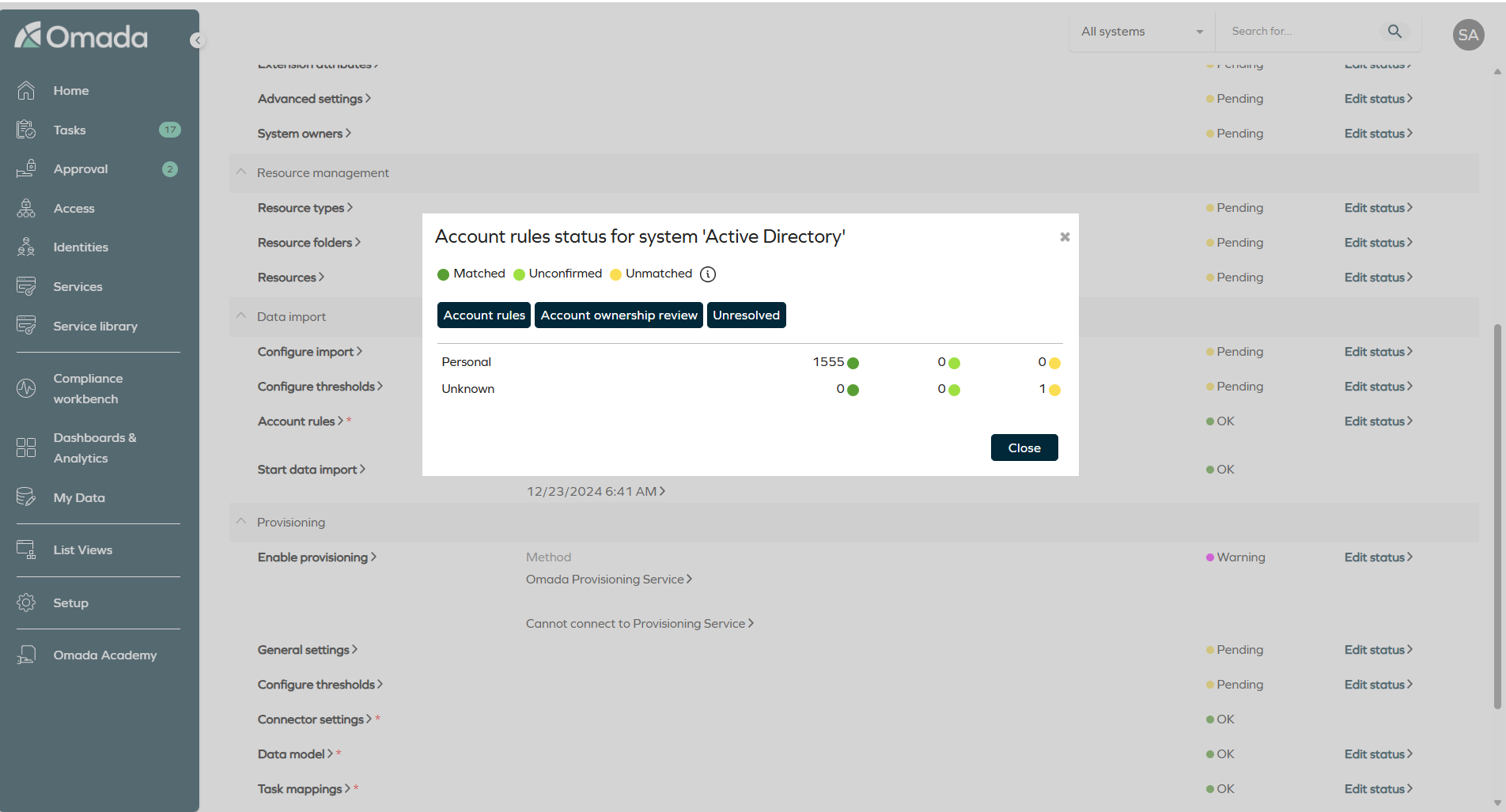
Unresolved button for matched and classified accounts
In Setup > All systems > Edit, the Account rules status dialog opened from Matched/classified accounts now includes an Unresolved button next to Account rules and Account ownership review. It opens the Identity, Unresolved [UNRESOLVED] access rights view filtered to the current system, with Disabled set to false.
For more information, see Matched/classified accounts and Access rights tab.
Surveys
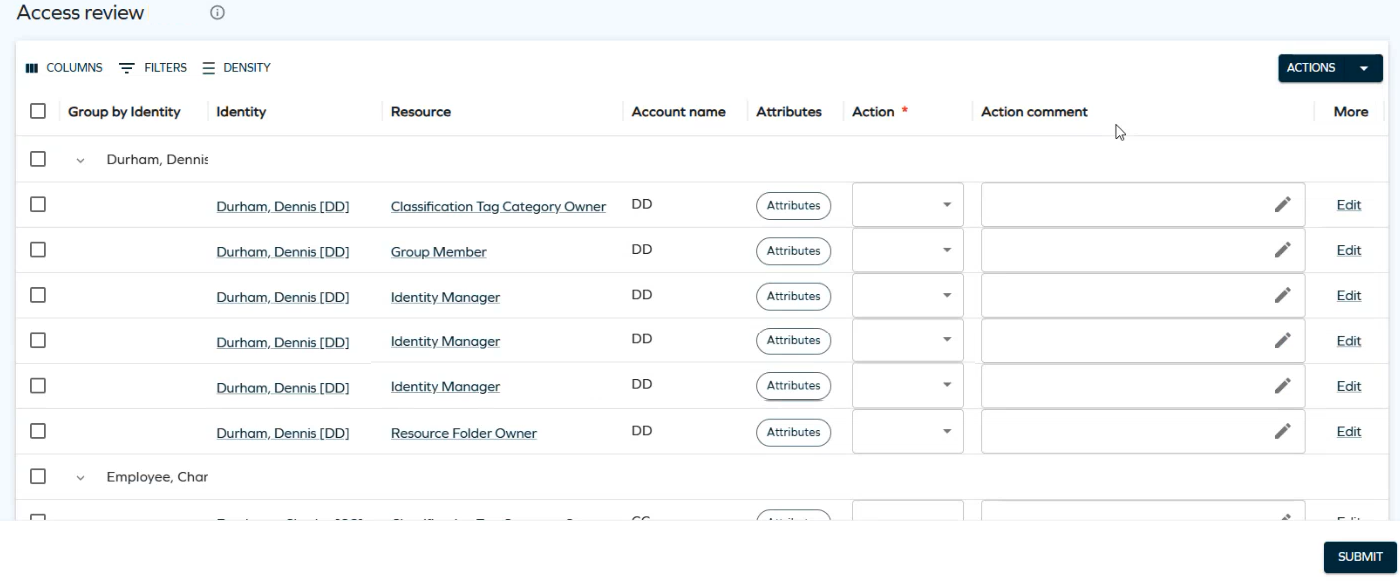
Access review surveys in the new UI
You can now complete Access review for managers and Access review for resource owners surveys in the new UI, including grouping, resizable columns, configurable action buttons, and mass edit.
Two new customer settings control the feature:
-
EnableUseNewUISurvey: enables the new UI for supported survey questions. False by default.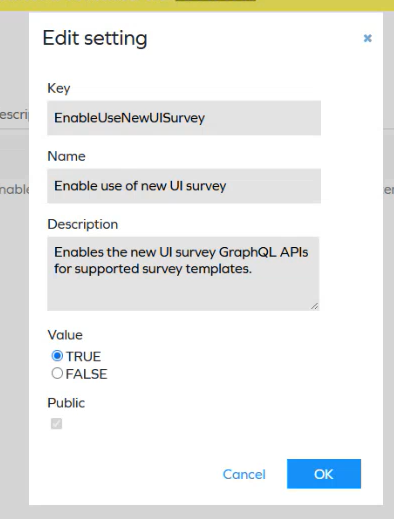
-
SurveyTemplateNameMapping: maps supported survey template names to the system names that should open in the new UI, so that copies of the built-in templates can also use it. See Using the new UI with a copy of a survey template.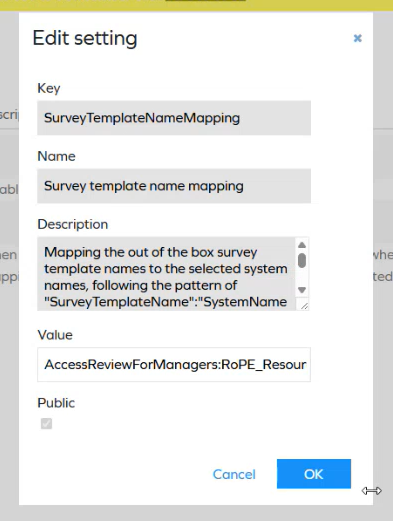
Only the built-in Access review for managers and Access review for resource owners templates are supported in this release.
For more information, see Access review surveys in the new UI.
Survey object deletion post-action event
The new ISurveyDeletionPostActionHandler interface allows post actions to respond when survey objects are deleted, for example when a survey's scope or settings are reconfigured after generation but before launch. Previously, such deletions were not reflected in the Operational Data Store (ODS), leaving orphaned questions and assignees.
The built-in RecertificationPostAction handler implements the interface, so ODS stays in sync when a survey is reinitialized. If you have custom post actions, implement the same interface to keep your integrations consistent.
For more information, see Respond to survey object deletion and Develop a custom post action handler.
Role and Policy Engine
Option to block auto-created accounts with only blocked assignments
The new customer setting DisableAutoAccountsWithOnlyBlockedAssignments controls whether blocking caused by Separation of Duties constraints propagates to auto-created system accounts. When enabled, RoPE marks an auto-created account as blocked and skips initial provisioning if all role and permission assignments justifying the account are blocked by constraint violations.
The setting applies only when the requested access and the constraint are evaluated at the same assignment level, and when the requested access would create the identity's first account in the system. It is disabled by default.
For more information, see Role and Policy Engine customer settings.
Improved provisioning assignment hash calculation
RoPE no longer includes account name information in the provisioning assignment hash unless it is needed to distinguish between assignments. Previously, account name changes could mark assignments as changed and create unnecessary Update Assignment provisioning tasks, particularly for resources that cannot be associated with multiple account types.
Segregation of Duties
Configurable mail notifications for SoD violations and decisions
You can now configure custom mail notifications for Segregation of Duties assignments, defining the mail template and recipients per notification. For example, the beneficiary and their manager can receive different templates. Templates can include placeholders for the blocked, allowed, and revoked assignments, such as the resource, the violation, and the identity involved.
For more information, see Email notifications in the SoD process, Configure notification recipients, and Notification mail templates.
API
Omada Identity Graph API versions 3.7 and 3.8
The Graph API has been updated with the following changes:
- 3.7: a new
ContextIdsfilter for loading identities in theAccessRequestComponentsendpoint. Only identities that are members of the passed contexts are returned. - 3.8: a new
assignmentKeyfilter on thecalculatedAssignmentsquery, and two new fields,soDProgressandsoDProgressText, returning the Segregation of Duties progress of a calculated assignment.
For more information, see the Graph API changelog.
Client identification with the Omada-Client header
The Graph API accepts a new optional request header, Omada-Client, which clients can use to identify themselves so requests can be attributed to their originating client in telemetry. Requests without the header are tracked under the default client name omada-es.
Connectors
Nested HTTP verb option in REST data import
The Nested Requests tab in REST data import has a new Nested HTTP verb option. It lets you configure the HTTP method for the parent and nested requests separately, for example GET -> POST, POST -> GET, GET -> GET, or POST -> POST.
Documentation
RoPE calculation overview
The new RoPE calculation overview page describes how the RoPE service operates and how it calculates an identity's desired access state. It includes process diagrams for RoPE service execution and the RoPE calculation flow, with links to the detailed documentation for each stage.
Provisioning documentation updated
The provisioning documentation now describes Pending Update behavior in detail: how desired and actual assignment states are compared, how provisioning claims participate, which attributes can trigger an update, and how to identify what caused an assignment to enter Pending Update.
System offboarding procedure
A new procedure describes how to retire a system in two scenarios: a system with imported or provisioned data, and a system that never went live. See Offboarding (removing) an existing system.