Release highlights
We've just released Omada Identity Cloud update! What's new?
With the September 2025 Cloud Update, Omada will manage the standard Approve requested access survey template. This means that if you made any changes to the standard template, they will be undone. See Important changes to survey templates for the full release note.
To preserve your current approval survey template, clone the existing template before performing the upgrade, then change the customer setting to your newly configured approval survey template. This will prevent your current configuration from being overwritten.
With the September 2025 Cloud Update, Omada.OE.Custom.PoC.Assembly is no longer included in the deployment. If you use this assembly, review the code methods before the upgrade. In Omada Identity, go to Setup > Code assemblies and replace the code methods with the ones from the standard assembly.
If you have already performed the upgrade, review your event definitions (by going to Setup > Event definitions) and ensure the configuration is correct.
UI and UX
- In the Access requests and Approval views, the calculation method of the number of violations was changed (in the summary banner and the column chip). The summary banner now shows the number of violated policies, and the chip shows the number of policies that a specific resource violates.
- The data object list view now supports displaying custom forms for specific user groups and defining which details are loaded for each view. In the edit panel of a data object list view, click ellipsis to expand details and select Forms to choose the form you want to use for the list view.
- Policy and risk checks in the Approvals view were aligned with the Access request view. The current chip was split into two: one for peer access analysis, and the other for SoD and GRC.
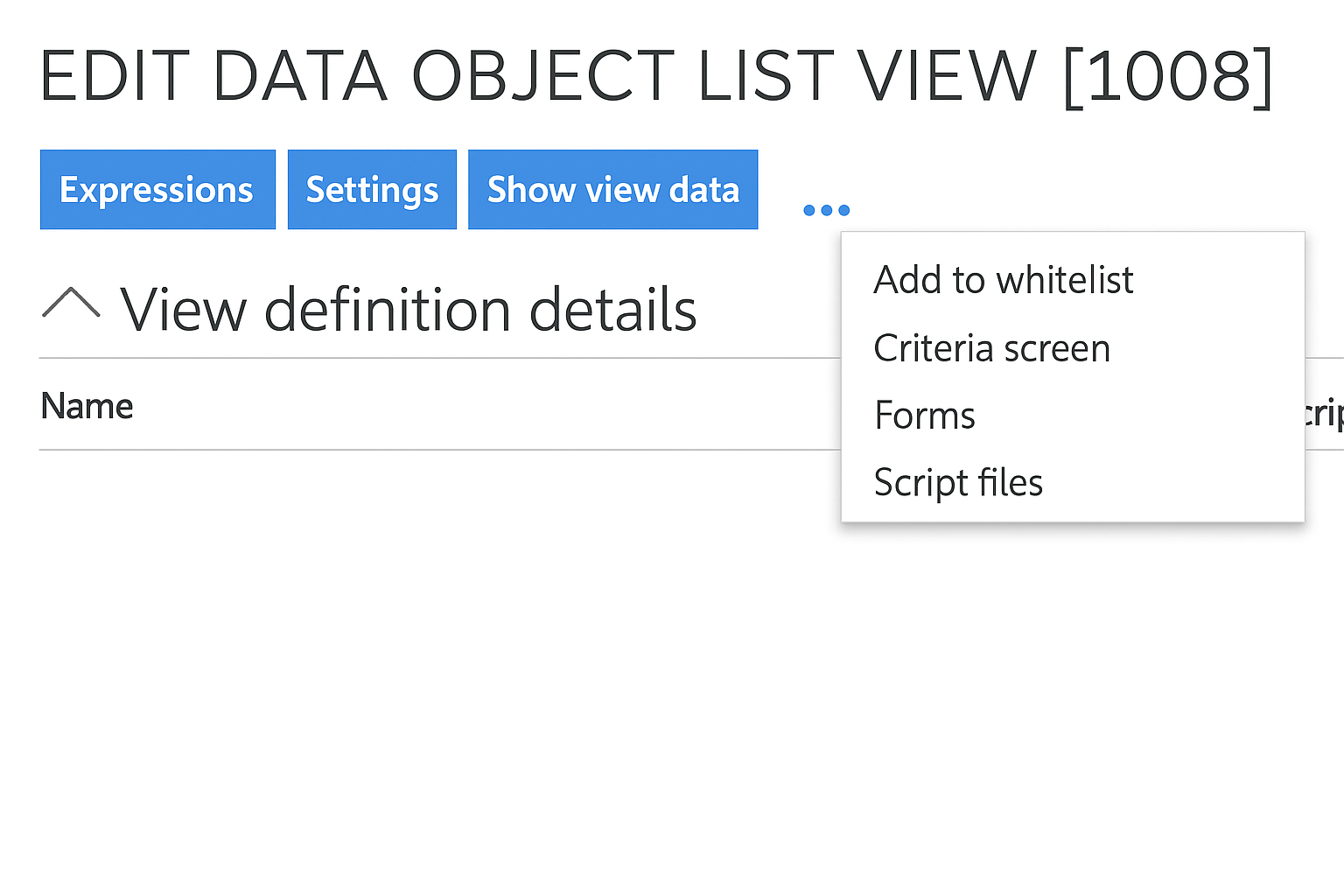
Confirm your selection with Ok. Changes may take up to one minute to apply.
Using deep links to create an access request with preselected identities/resources
Smart request links take you directly to the right request flow, eliminating confusion and cutting support needs.
In step 2 of the access request process you can use the Get request link drop-down menu to reuse the access request setup – that is, copy the current request with identities or resources (the resources buttons are active if you have at least one resource selected):

Clicking the button opens a side panel with a deep link:
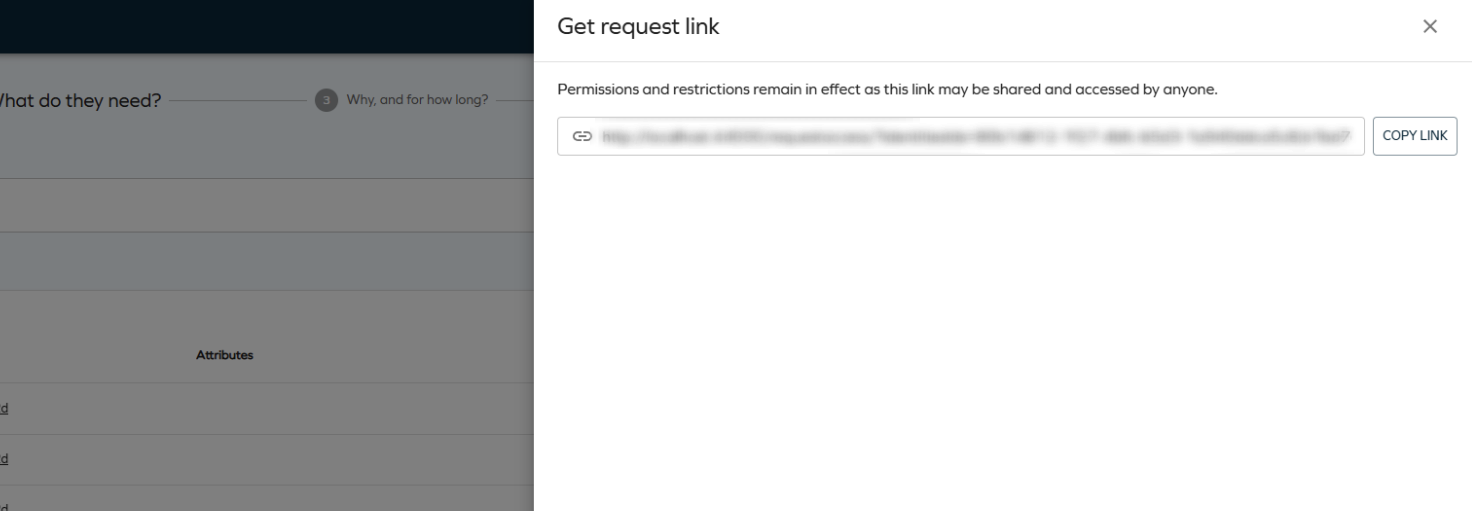
Deep links let you start the access request process with preselected identities and resources. They respect the security principles and the eligibility filter - if you cannot request for any of the selected identities (or cannot request for one of the prefilled resources), they are automatically removed and the user is notified.
Account type
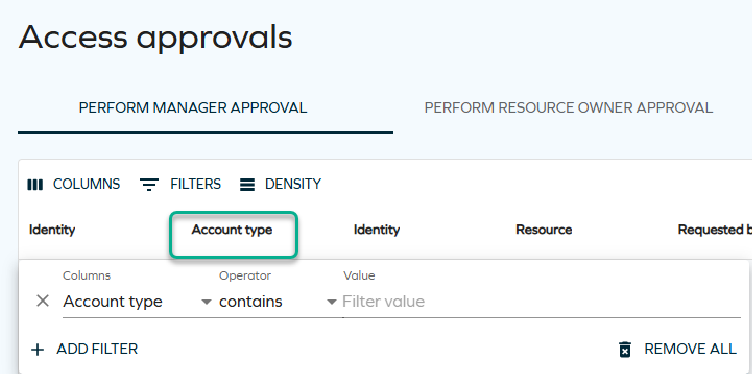
When approving survey questions, you can view the Account type column. For this column to be visible on the Approval page, select Columns and check the Account type option. From now, this column will be visible.
This column can also be filtered just like any other column on this page. To apply a filter, select Filters, and in Columns, select Account type. Choose the operator that you wish to use, and type the name of the account you want to filter by.
Hierarchical access rights view
Hierarchical access rights view shows relationships across resources, helping managers prevent over-entitlements.
While viewing the access rights of an identity, you can now see a hierarchical view of child assignments (without depth limitations). You can switch between the full-hierarchy mode (showing child assignments) and non-hierarchy mode (not showing child assignments) by switching the Use hierarchical view toggle in the top-right corner. Filtering supports expanding children in both modes.
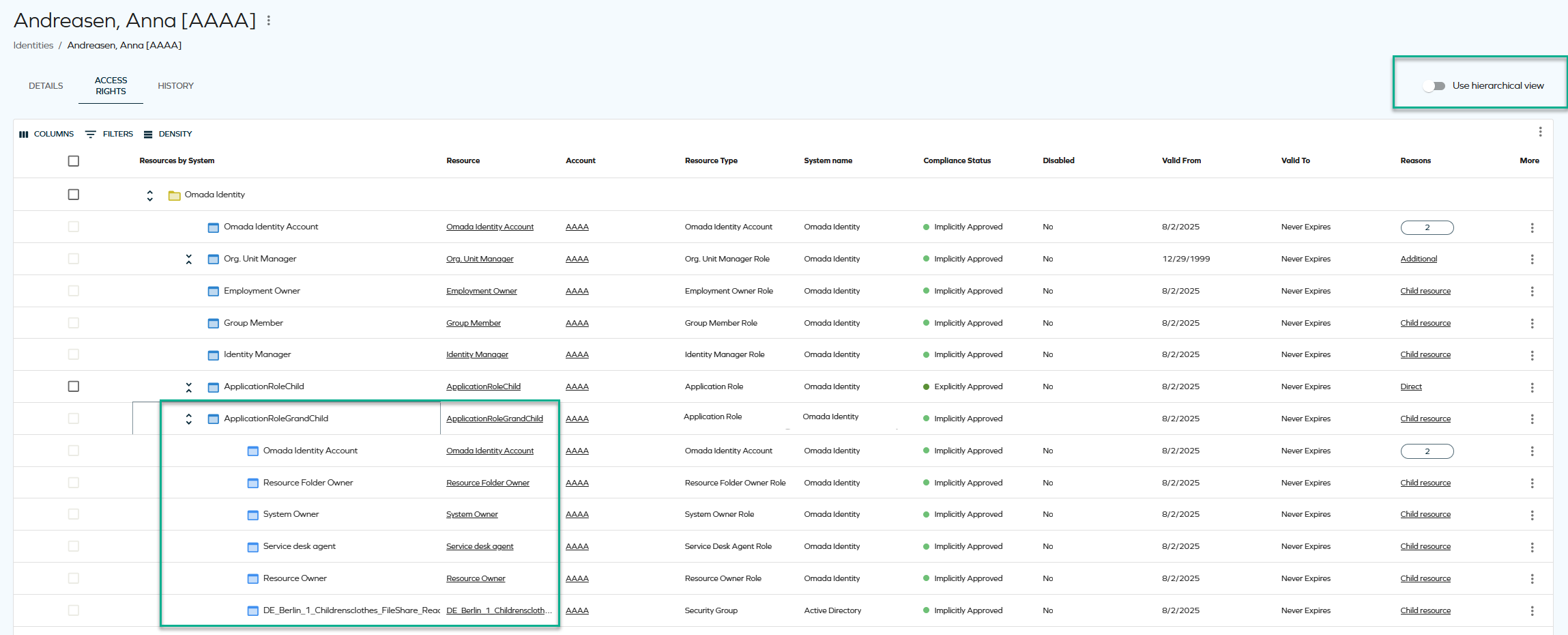
This feature has some limitations regarding sorting and filtering. For more information, see Showing child resources (hierarchical view).
Configurable filters for resources in access request
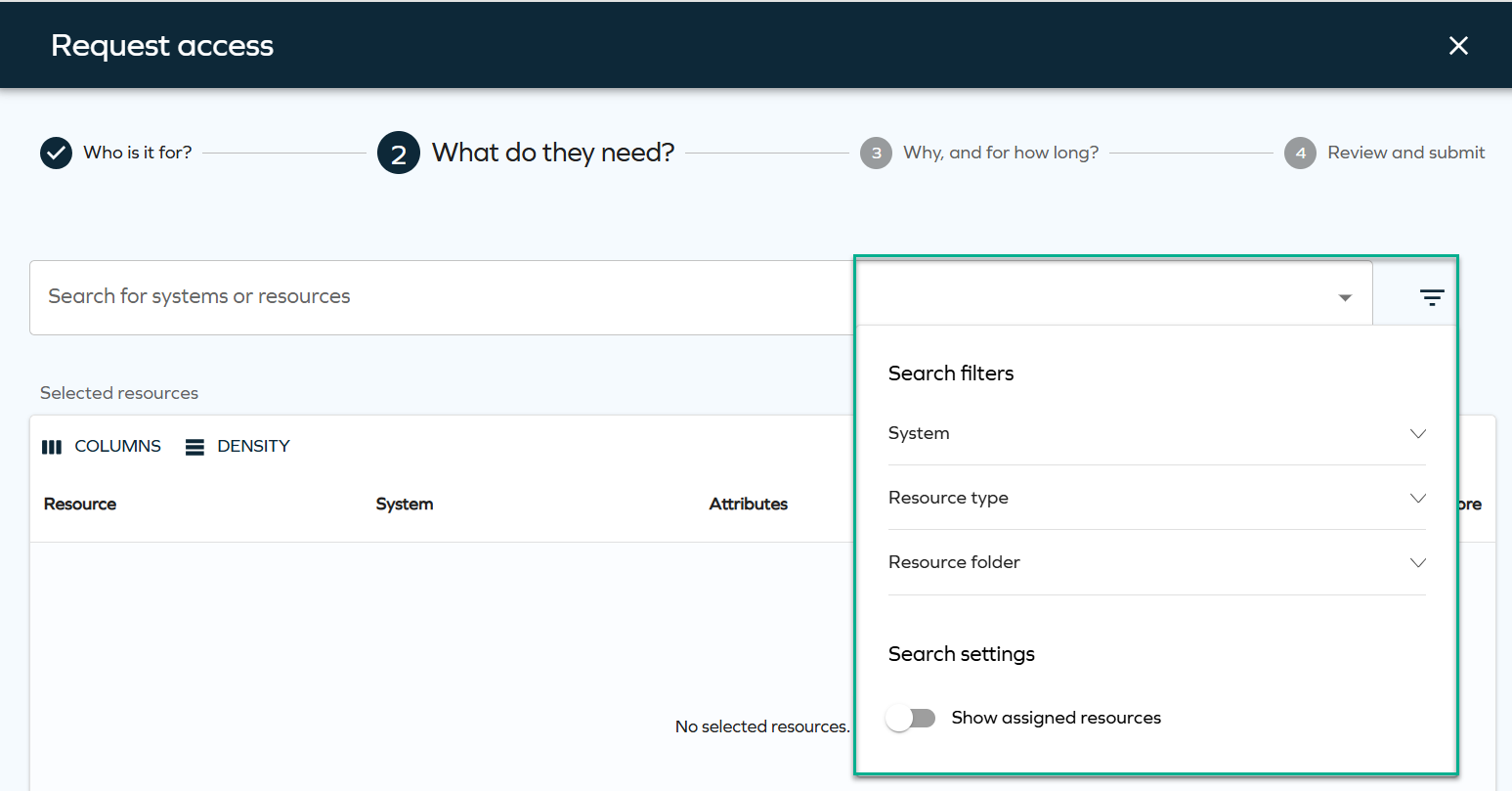
Step 2 of the access request process now supports configurable filters for resources, similar to the filters already available for beneficiaries in step 1. Configurable resource filters make requests precise and relevant, speeding up onboarding and reducing IT bottlenecks.
The filters can be configured through the AccessRequestResourcesPropertyFilters customer setting and are displayed during the resource selection step. The behavior of these filters is consistent with how filters have worked previously.
For more technical details, look up this setting in User interface customer settings.
Exporting approval questions as a PDF/CSV report
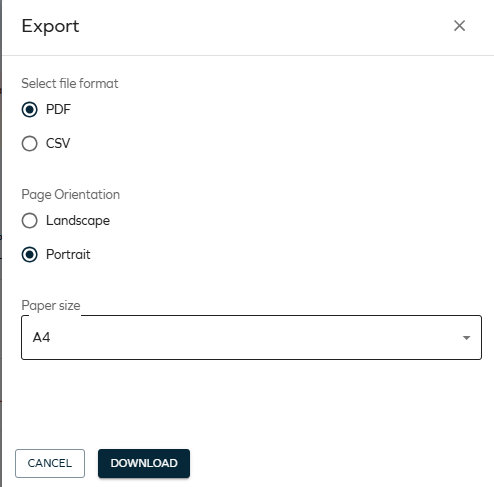
You can now export all questions as a CSV/PDF report by using the Export button. In the Access view, in the the top grid, click Export:

In the panel, click Download:
For more details, see Exporting questions as a CSV/PDF report.
Provisioning
Provisioning thresholds assistance
To support informed decision-making, we have introduced provisioning threshold assistance. This feature analyzes historical data to recommend optimal threshold values, streamlining configuration, making it more efficient, and reducing setup errors.
For more information, go to the Thresholds documentation.
Role and Policy Engine
Pause/Resume calculations button
With the new Pause/Resume RoPE Calculations feature, admins can take control directly from the Operations Dashboard, cutting delays and eliminating support dependencies.
The button's label dynamically reflects the current state of RoPE calculations:
-
When you click the Pause calculations button, a confirmation message is displayed. If you confirm, the system sets the
Pausedsetting to true. While no new calculations will be initiated, any ongoing calculations will continue until they are completed. -
When you click the Resume calculations button and confirm, the system sets the
Pausedsetting setting to false. This enables RoPE to start processing new calculations.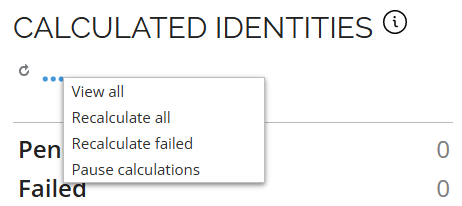
For more details, look up the Operations Dashboard in Dashboards.
Encryption
Deprecation notice: cryptographic algorithms
With the September Cloud Update, we are starting the deprecation process of the Rijndael cipher as well as the AES-256 implementation. While they remain supported, we recommend that you get familiar with the new standards-based encryption built on JWE (JSON Web Encryption).
The new approach will strengthen security, work with common industry libraries, and make encrypted values easier to share and use across applications. Existing encrypted values will continue to work, and the system can handle both old and new formats during the transition.
No immediate migration action is required of you.
- To get familiar with the components used by the future encryption mechanism, see the Encryption section of Additional security aspects. Afterwards, you should plan to adjust your infrastructure to support the new JWE format and replace old encrypted strings before applying a future version of Omada Identity.
- For details on the customer setting that protects the JWE encryption format (and is False by default), look up the Use JWE customer setting in Security customer settings.
Surveys
Important changes to survey templates
A number of out-of-the-box (OOTB) survey templates have been updated and are now included in the packaged solution. This update introduces important changes to how these templates are managed and used.
The changes include: renaming existing templates with an _Obsolete suffix, making all OOTB templates read-only, requiring configuration updates if they are referenced, enforcing customization through copies, and allowing safe deletion of unused obsoleted templates.
For a full overview of changes to survey templates, as well as a list of affected survey templates, see the Managing and using out-of-the-box survey templates section of Survey templates.
Transfer Identity Assignments Survey - validation of the current assignment status
Improved transfer survey accuracy automatically removes expired or rejected assignments, ensuring data you can rely on.
If you select transfer for a resource assignment and submit your response, the system now validates the current status of the assignment. If the assignment is inactive during submission, the system automatically overrides the remove decision to prevent transferring inactive resources. A message is added to the survey question history log, indicating that the decision was changed from transfer to remove, as the assignment was inactive.
Omada Identity Analytics
IGA Scorecard
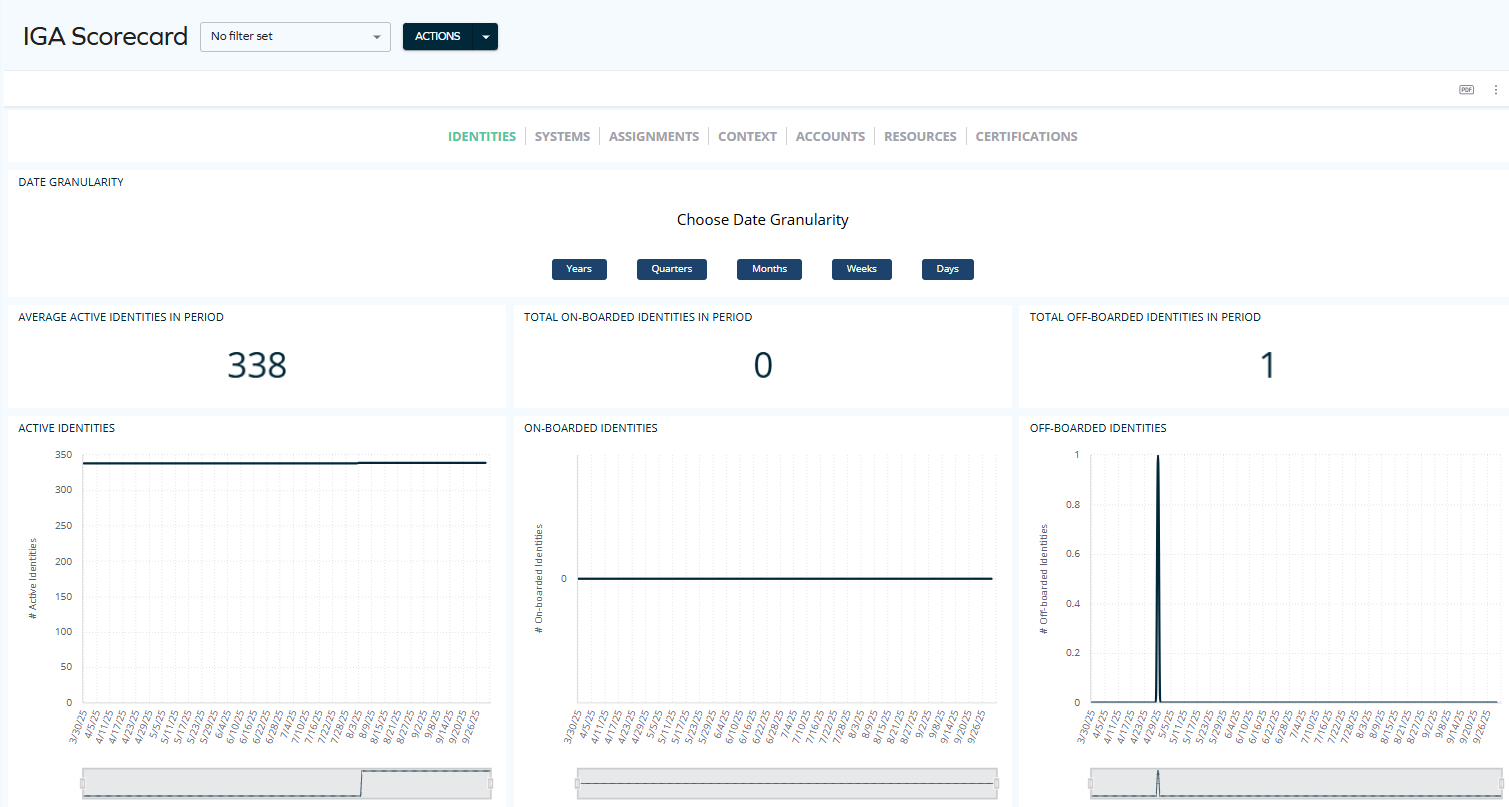
The IGA Scorecard dashboard is now available. It provides a high-level view of identity governance across identities, systems, assignments, contexts, accounts, resources, and certifications, with flexible time granularity (from years to days) to track trends and consolidate key metrics, making it easy to demonstrate progress and ROI.
For detailed documentation, see IGA Scorecard.
Data Quality – point-in-time reports
Point-in-Time Data Quality reports provide exact snapshots of your data, helping you resolve issues quickly and present accurate evidence.
To view such historical data, Open a widget by clicking on it and select the calendar icon. A date picker opens, making it possible to select any date of your choice:
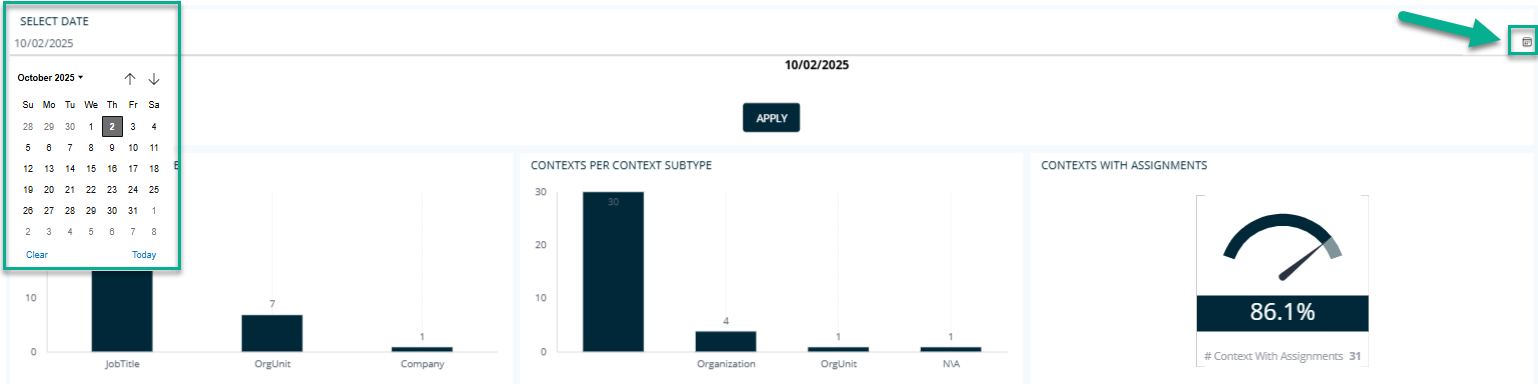
For more details, see Data Quality.
Report Generator – configurable actions
The Report Generator now supports configurable actions: you can save and reuse custom configurations, update them as needed, share them with others through links, or manage them as JSON files for export and import. These options make it easier to maintain consistent report setups and collaborate across users.
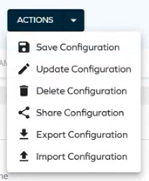
For details, see Report Generator user interface.
Deprecation of SSRS reports

As the next step of the deprecation process of legacy SSRS reports (announced in the August 2025 Cloud Update release notes), the Reports (classic) page is now renamed as Reports (legacy).
To learn how to find the same data through reports and OIA dashboards, see Legacy reports vs. Omada Identity Analytics Platform.
Segregation of Duties
SoD: Improved handling of nested business processes
The handling of Segregation of Duties (SoD) violations in nested business processes has been improved. Violation reporting is now clearer and more accurate, helping auditors and business users quickly identify the true source of risk and act on it with confidence.
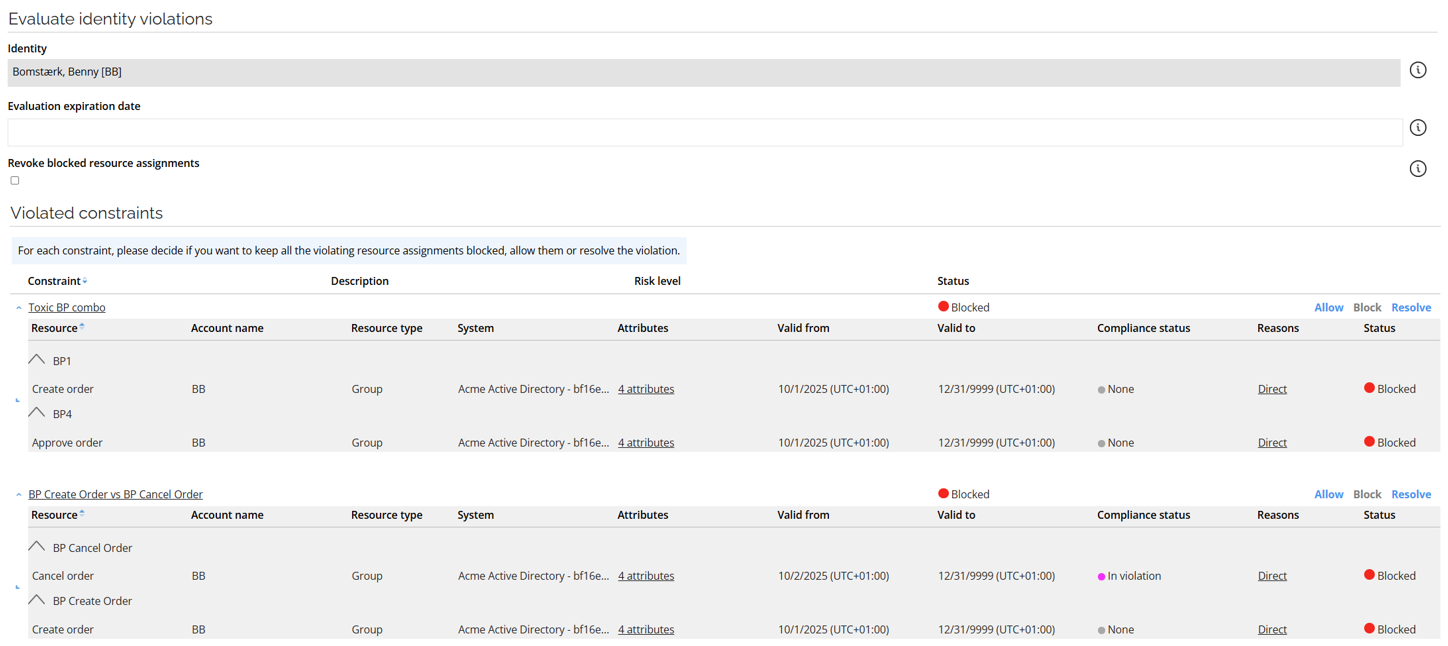
When a violation occurs for a resource assigned to a business process (BP) that is itself a child of other business processes, the resource is now shown at the grouping level of the business process directly involved in the toxic combination of the constraint.
For example, in the Toxic BP Combo constraint, the Create order resource is matched to BP1, even though it is part of multiple nested business processes (BP1 is the parent of BP2, and BP2 is the parent of BP1). In addition, Create Order is also shown as violating another constraint (BP Create Order vs BP Cancel Order), and appears in that grouping as well.
Role and Policy Engine
Self-management extension: configurable batch size for data object updates
A new configuration setting, UpdateDataObjectsBatchSize, has been introduced to control the number of data objects updated in a single batch during self-management operations.
This option allows administrators to fine-tune performance by adjusting the batch size to match system capacity and workload requirements. The default value is 5000.
For details, see Self-management, especially section Configuration and example.
Updated conditional inheritance matching logic
The Conditional inheritance evaluator RoPE extension has been updated to align with the intended design for context-based matching. A child resource must now contain a value in the property configured in MatchContextMembershipTo; otherwise, the inheritance rule does not match and the child resource is not assigned. Earlier versions could match even when this value was missing, which was unintended.
If you're upgrading from prior Omada Identity versions, you may observe changes in conditional inheritance results, including removal of child permissions that no longer meet the corrected matching criteria.
Administrators should ensure that resources participating in conditional inheritance have the required context attributes populated or adjust their configuration accordingly.
For more details, see Conditional inheritance evaluator.
Other
Export Audit
The Export Audit feature has been introduced to assist in troubleshooting cases where data objects are not imported into the Enterprise Server.
When enabled, all Data Object XMLs sent by the ESAdapter to the Enterprise Server are stored in the esadapter.ExportAudit table in the OIS database, helping in potential issues investigation.
For more details, see the Export Audit section.
A new customer setting for creating unique assignment code IDs for resource assignments
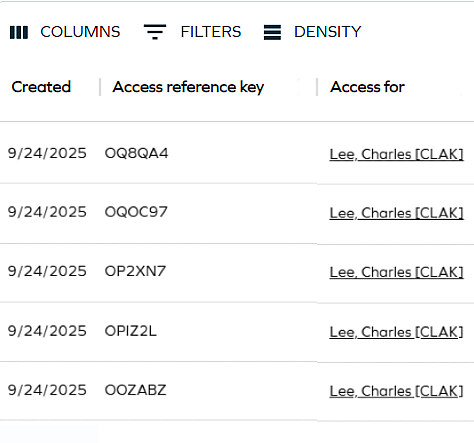
A new customer setting (Create unique assignment code IDs for resource assignments) was added - when set to True, the system creates unique assignment code IDs for resource assignments when requesting access. This code will appear in the new Access reference key column that was added to the Access request and Approvals views.
The Access reference key is a six-character alphanumeric identifier that uniquely identifies each resource assignment created through an access request. It allows users, approvers, HR staff, and support teams to reference a specific request easily during follow-up conversations or troubleshooting.
API
Upcoming change: OData page size

Starting with the January 2026 Cloud Update, the maximum page size for OData responses will be set to 1000 on production environments to improve performance and optimize data handling.
The change is controlled by the ODataPageSizeLimit customer setting. For more information, look up ODataPageSizeLimit in Customer settings - Standard application and OData documentation.
The new page size will only be applied to new environments and those existing environments whose current page size value is unset or 0.
You should review and update your scripts to ensure they implement pagination when retrieving data, helping maintain optimal performance and prepare for upcoming changes.