Direct Resource Assignments
There are several processes and features that will create a Resource assignment object for a self-management resource.
Access Request of Self-Management owner resources
When users explicitly want to request to be a manager of an object, they can use several resources like Org. Unit Manager Role and Resource Owner Role that represent ownership of objects.
They can be requested through an Access request process where the owned object is specified as an attribute.
Request an assignment
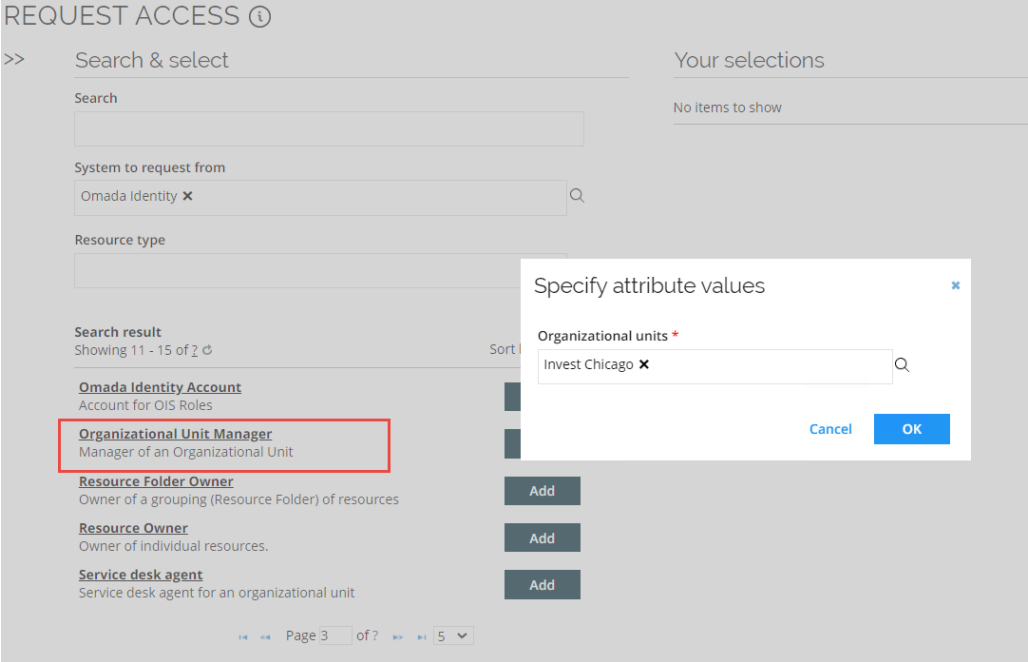
In this example, Emma Taylor goes to the Request Access view, and requests the Organizational Unit Manager resource with Invest Chicago as the attribute value.
If approved, it will be calculated by RoPE as a Calculated Resource Assignment with the reason Direct:

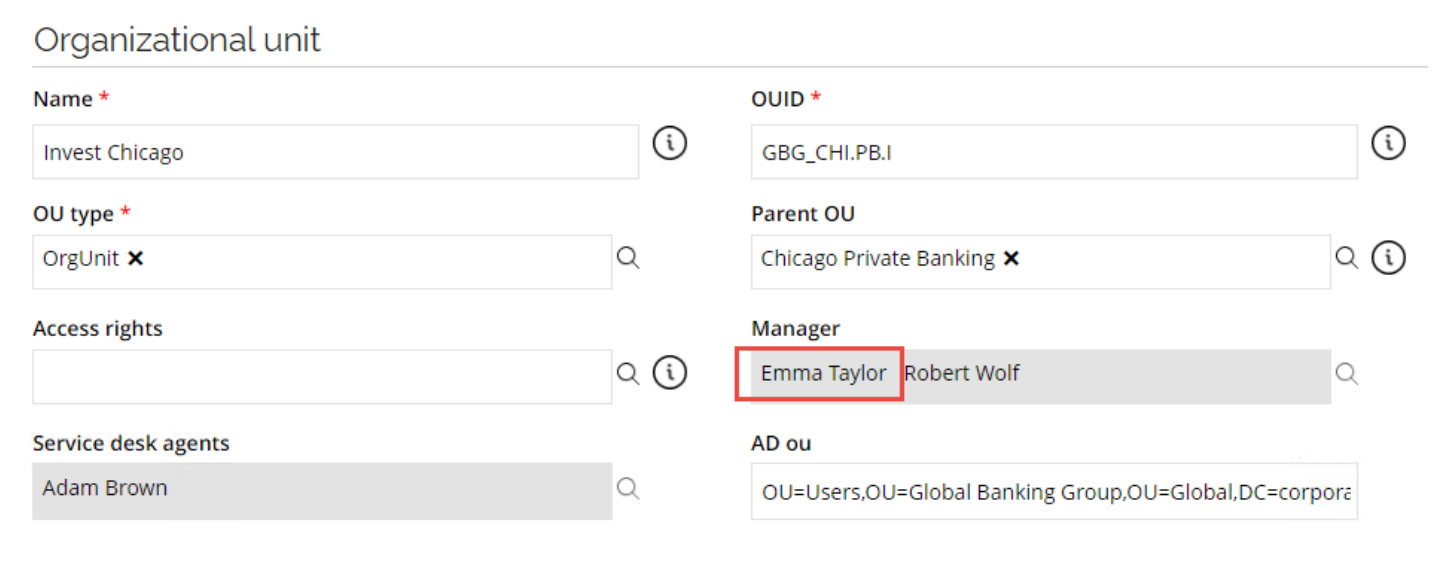
Then, the Effective owner property (in this case Manager) will be updated for the owned object:
Removing the assignment
The assignment can be revoked in the Identities view, or through a survey (for example, Access Review or Transfer Identity Assignments). See Removing assignments for the detailed procedure how to revoke assignments.
The direct resource assignment can also have an expiry date which will automatically remove the assignment at the end of the validity date, and finally, an administrator can delete the Resource Assignment (not recommended in production environments for audit and traceability reasons).
Expire direct assignments
If an identity is terminated, the identity's direct assignments (or Resource Assignment objects) are also terminated, for example, if the owner of the identity is at some point re-hired to a company, this feature can prevent an identity from re-gaining permissions that they had before the termination of the identity.
The termination of the assignments is ensured by a time-based, daily event definition that checks if there are identities with active direct resource assignments, whereby the Valid To date (or validity) of the identity was reached more than 'x' (this is configurable) number of days.
This ensures that if the identity is re-hired after x+1 day, then the direct assignments do not become active again and must be re-requested.
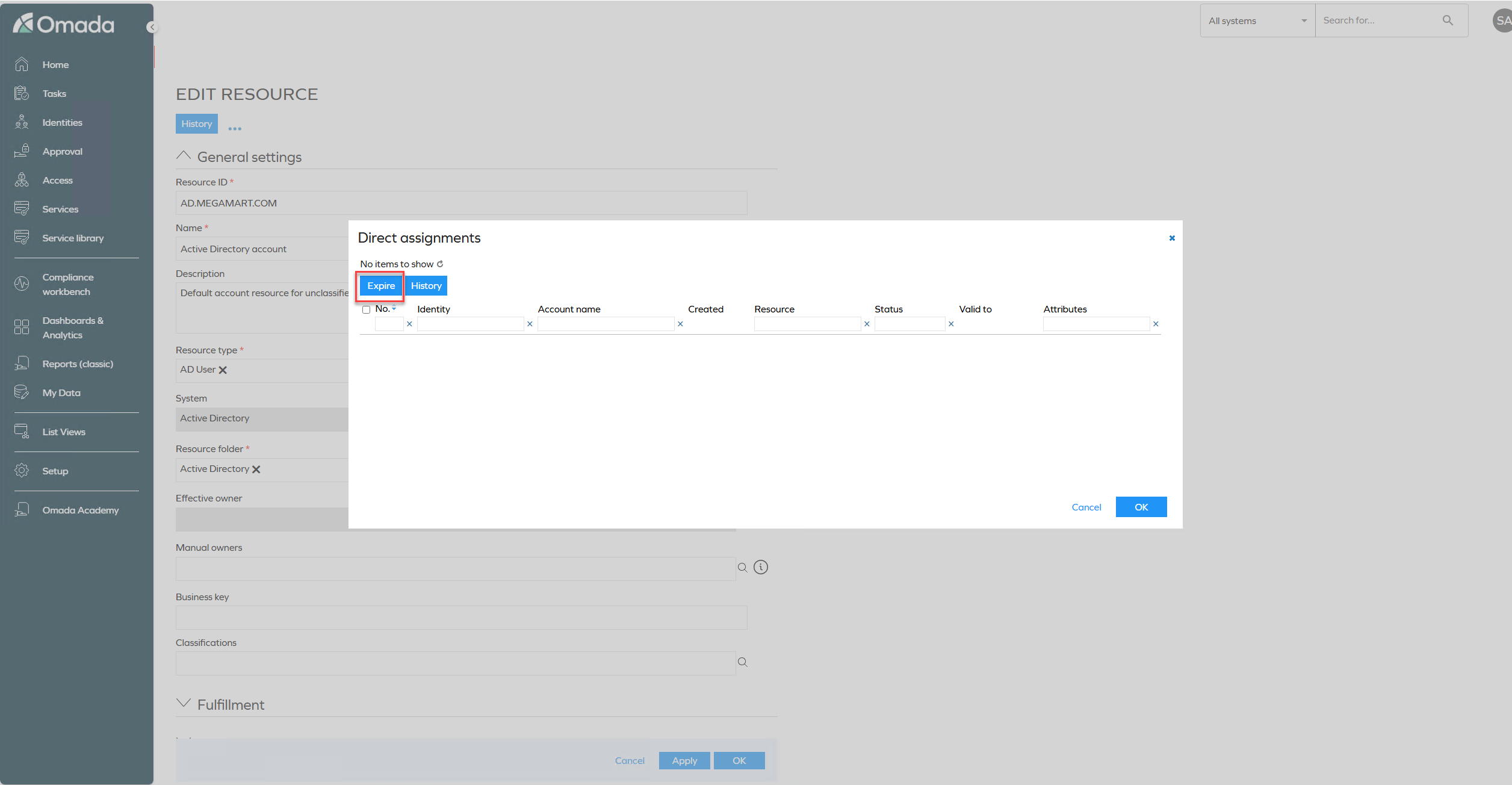
Expire button in the direct assignment view
The Expire button in the direct assignment view allows authorized users to manually expire a resource assignment. The button is only visible to users whose authorization role has the appropriate permissions on the Resource assignments access modifier.
To configure access to the Expire button:
- Go to Setup > Authorization Roles.
- Open the authorization role you want to configure.
- Click Authorizations.
- Expand Resource assignments access modifier.
- Enable Allow for both Read and Read & Update.
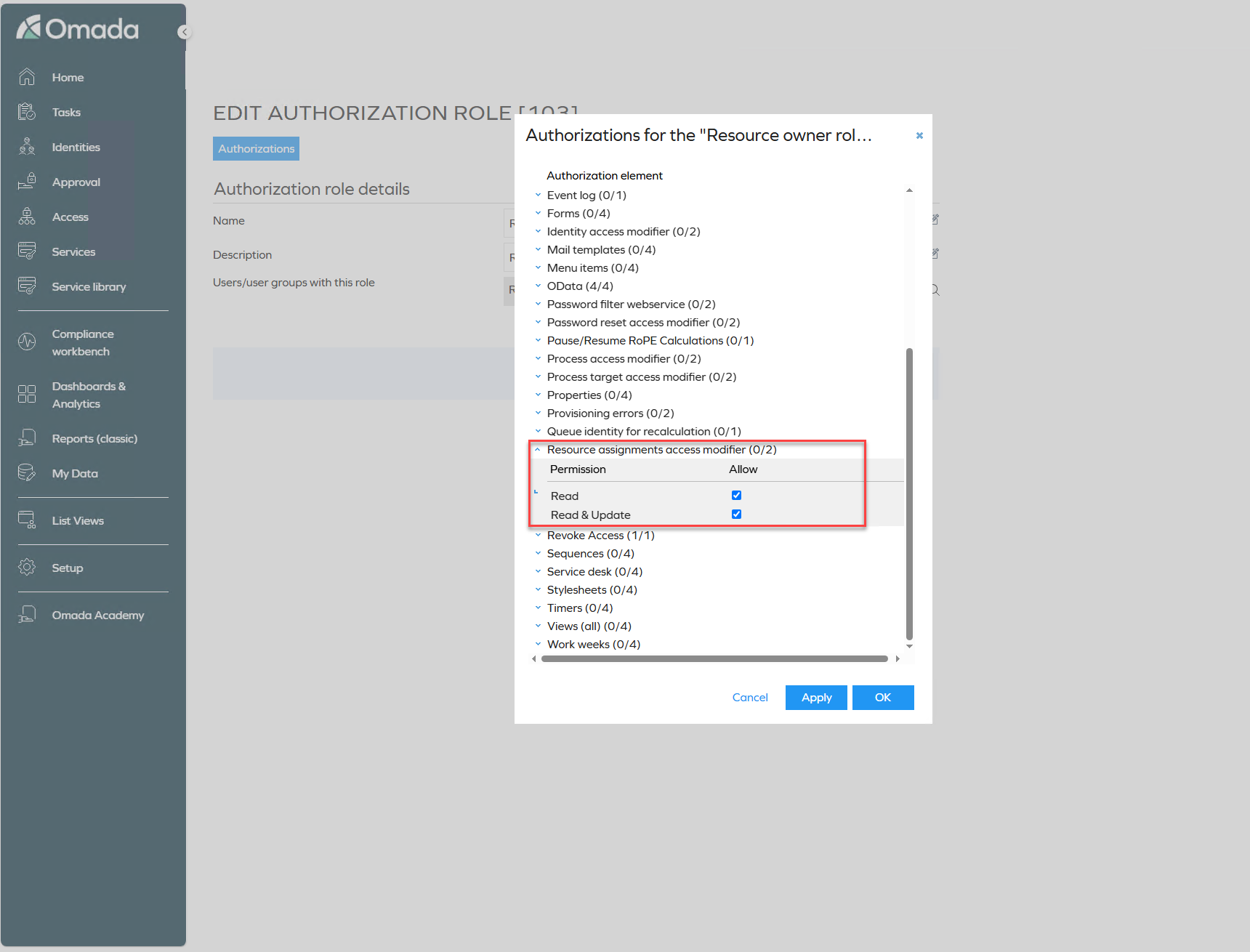
- Click OK to save.
Users assigned to the configured authorization role can now see and use the Expire button in the direct assignment view.