Additional configuration
Create a new property for task mapping
- Go to Setup > Data object type. Open Resources.
- Choose the properties by clicking Add.
- Save the changes. It will now be visible in the task mappings.
Modifying attribute sets
- Go to Setup > Attribute sets. Click Exchange User Mailbox Attributes.
- Click the Mailbox Location attribute.
- Disable the Hide attribute. Click OK.
RoPE configuration
Perform the following steps to ensure the correct functioning of manager provisioning and deleting assignments between teams groups and users:
-
Open the RoPE configuration file:
- On-prem:
\Omada Identity Suite\Role and Policy Engine\Service\ConfigFiles - Cloud: In the Cloud Management Portal, navigate to Environments. In the environment row, from the drop-down menu, select Configure. Choose the RoPE configuration tab.
- On-prem:
-
Add the following lines under the Attribute Value Resolver extension (change the key value in case you already have that specific key defined):
<add key="MSEntraID_Manager" name="MANAGER" extraInfo="Type:ReferencePath" value="/#IDENTITY/OUREF/MANAGER/IDENTITYREF:[IDENTITYID]"></add>
- Add the following lines under the Map Attributes From Actual Data extension (change the key value in case you already have that specific key defined):
<add key="3" extraInfo="Exchange Hybrid Teams" name="C_MSTEAMSMEMBERSHIPID" value="C_MSTEAMSMEMBERSHIPID" />
Create event definitions
Create event definitions that trigger the creation and deletion operations to ensure efficient resource provisioning, covering Shared Mailbox, Room Mailbox, Equipment Mailbox and Distribution groups.
Event Exchange Hybrid – Shared, Equipment, Room - Create
-
Go to Setup > Administration > Process configuration > Event definitions. Click New. Enter the following details:
- Name: Event Exchange Hybrid – Shared, Equipment, Room - Create
- Event is triggered when: A new object is created
- Triggers on objects of type: Resources
-
Click Apply and then New.
-
Select Execute code method and click OK.
-
Enter the following configuration:
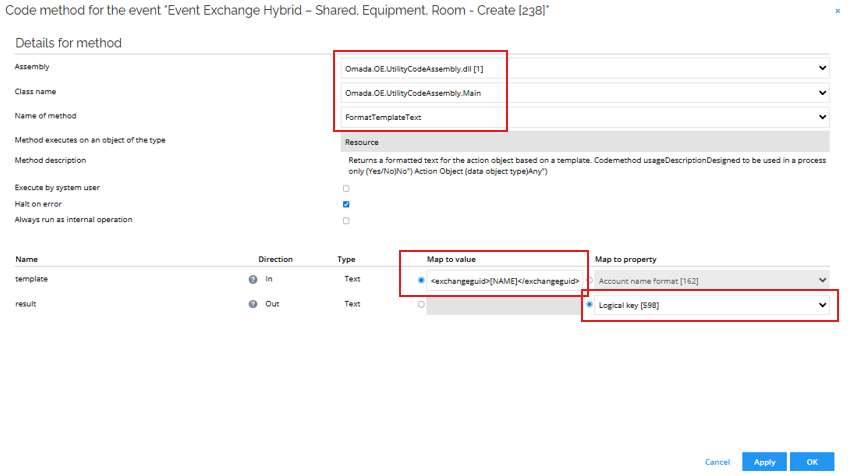
-
Click OK.
-
Select Execute code method and click OK.
-
Enter the following details:
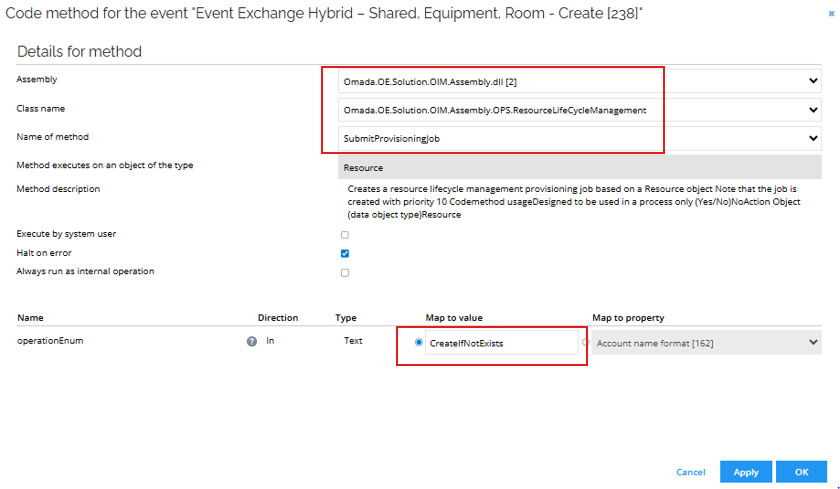
-
Click Filter and then Filter expressions. Click New.
-
Enter the following details:
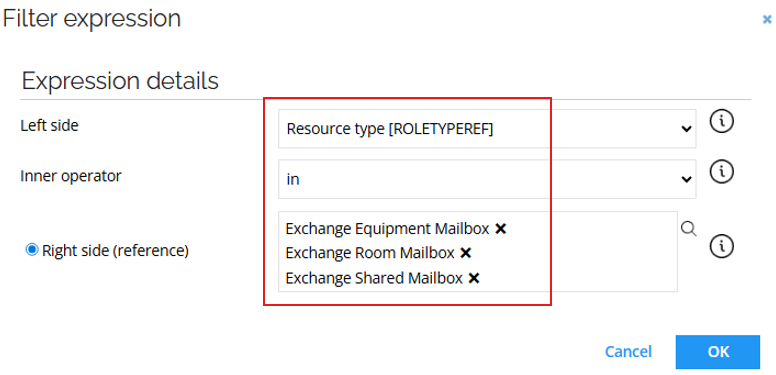
-
Click New and enter the following details:
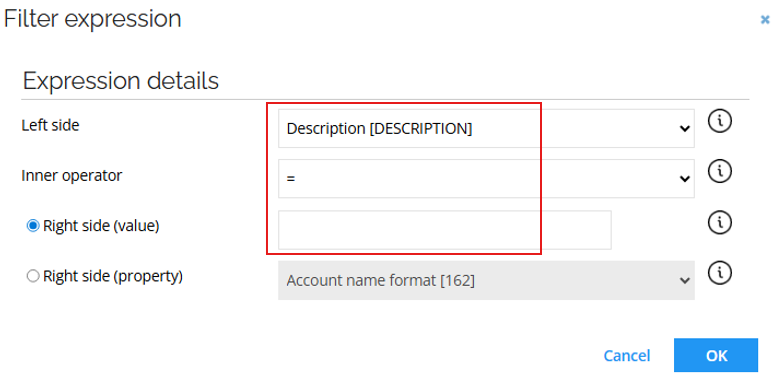
-
Click OK.
Event Exchange Hybrid – Shared, Equipment, Room – Delete
-
Go to Setup > Administration > Process configuration > Event definitions. Click New. Enter the following details:
- Name: Event Exchange Hybrid – Shared, Equipment, Room - Delete
- Event is triggered when: An existing object is deleted
- Triggers on objects of type: Resources
-
Click Apply and then New.
-
Select Execute code method and click OK.
-
Enter the following configuration:
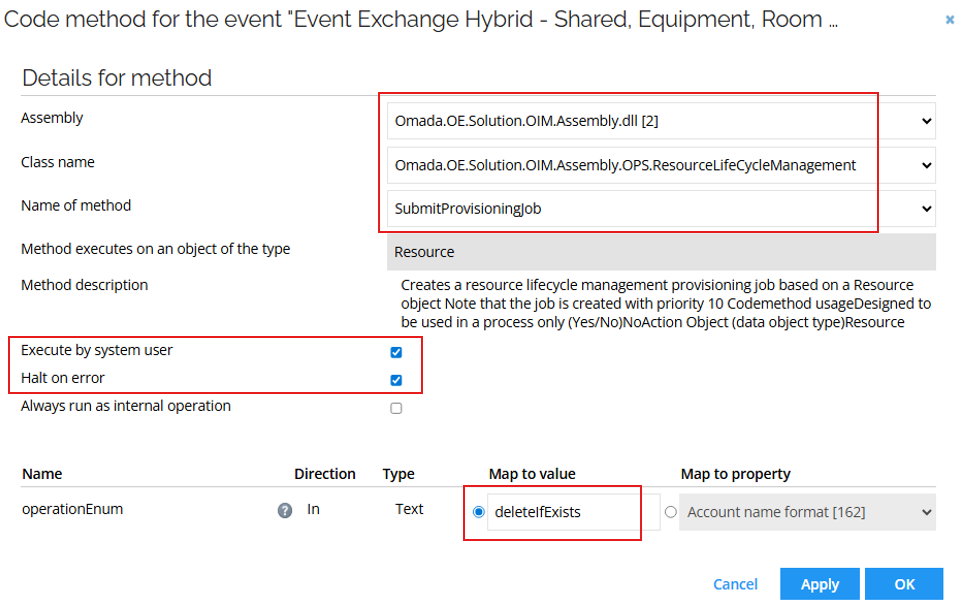
-
Click Filter and then Filter expressions. Click New.
-
Enter the following details:
-
Click New and enter the following details:
-
Click OK.
Event Exchange Hybrid – Distribution Group - Create
-
Go to Setup > Administration > Process configuration > Event definitions. Click New. Enter the following details:
- Name: Event Exchange Hybrid – Distribution Group - Create
- Event is triggered when: A new object is created
- Triggers on objects of type: Resources
-
Click Apply and then New.
-
Select Execute code method and click OK.
-
Enter the following configuration:
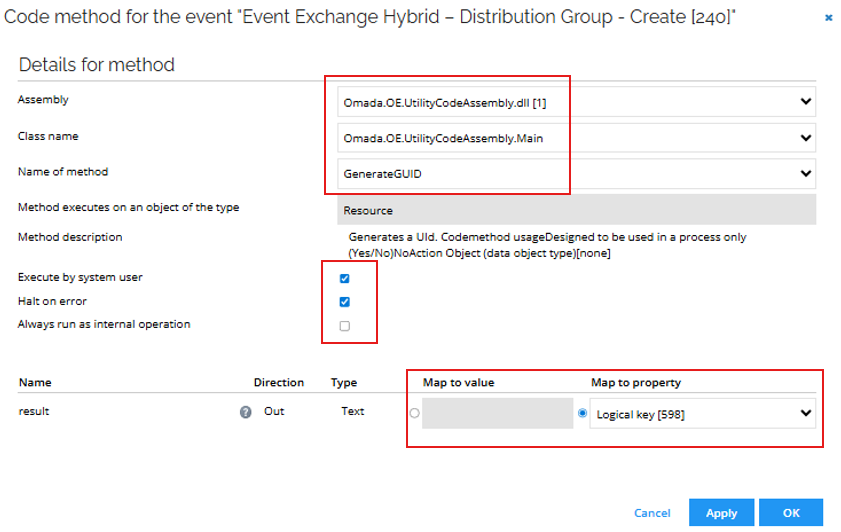
-
Click Filter and then Filter expressions. Click New.
-
Enter the following details:
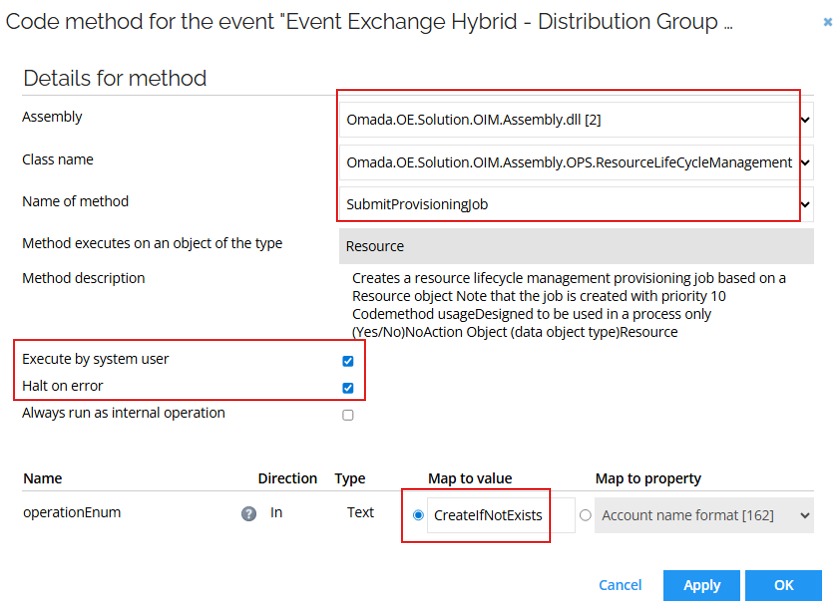
-
Click OK. Click Filter and then Filter expressions. Click New.
-
Enter the following details:
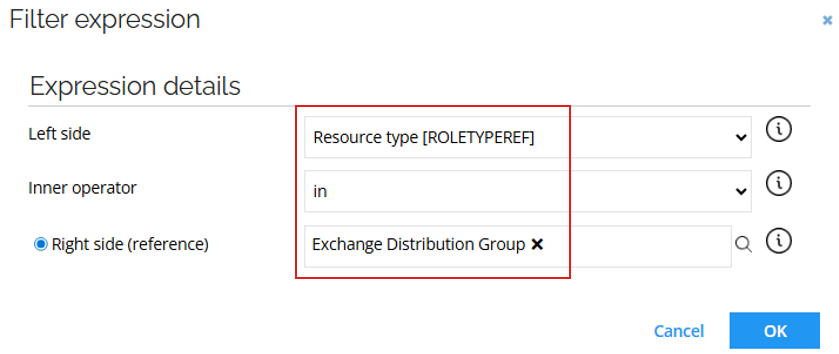
-
Click OK.
Event Exchange Hybrid – Distribution Group - Delete
-
Go to Setup > Administration > Process configuration > Event definitions. Click New. Enter the following details:
- Name: Event Exchange Hybrid – Distribution Group - Delete
- Event is triggered when: An existing object is deleted
- Triggers on objects of type: Resources
-
Click Apply and then New.
-
Select Execute code method and click OK.
-
Enter the following configuration:
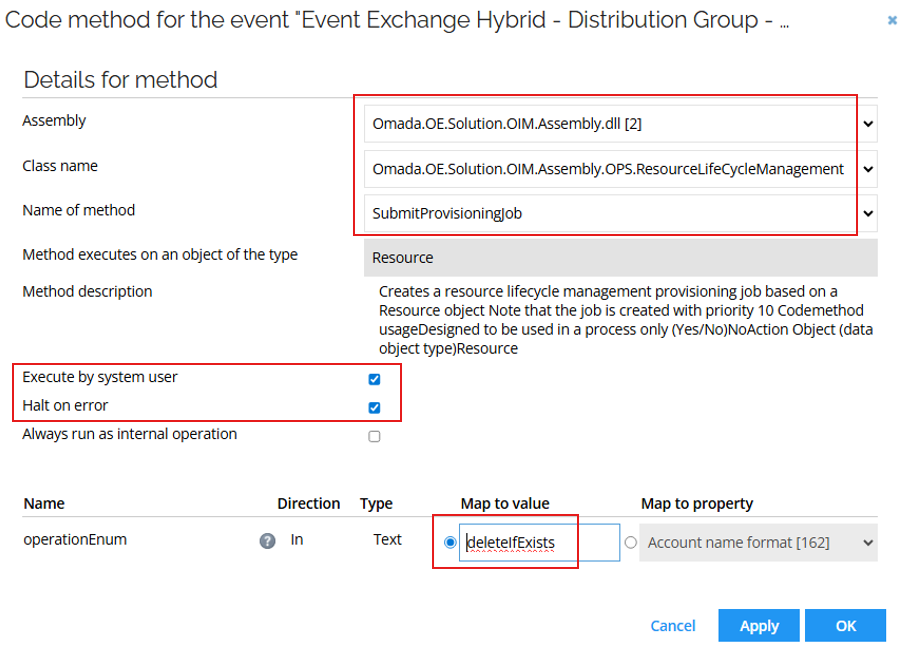
-
Click OK. Click Filter and then Filter expressions. Click New.
-
Enter the following details:
-
Click OK.