Data import
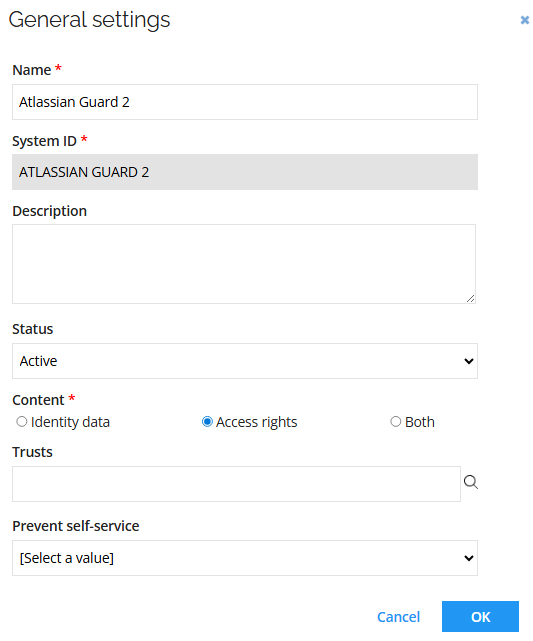
General settings
Connection details
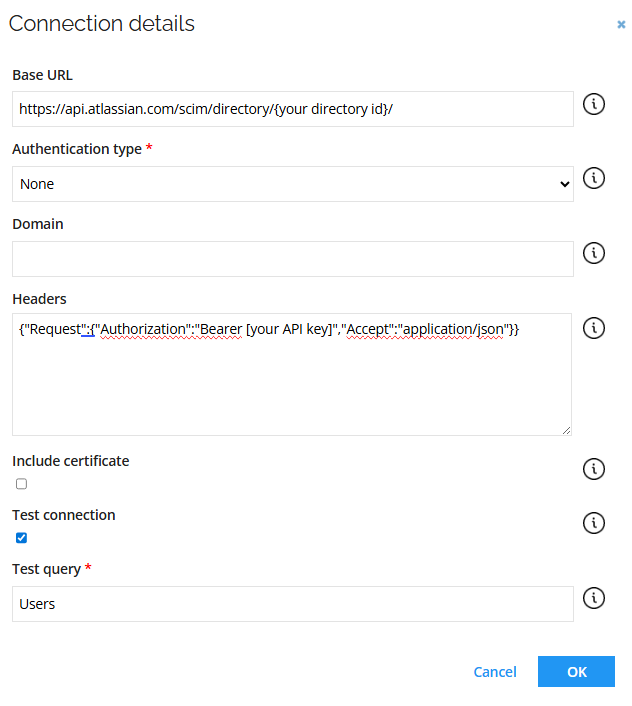
| Parameter | Value |
|---|---|
| Base URL | {Base URL} |
| Authentication type | None |
| Headers | {"Request":{"Authorization":"Bearer {Your API key}","Accept":"application/json"}} |
| Test connection | Select the checkbox |
Queries and mappings
Users - Accounts
Parameters:
| Tab | Parameter | Value |
|---|---|---|
| General | URL | Users |
| General | Collection | Resources |
| General | Distinct | No |
| General | Enabled | Check the box |
| Advanced | HTTP verb | GET |
| Advanced | URL is a DynamicExpresso expression | No |
| Paging | Change paging | No |
Mappings:
| Destination | Operator | Source |
|---|---|---|
| Business key | Map | id |
| Unique ID | Map | id |
| Account Name | Map | userName |
| Display Name | Expression | name_givenName + " " + name_familyName |
| Category | Constant | User |
| Status | Expression | active ? "Active" : "Deactivated" |
| Valid from | Map | meta_created |
| Distinguished name | Map | id |
| Map | emails_value | |
| Job title | Map | title |
| Cell phone | Map | phoneNumbers_value |
| AtlassianAccountId | Map | urnscimschemasextensionatlassianexternal10_atlassianAccountId |
Groups – Resources
Parameters:
| Tab | Parameter | Value |
|---|---|---|
| General | URL | Groups |
| General | Collection | Resources |
| General | Distinct | No |
| General | Enabled | Select the checkbox |
| Advanced | HTTP verb | GET |
| Advanced | URL is a DynamicExpresso expression | No |
| Paging | Changing paging | No |
Mappings:
| Destination | Operator | Source |
|---|---|---|
| Business key | Expression | id |
| Security resource business key | Expression | id |
| Name | Map | displayName |
| Category | Constant | Group |
| Type | Constant | Atlassian Guard Groups 2 |
| Display name | Map | displayName |
| Short name | Map | id |
| Description | Map | id |
Groups - Assignments
Parameters:
| Tab | Parameter | Value |
|---|---|---|
| General | URL | Groups |
| General | Collection | Resources |
| General | Distinct | No |
| General | Enabled | Check the box |
| Advanced | HTTP verb | GET |
| Advanced | URL is a DynamicExpresso expression | No |
| Paging | Changing paging | No |
Mappings:
| Destination | Operator | Source |
|---|---|---|
| Resource business key | Map | id |
| Account – business key | Map | members_value |
Advanced configuration
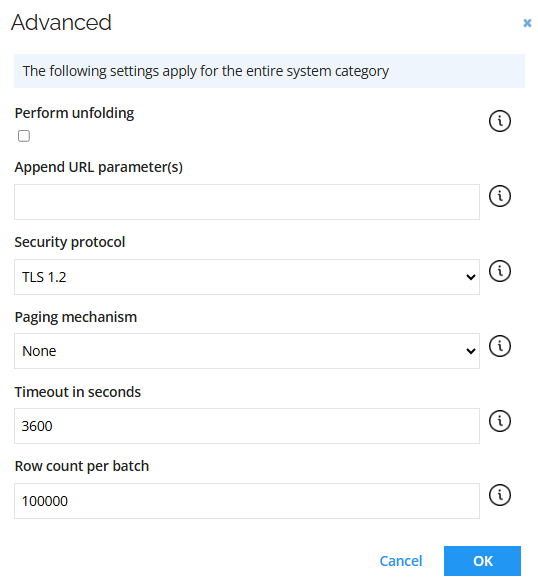
| Parameter | Value |
|---|---|
| Paging mechanism | None |
| Timeout in seconds | 3600 |
| Row count per batch | 100000 |
Account rules
The Omada Atlassian Guard connectivity has the following Account rules:
Ownership rule: The account owner is set to the identity where the Email value of the identity matches the Name value of the account.
| Field | Value |
|---|---|
| Type | Identity lookup |
| Join reason | Exact Match |
| Account attribute | Account UID |
| Identity attribute | Identity’s unique ID |
Classification rule: If an identity with the account attribute Identity join reason equals Exact Match, the account type is set to Email.
| Field | Value |
|---|---|
| Account type | Personal |
| Scope attribute | Identity join reason |
| Scope operator | Equals |
| Scope value | Exact Match |
Additional configuration
Enable the Always provision changes option for the Atlassian Guard Groups 2 resource type. It allows sending every detected change to that resource (or its assignments), even if the target system is already in the desired state.
- Go to Setup > Resource types and open the Atlassian Guard Groups 2.
- Enable the Always provision changes option. Click OK.
- Click Apply.