Translations
You can customize translations in Omada Identity by modifying the built-in strings. This can be done through the Cloud Management Portal and the Omada Identity Portal.
Omada Identity portal
-
In the Omada Identity Portal, navigate to the Setup section and then to Application Strings.
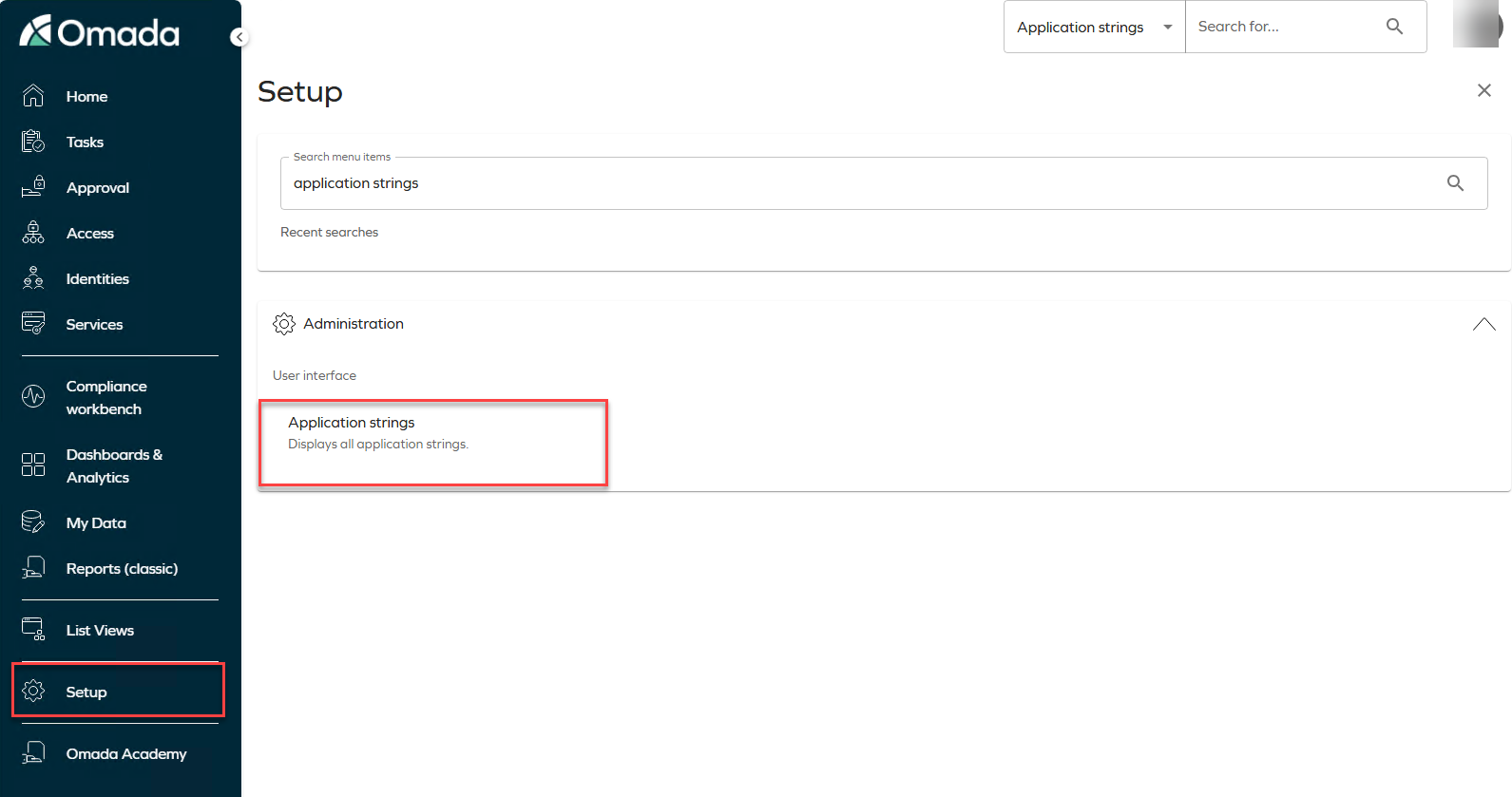
-
Click on the specific application string you want to customize. This will open a detailed view where you can make your changes.
-
After making your changes, click Apply to save and implement them.
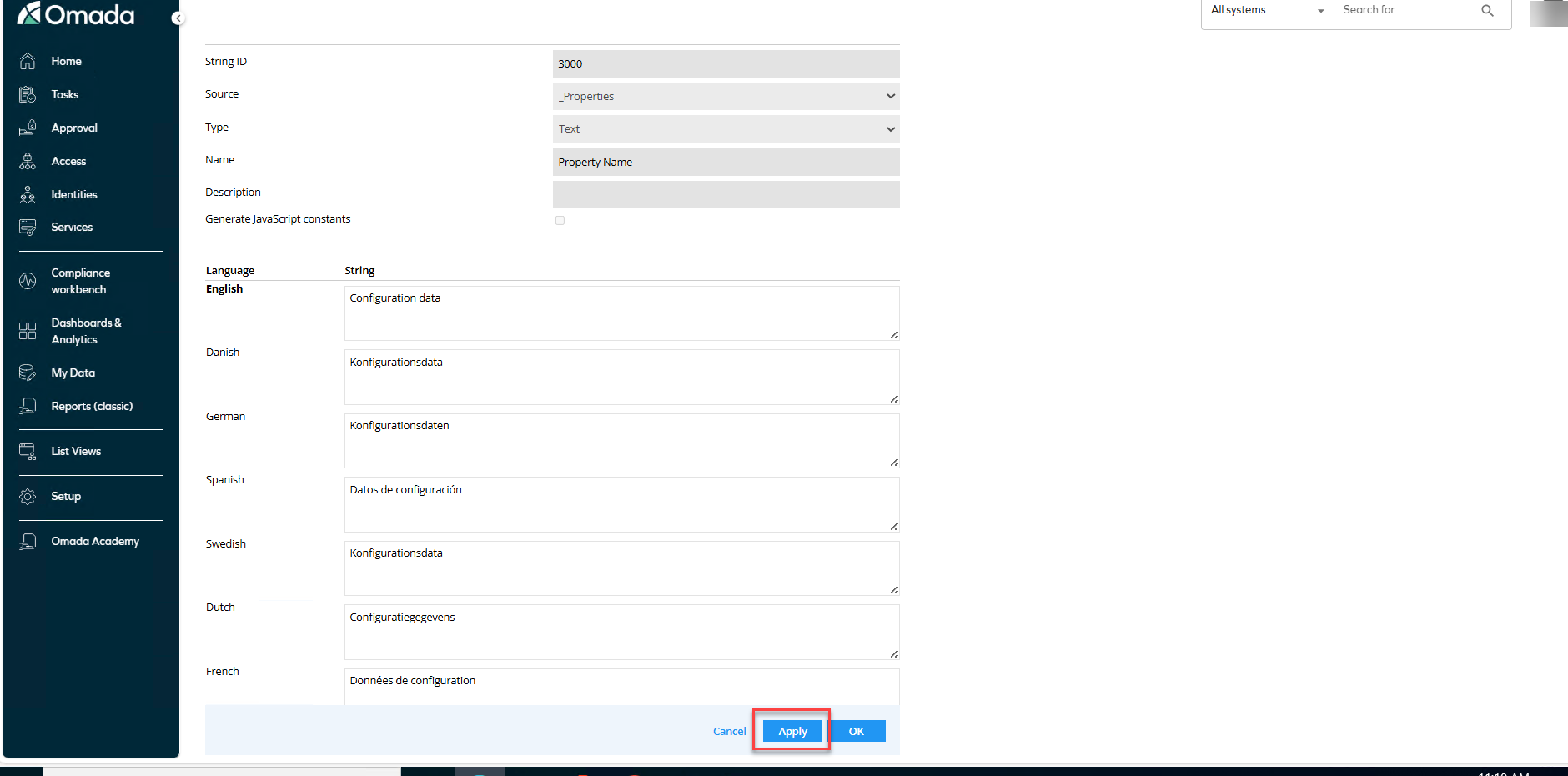
-
Click on Revert to defaults > Revert all to defaults to see all the changes implemented.
