Extend access
The Extend access functionality is a feature designed to provide end users with a convenient way to prolong their access to specific resources, streamlining the process of managing and tracking access extensions. This functionality caters to the needs of end users, approvers, and auditors within an access management system.
You can only select your own identity (that is, the identity you are signed in as).
To extend your access:
-
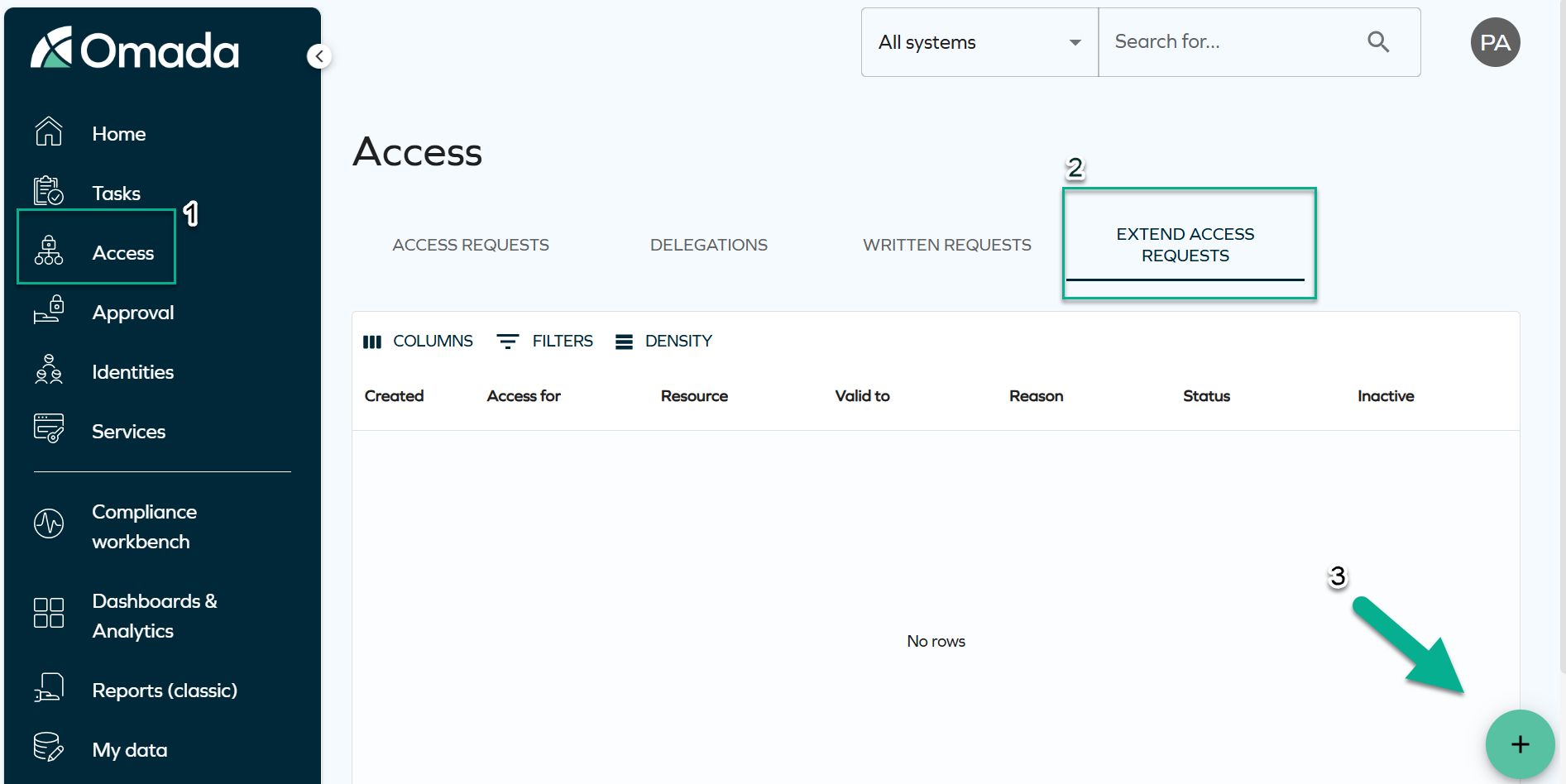
Navigate to Access > Extend access requests, and click on the plus icon.
-
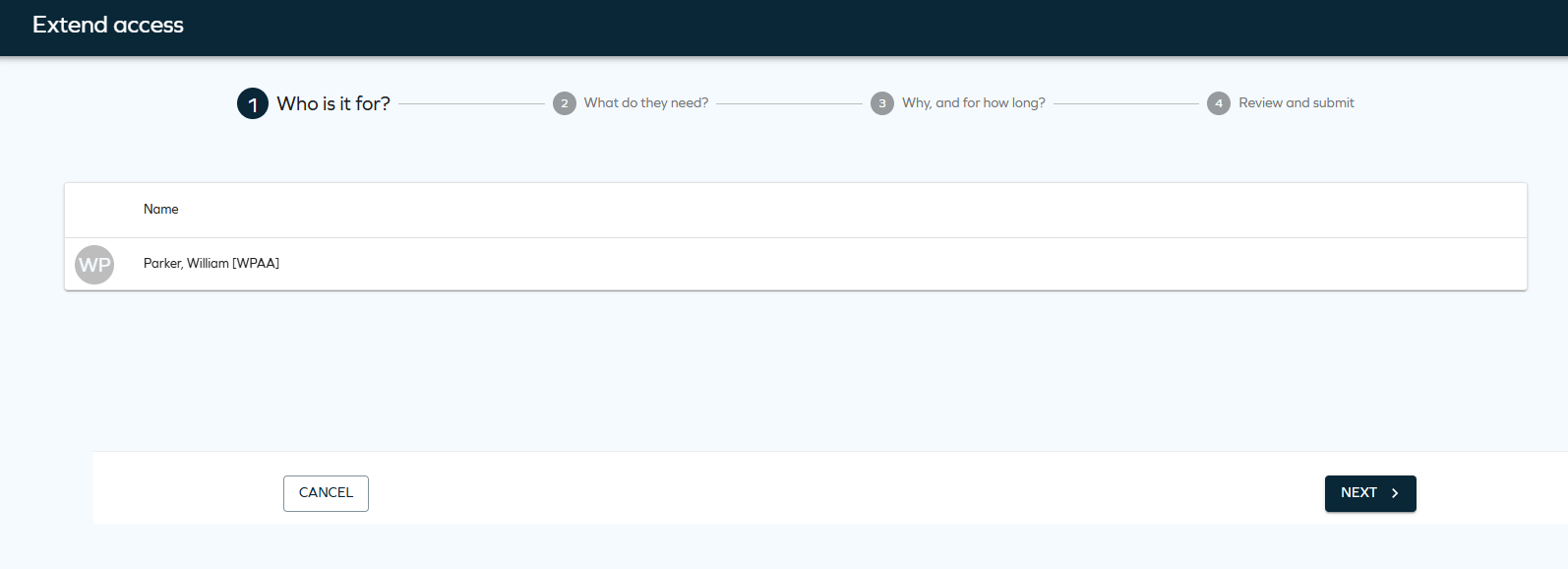
You will see the name of the identity you are signed in as. Click Next.
-
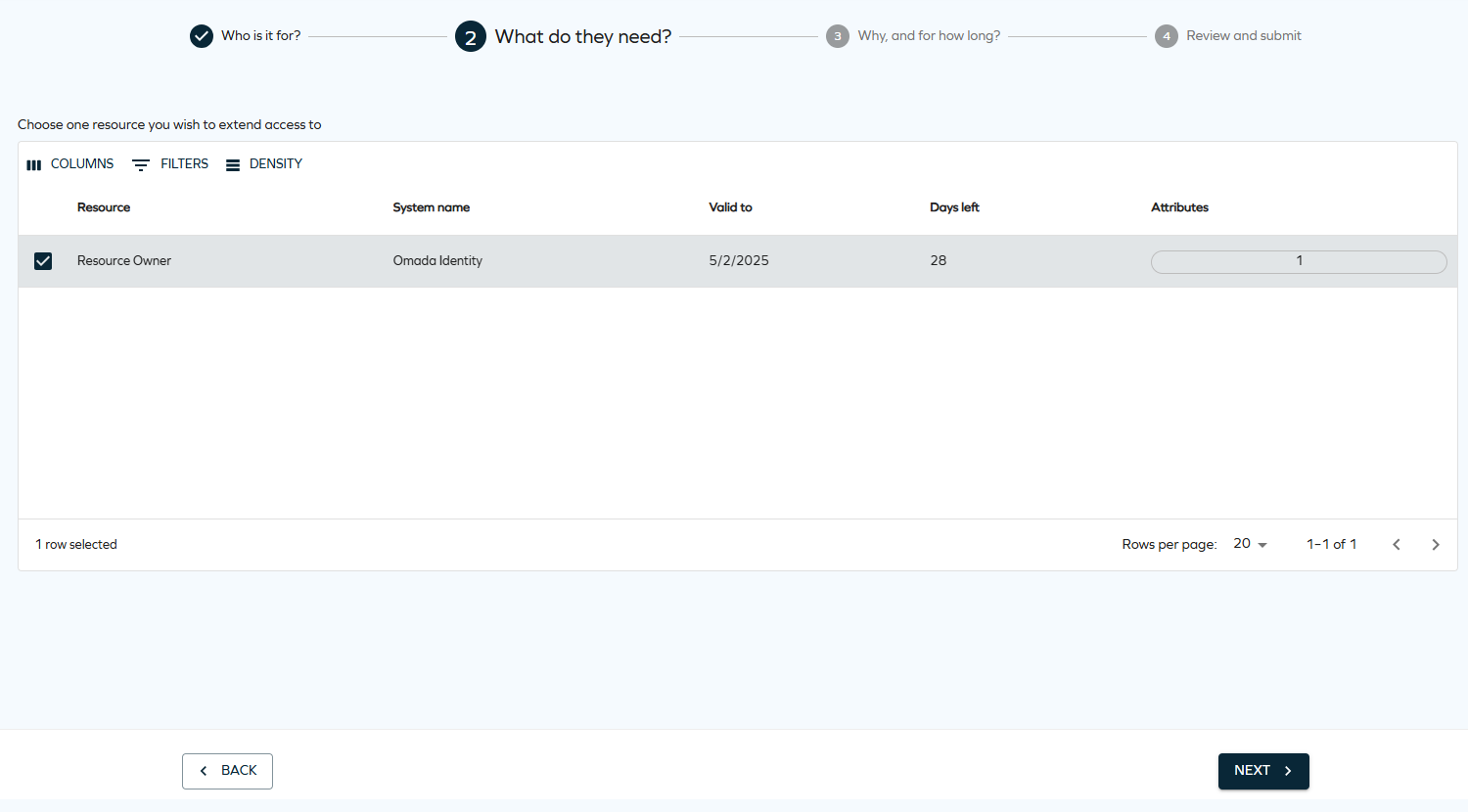
Select the resource assignment(s) to extend and click Next. You can select one or more items.
 important
The access extension process does not create a new resource assignment data object. Instead, it allows to extend access rights that have already been granted and have a validity set.
For a resource assignment to be available for selection:
- it must be active,
- it must have a valid end date that is less than the year 9999 (therefore, the
valid tovalue cannot be set to Never expires), - it must not be part of an existing access extension process.
-
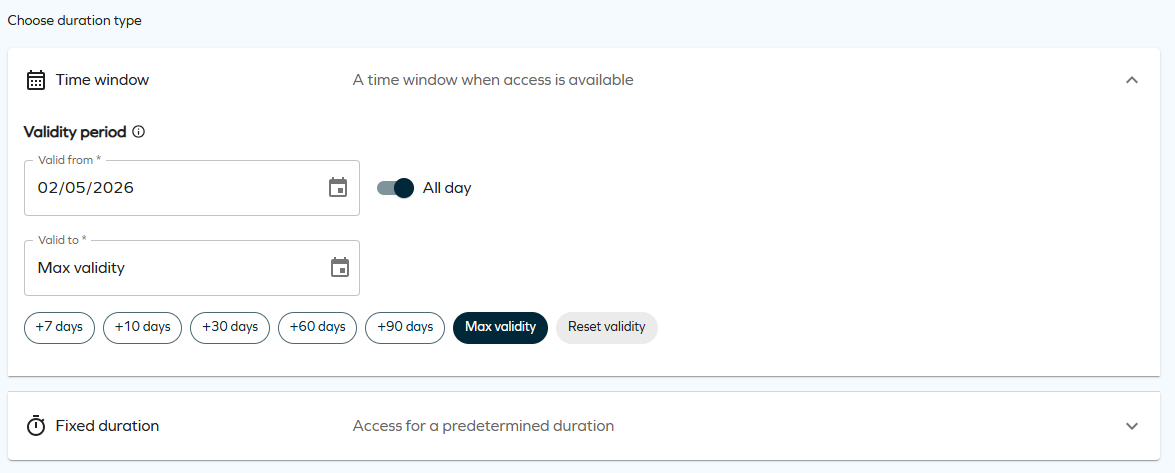
Select the access validity period. When specifying how long access should be granted, you can choose between two different access validity types: Time window and Fixed duration. The available options depend on the customer configuration for time-based access.
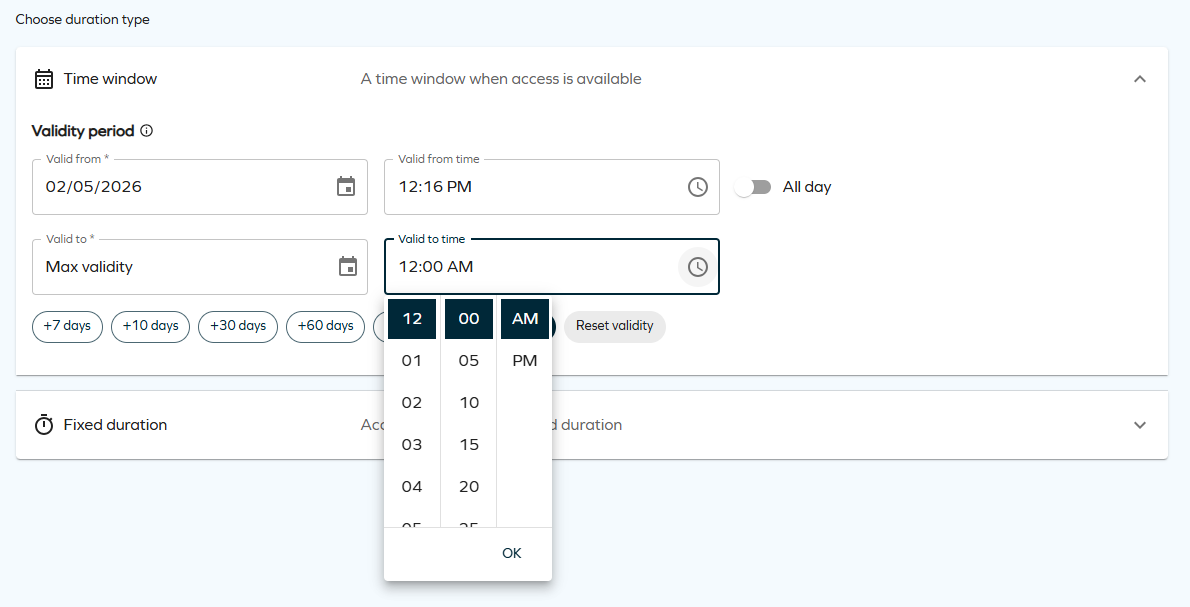
- Time window allows you to request access for a specific period by selecting a Valid from and Valid to date. This option includes an additional All-day toggle. When this toggle is enabled, access is granted for the full selected days. If not, you can specify exact start and end times within the selected range.
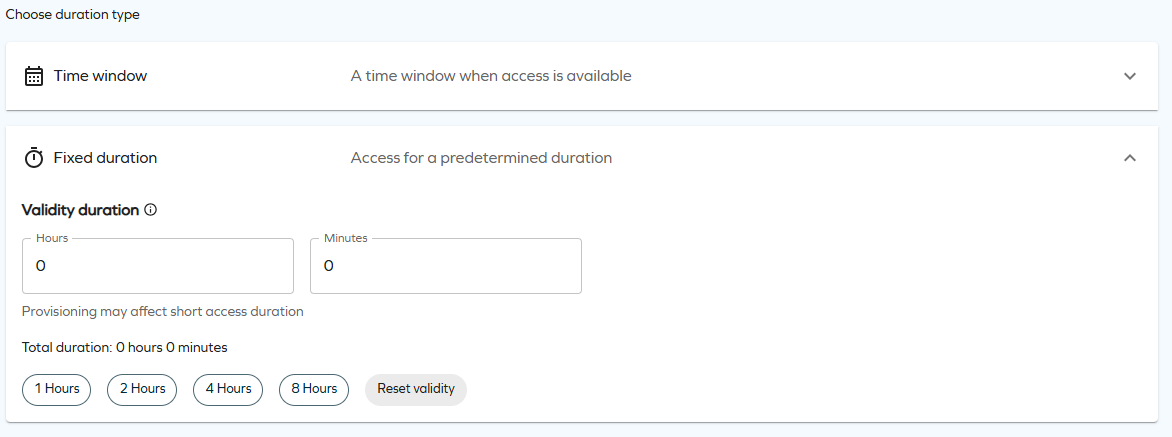
- Fixed duration allows you to request access for a predefined amount of time by specifying a duration in hours and minutes. The access becomes active from the moment the request is approved. This duration type also includes chips that let you quickly select a short, fixed amount of time.
 important
These access validity period options are only available if the customer setting
EnableTimeBasedAccessis enabled.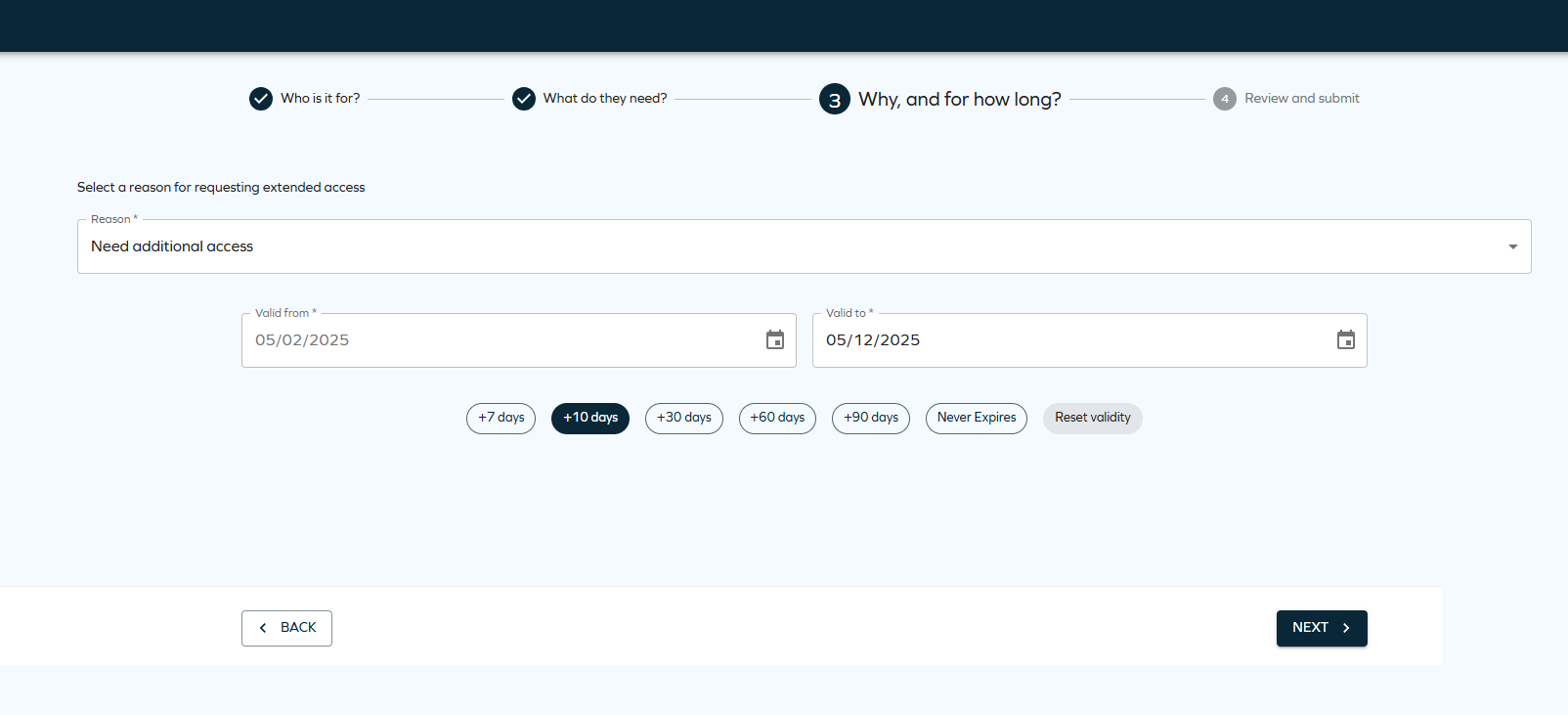 Maximum validity period
The access validity period is determined by a configurable Maximum validity period property, ensuring that access is granted only for the required duration.
This property can be configured for resources, resource folders, and systems. When defined with a value greater than zero, it limits the duration of resource assignments during Access Request, Approval, and Extend Access flows. The system automatically shortens the requested validity period if it exceeds the configured maximum, using the most specific value available (Resource > Resource Folder > System).
In the new UI, affected validity fields are visually highlighted, and users are shown a warning of a potential restriction if there are any resources or assignments in the basket for which a maximum validity period restriction applies.

-
Review and make any necessary edits to the selected assignments.
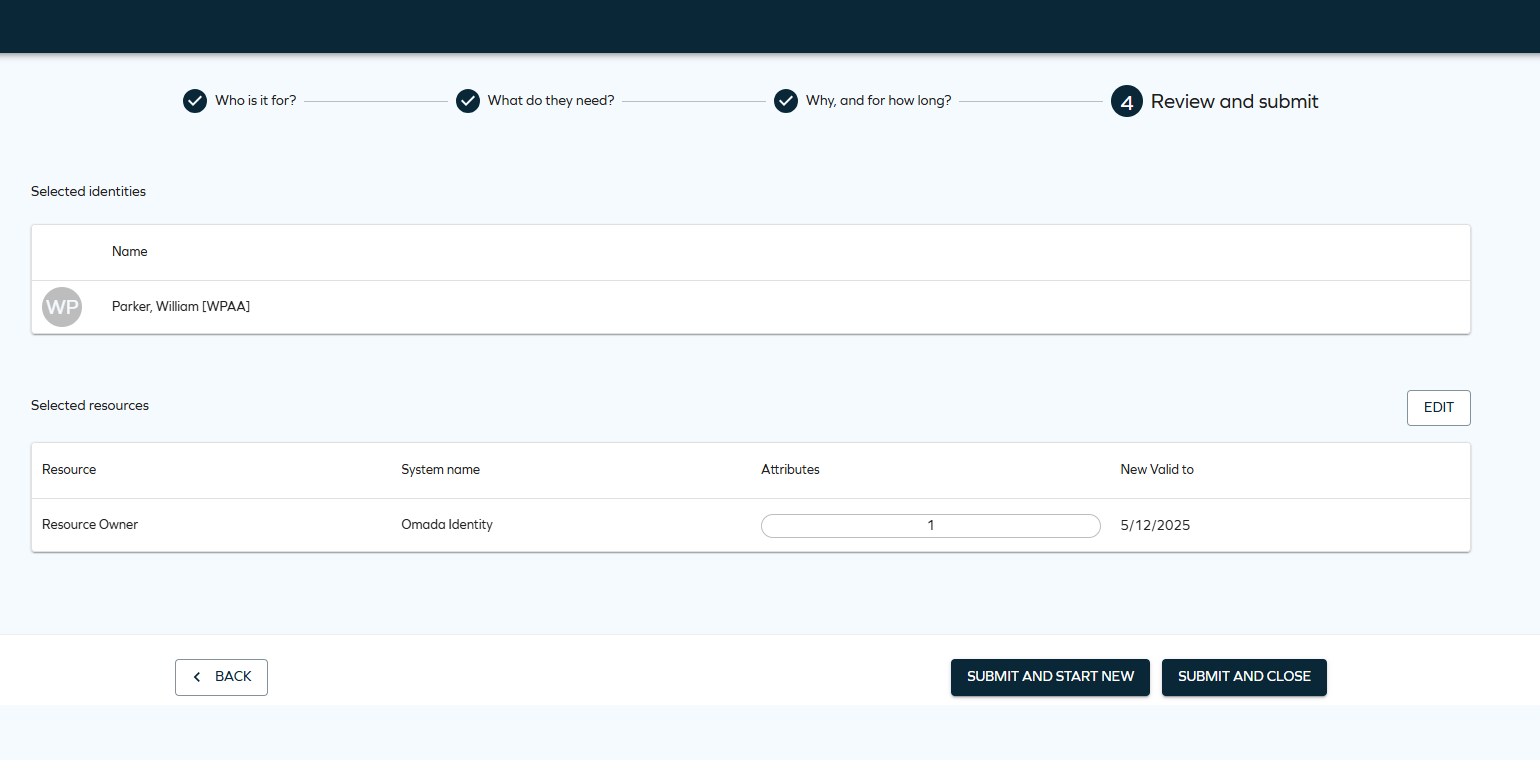
To finalize the access extension request, select Submit and complete. To finalize one request and start another one, select Submit and start new.
- In the access extension, the assignment does not necessarily go through the same approval steps as when it was requested. The approval steps are determined by the approval configuration of the resource folder at the time of the extension.
- The information about the extension is stored in the description field of the resource assignment object.
We recommend adding a default shortcut to the Extend Access process on the Homepage configuration page (Setup > Administration > Homepage Configuration).