Data sources
In this step, select the data source (or sources) that the survey object will be loaded from.
-
To add a property, click the New icon. The Select Properties dialog will open, with all valid properties available. Define values for all the required fields and click OK to add a data source. A data source can be of either a **Data objects **or SQL objects type. The way you configure these are different, but the name and threshold settings apply to both.
infoFor more information about data object and SQL object data sources, see the Data Sources section.
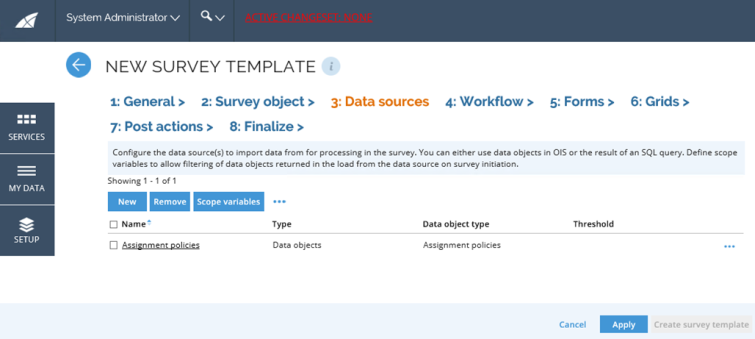
-
Define the threshold if you want to set a limit on the number of data objects returned from the query. This can be useful for testing purposes and for performance reasons.
infoWhen generating survey questions from an SQL data source, the questions are processed in parallel, which means that it is not possible to obtain the exact threshold value as stated in the survey template. If you wish to get an exact number of questions generated, you need to modify the SQL query for the data source(s) accordingly.
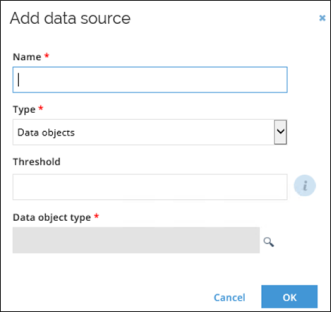
-
You can define Child object reference property that will be used to load child questions. When set, questions will be generated from the values of the selected reference property. The reference property must be limited to only load one data object type, either by selecting a specific data object type of the reference property, filtering the data object type of reference property view, or by limiting the types in access modifier. If not set, a standard survey will be generated.
ExampleIf the data source is for Resource data object types, it will be possible to select Child resources in order to include the child resources for each resource as survey questions.
-
To edit a data source, select the data source and click Edit icon. Alternatively, click the name of any data source to open the Edit data source dialog.
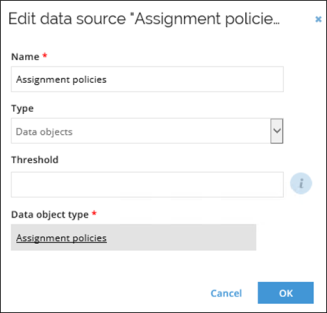
-
To remove data sources, select the appropriate ones and click the Remove icon.
Data object's data source
For a data object’s data source, you need to define which properties in the data source you want to map to the survey object and decide whether to apply filters to the objects loaded in the survey.
Data source fields
In the data source fields dialog, select which properties in the data source you want to map to the survey object.
The value mapped to the survey object can either be the value of a property on the source object itself, the values of a fixed field, or the result of a reference path expression.
-
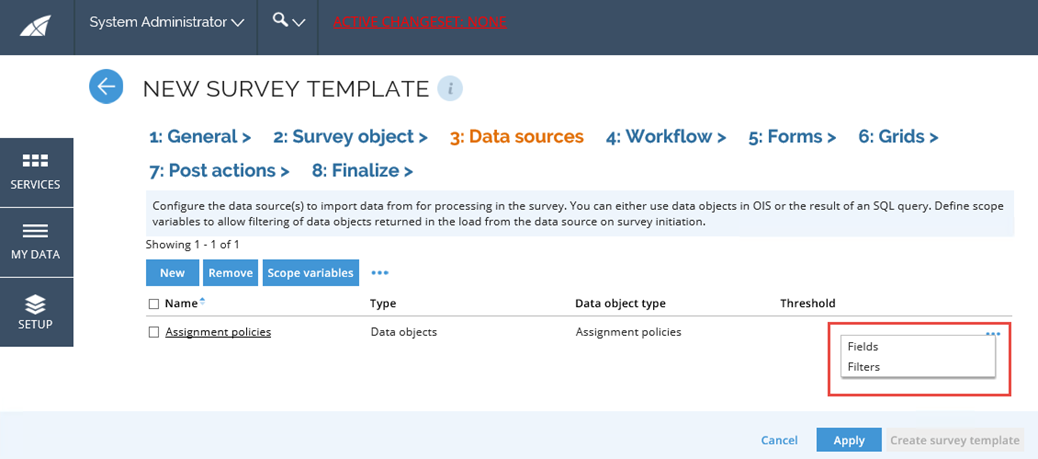
Click the ellipsis (...) icon and select Fields.
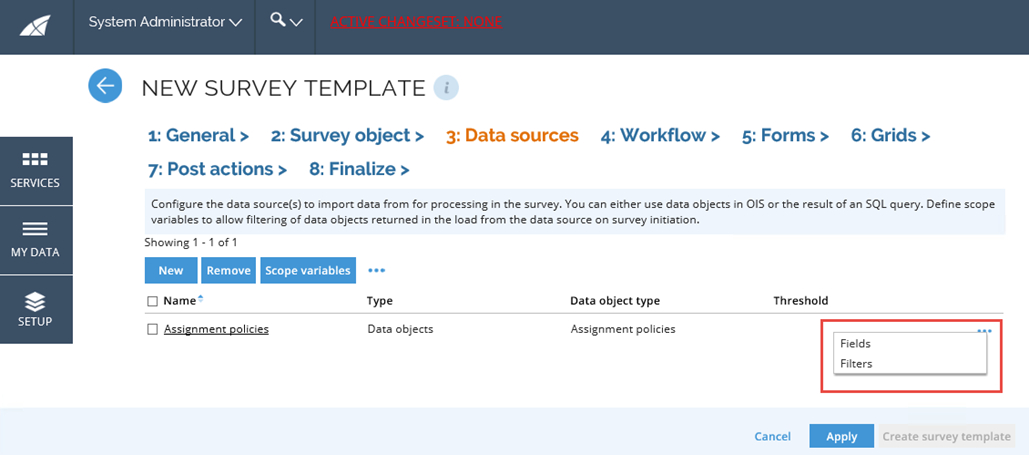
-
A Data source fields window will open, where you can edit the fields mapped to the survey object.
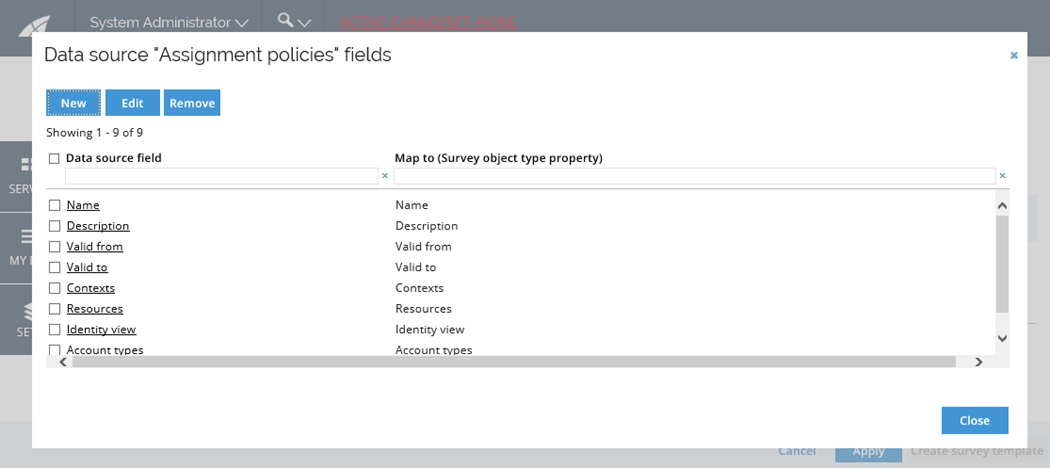
-
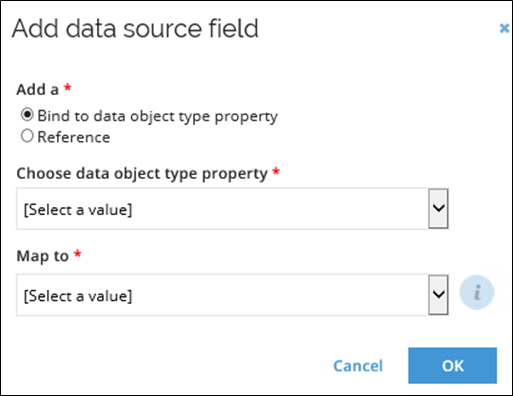
To add a new mapping, click New.
-
Select Bind to Data Object Type Property to map the value of a property on the source data object.
-
When the Child reference property is defined on a data source, you can choose if you want to map it from child or parent properties.
-
Click the Choose data object type property drop down to see the list of all properties on the source object and the valid fixed fields. Select the appropriate property.
-
Click the Map to drop down to see the list of all survey object properties available for mapping. Select the appropriate property. Only the ones that do not have a mapping are listed.
-
To map the value of a reference path expression, select to Add a Reference. Write the reference path expression in the reference path field.
-
Select from the available survey object properties in the Map to drop down. Only properties that do not have a mapping are listed.
-
To edit a data source field, select the data source field and click Edit icon. Alternatively, click the name of any data source to open the Edit data source field dialog.
Data source filters
You can define any number of filters to the data object’s data source . The filters are used to limit which data objects are loaded into the survey. Data source filters can only be applied to a data object’s data source .
The right-side of a data source filter can be the name of a scope variable. By using this, it is possible to limit which data objects are loaded into the survey based on the selections made by the user who launches the survey on the survey initiation screen.
You can use a reference path expression to define a filter on a referenced property.
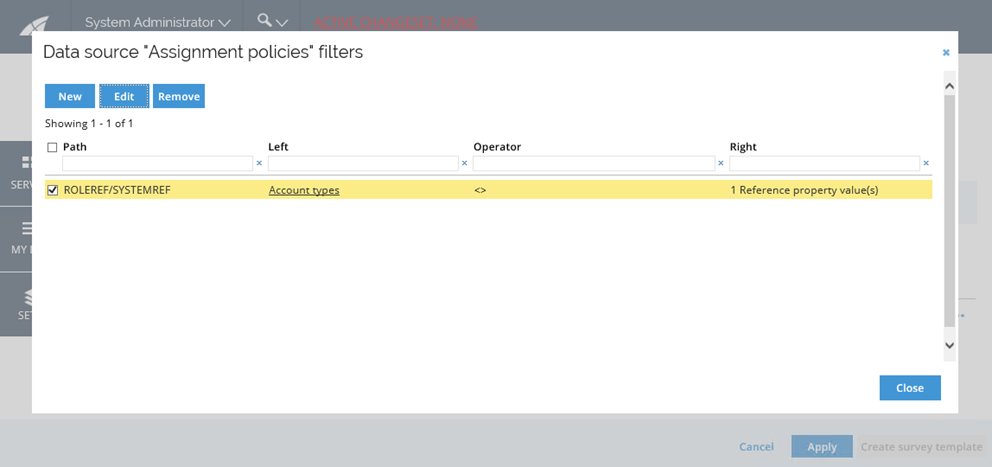
-
Click the ellipsis (…) icon and select Fields.
-
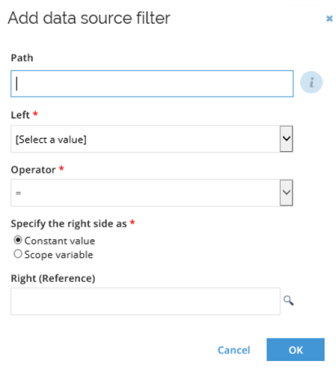
Click New to add a new data source filter. The Add data source filter dialog will open.
-
In the Path field, enter the reference path to apply the filter to its result. This field is optional.
-
In the Left drop-down, select the data source property that you want to compare.
-
In the Operator field, select the operator. The available operators depend on the data type of the property that has been selected in Left.
-
To use a constant value, select the Constant Value option in the Specify right side as field and specify the value to compare the data objects to.
-
To base the data source filter on the scoping choices at the launch of the survey, select the** Scope variable option** in the Specify right side as field. Select one of the available scope variables.
-
In the Right field, enter a constant value, or a scope variable, according to the choice you made in the Specify right side as field.
SQL data source
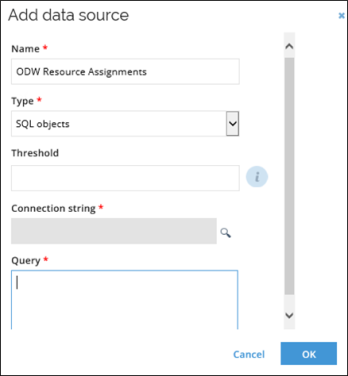
For a SQL object data source, you need to define the connection string to the SQL database that you want to load data objects from, write the query, and then map the fields in the query to the survey object.
-
Type the data source name in the Name field.
-
In the Type field, ensure that *SQL objects *are selected.
-
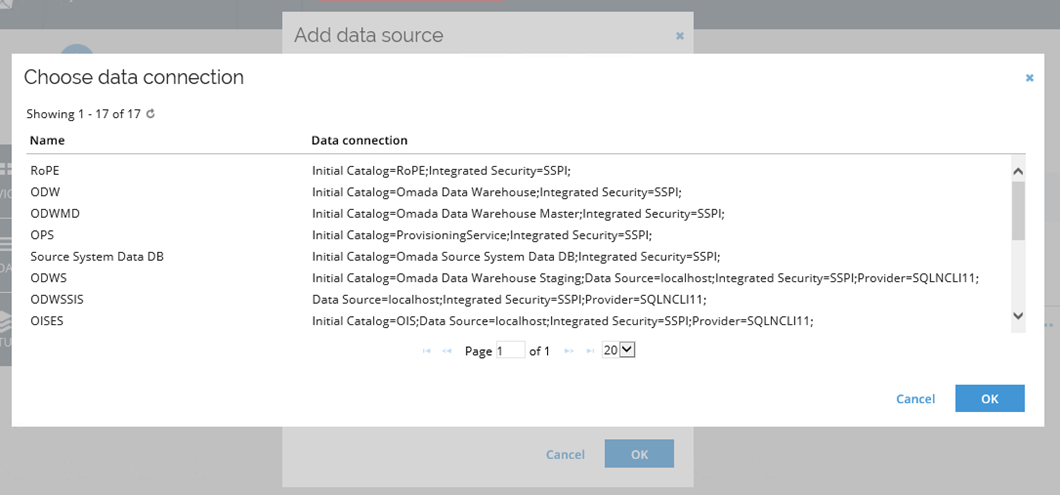
Click the magnifying glass to the right of the Connection string field and select a data connection object in the dialog.
-
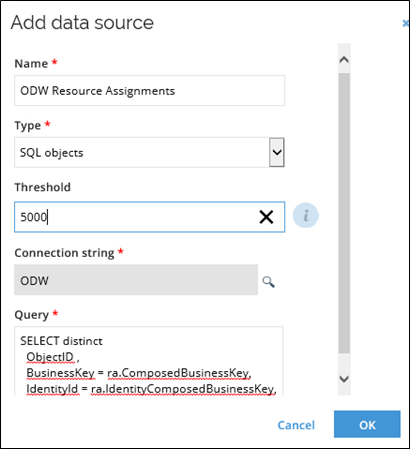
Write the SQL query in the Query field. If you want to filter the results, define them in the query. You can use scope variables in the query.
 Example
The following example of a query is the one configured in the User Mailbox access review survey template:
select distinct AssignmentKey, ResourceId, ValidFrom, ValidTo, IdentityId, AccountName, SystemId, MailboxOwnerId, ComplianceStatefrom RoPE.viewExchangeMailBoxAccessSurveywhere 1=1#IFDEF(@orgUnitId)and MailboxOwnerContextId = (select [uid] from OIS..tblDataObject where ID=@orgUnitId)#ENDIF(@orgUnitId)#IFDEF(@systemId)and SystemId = (select [uid] from OIS..tblDataObject where ID=@systemId)#ENDIF(@systemId)#IFDEF(@resourceIds)and ResourceId in (select [uid] from OIS..tblDataObject where ID in (@resourceIds))#ENDIF(@resourceIds)#IFDEF(@complianceState)and ComplianceState = @complianceState#ENDIF(@complianceState) -
Click OK to save the data source. Then, you will be able to map the fields in the query to the survey object.
Data source fields
In the data source fields dialog, you can select which properties in the data source you want to map to the survey object.
-
Click the ellipsis (…) icon and select Fields.
-
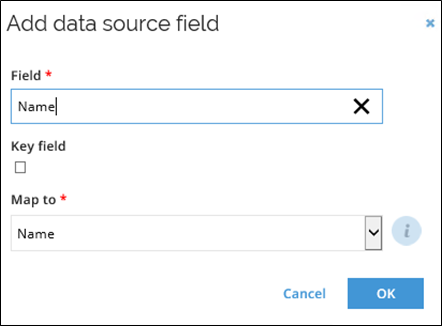
Click the New icon to add a new mapping.
-
For reference properties, select the property on the referenced data object type that the field will be mapped to.
-
Tick the Key field checkbox for the field you want to define as the Key field.
Required data sets
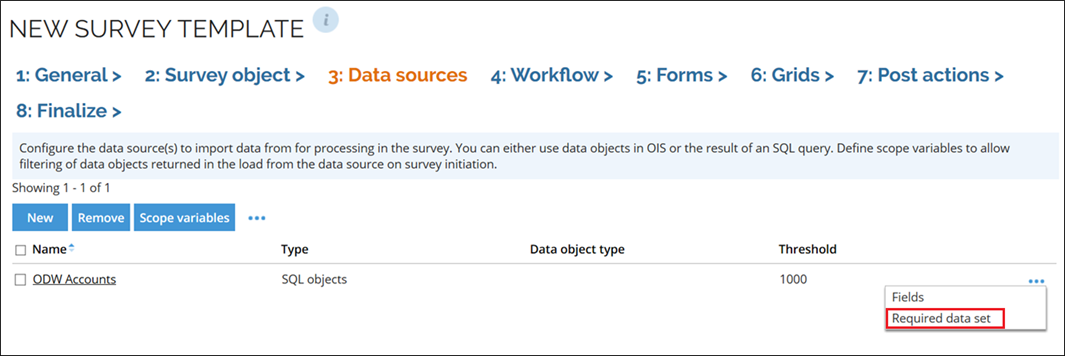
SQL data sources also require data sets that can be added via the Required data sets context menu.
These data sets are SQL queries that can be executed in other databases than the main query.
-
Click the ellipsis (…) icon and select Required data sets.
-
Click the New icon to add a new mapping.
-
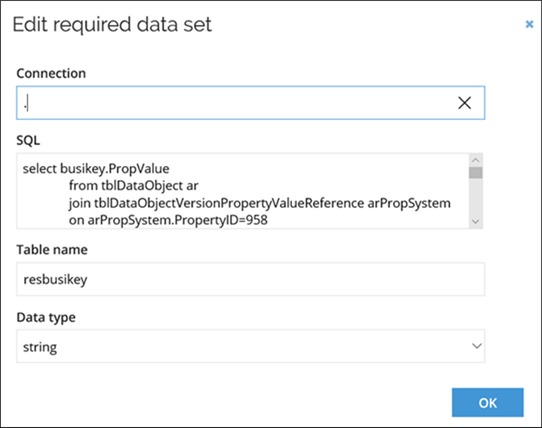
Provide data connection element to another database and the SQL query that is to be executed in this database. Entering “.” or “OIS” specifies connection to the ES database.
-
In the Table name field add the name of the temporary table and the in the Data type add the column type of the SQL result.
The Table name should be added without # and it can later be used in a join ot sub-select in the main query (with #)
Scope variables
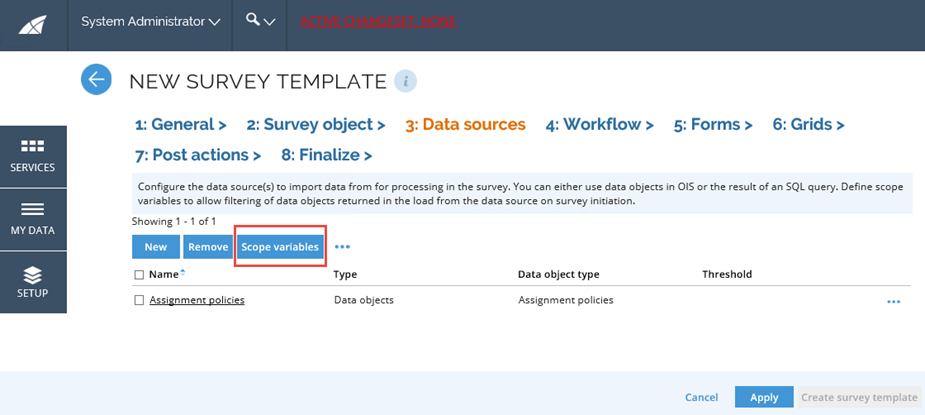
To add or edit the Scope variables for the survey, click the scope variables icon in the bottom toolbar in the Data sources tab, click the scope variables icon.
-
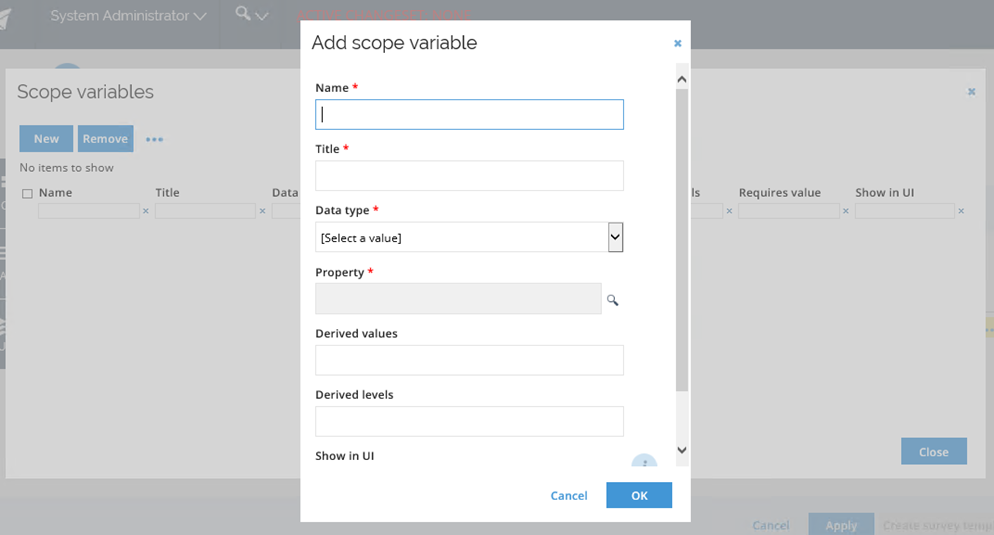
If there are no scope variables defined, the Add scope variable dialog opens automatically. Otherwise, click the New icon to add a new scope variable.
-
Fill in the Name for the scope variable.
-
Fill in the Title, which is the text that is displayed in the UI.
-
Select the Data type in the drop-down list.
-
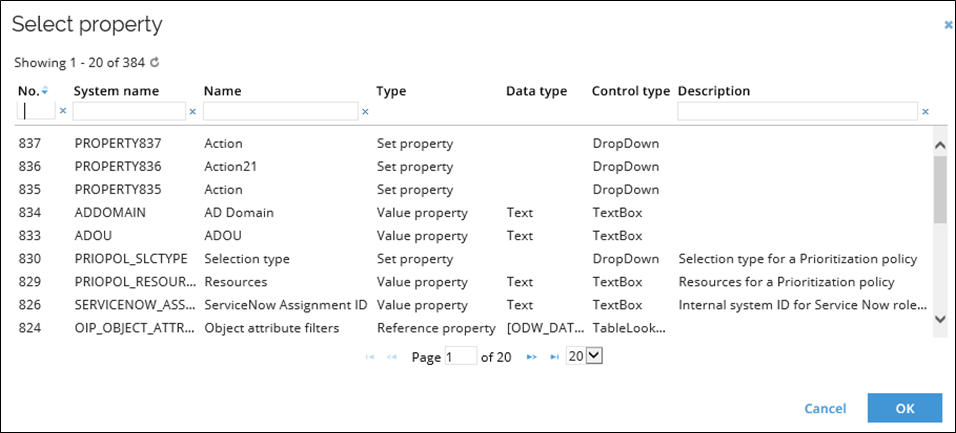
Click the magnifying glass icon next to the Property field to open the Select property dialog. The list shows only properties of the selected data type.
-
Fill in the Derived values field. This field can contain a reference path that is evaluated using the referenced data object(s) of the scope variable as the starting point. For example, it can be used to launch a survey for all identities belonging to a certain org. unit, as well as all identities belonging to all descendant org. units.
-
If the Derived values field is filled in, add the number of recursions to make in the Derived levels field.
-
Tick Show in UI if the scope variable should be displayed in the survey initiation activity.
-
Tick Requires value if a value for the scope variable must be provided when initiating the survey.
-
Click OK to save the changes.