Configure identity transfer (Example)
It is possible to apply the same transfer identity flow for other context assignments which are membership based. For example, those that are maintained via a membership property on the identity. This means that employment contexts are not applicable.
The following steps explain how to use the transfer identity process flow for another context type:
-
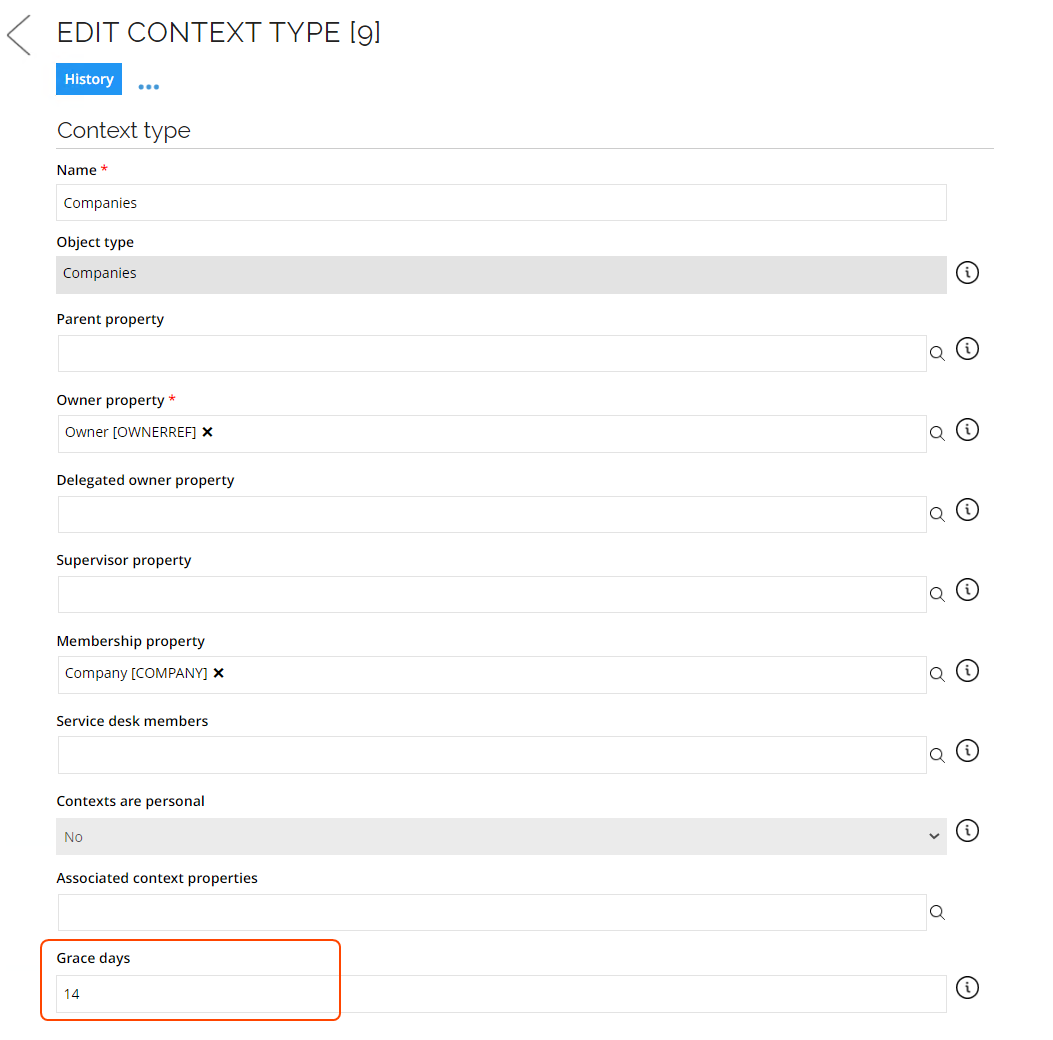
Go to Set up > Master Data > Organization > Context type. Click Companies. Then, Edit context type page opens. Set the grace days on the Context type.
-
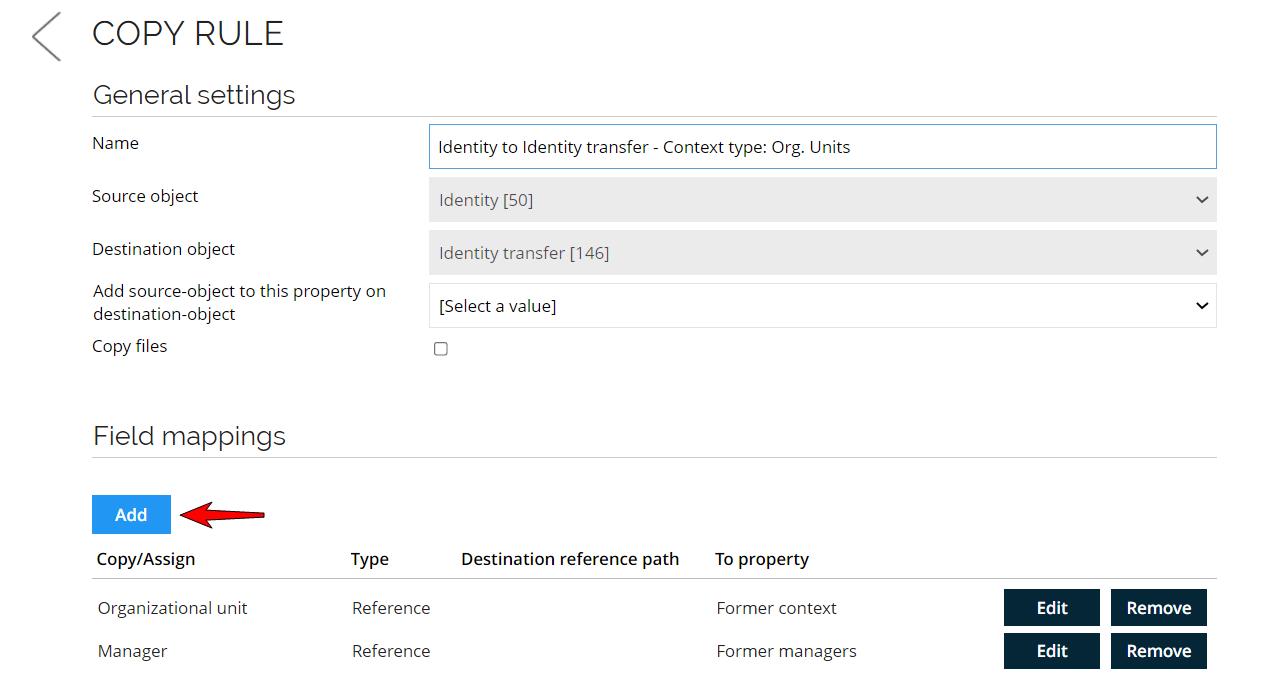
Go to Setup > Administration > Data management > Copy rules. Create a copy rule from Identity to Identity transfer object and map the Membership property and the Supervisor property (if applicable). Note down the UId.
-
Go to Setup > Administration > Data Management > Survey templates. Create a new survey template based on the Transfer identify assignment survey template.

-
Open the survey template you just copied. Go to the Data sources tab and change the field mappings of the Resources assignments - With context so it points to the membership property of the context type.
-
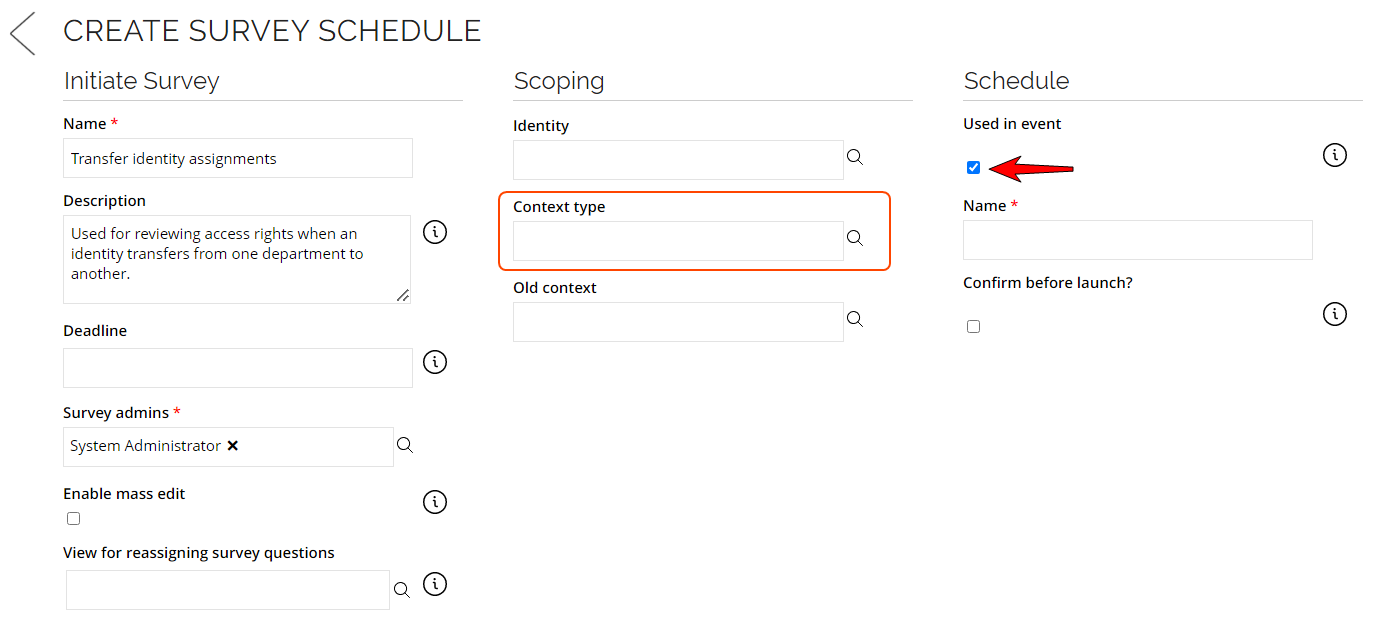
Go to Set up > Administration > Data Management > Survey schedules. Click on the New button to create a new Survey schedule. Choose Transfer identity assignments when selecting a survey template.
-
Set the Scope variable Context type to the relevant context type and select the option Used in Event. Save the survey and note down the UId.
-
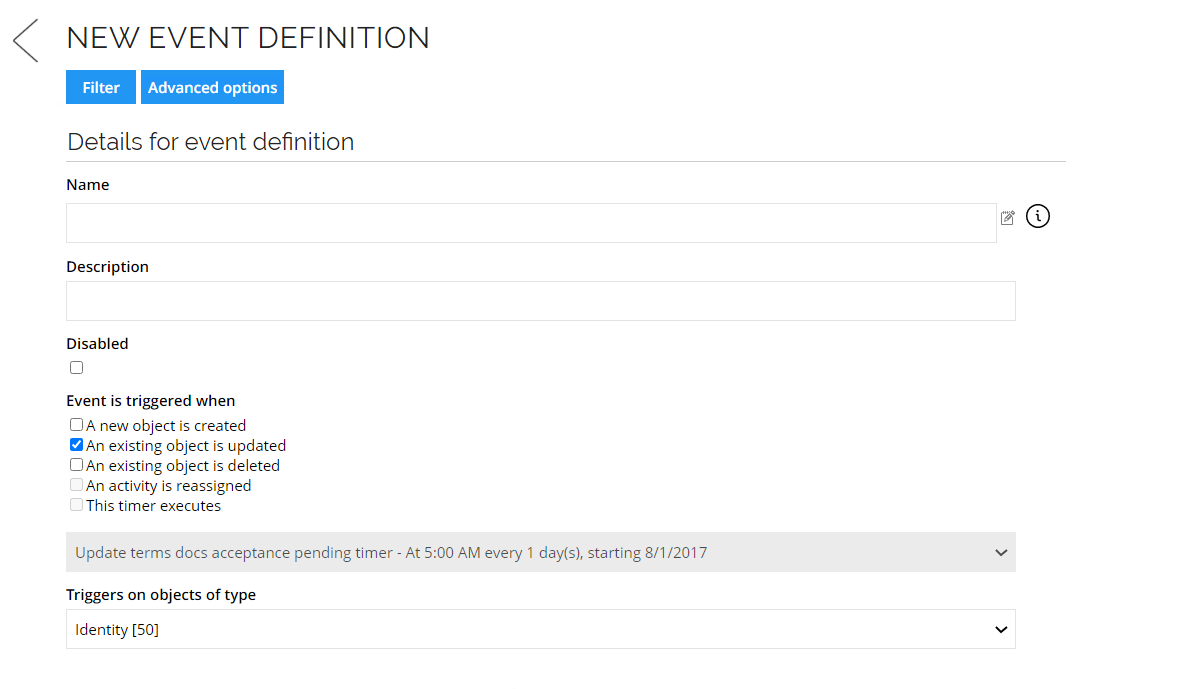
Go to Set up > Administration > Data managements > Event Definitions. Click New so you can create a new event definition. Select the options as marked in the picture below:
-
Event is triggered when an existing object is updated.
-
Triggers on objects type Identity.
-
-
Click on the Advanced options button. And complete the fields with the information below:
- Event triggers when fields are changed: Company.
- Trigger on change of all fields or any field: all.
-
On the Edit Event Definition view that you just created. Scroll down and click on New to select an action to be created. Select Execute code method and click OK.
-
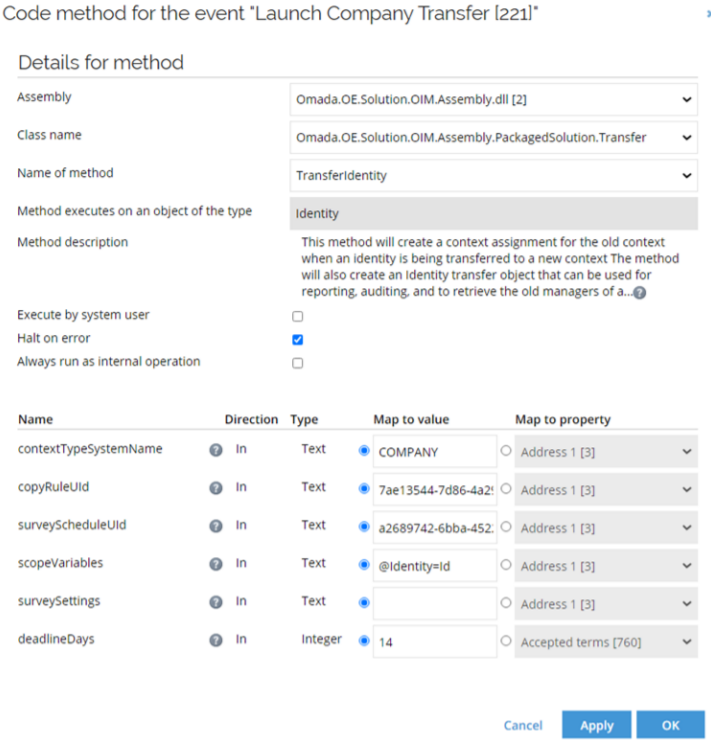
A new dialog box will open so you can execute the code method. Set the action to Execute code method: TransferIdentity (in
Omada.OE.Solution.Assemnl.PackagedSolution.Transfer). Set the parameters based on the configuration made below:-
In the scopeVariable field, set
Identity = Id. -
In deadlinesDays field, set the same deadlines as the context grace period you set before.
-
-
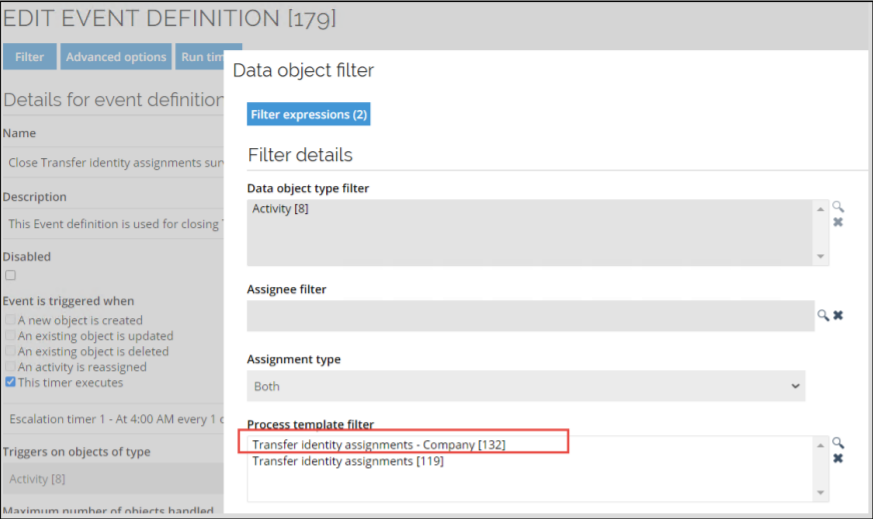
Go to the Edit Event Definition view and click on Filters, a new dialog box will open. Add the new Survey in the Process Template Filter field.